Python Print and Browser Request Layers
Python print function
Displaying Output with print
The simplest way to see the result of your code is to display it on the screen. In Python, the main tool for this job is the print() function. Think of it as your program's voice. It lets you output text, numbers, or the values stored in variables to the console.
At its most basic, you give print() something to say by putting it inside the parentheses. If you're providing text, which programmers call a string, you need to wrap it in quotation marks.
print("Hello, Python!")
This line of code calls the print function and passes it one argument: the string "Hello, Python!". The function then does its job and displays that string on your screen.
You can also print the contents of variables or even multiple items at once. Just separate each item with a comma inside the parentheses.
year = 2024
print("The year is", year)
When you run the code above, Python replaces the variable
yearwith its value,2024, and prints:The year is 2024.
Customizing the Output
By default, when you ask print() to display multiple items, it puts a single space between them. And after it’s done, it automatically moves to a new line. But you can change this behavior using special arguments called parameters.
The sep parameter lets you specify a custom separator. Instead of a space, you could use a comma, a dash, or any other string.
# Using a custom separator
print("Mercury", "Venus", "Earth", sep=" - ")
The end parameter controls what print() adds to the very end of the output. Its default value is a special newline character that tells the console to drop to the next line. By changing it, you can make multiple print statements stay on the same line.
# The first print statement doesn't start a new line
print("Processing files...", end=" ")
print("Done.")
The output for the code above will be a single line:
Processing files... Done.
Interactive vs. Script Mode
How you use print() can feel a little different depending on how you're running your Python code. There are two main ways: interactive mode and script mode.
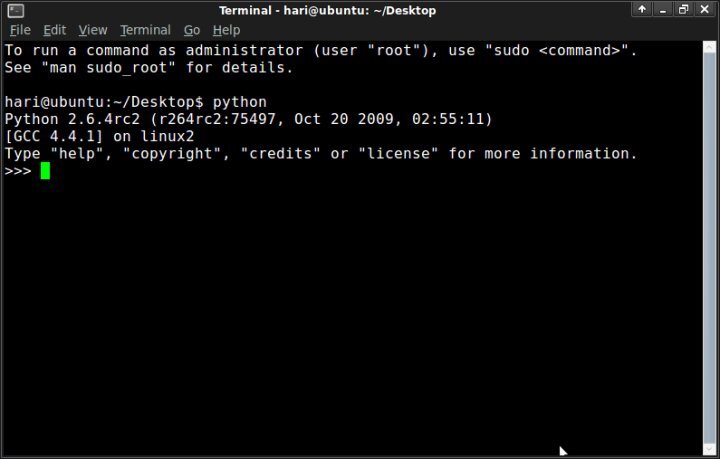
Interactive mode is like having a direct conversation with the Python interpreter. You type one command at a time, and Python responds immediately. In this mode, if you type an expression like 5 + 3, the interpreter will automatically show you the result, 8. You don't always need print().
However, using print() in interactive mode gives you more control, like when you want to format output with sep or end.
Script mode is different. This is when you write your code in a file (usually one ending in .py) and then tell Python to run the whole file. In script mode, the interpreter executes all the commands in order but doesn't automatically display the results of expressions. If you want to see a value, you must explicitly use print().
If a file named
my_script.pycontains just the line5 + 3, running it will produce no output. To see the result, the file must containprint(5 + 3).
What is the correct syntax to display the text "Hello, Python!" on the screen?
Consider the following code written in a .py file (script mode):
x = 10
y = 20
x + y
What is the result when this script is executed?