Python Programming for Applied Projects
Python Setup
Getting Python Running
Before you can write any Python code, you need to install the Python interpreter on your computer. This is the program that understands and executes your Python scripts. The best place to get it is from the official Python website, python.org.
The installation process is straightforward. Just download the installer for your operating system (Windows, macOS, or Linux) and run it. The installer will guide you through the steps. A key option to look for during installation is "Add Python to PATH." It's a good idea to check this box, as it makes running Python from your computer's command line much easier.

Once Python is installed, you're ready to start writing code. But where do you actually write it?
Your Coding Workspace
You can write Python code in a simple text file, but most developers use a specialized tool called a code editor or an Integrated Development Environment (IDE). These tools make coding much easier with features like syntax highlighting, which colors your code to make it more readable, and autocompletion.
An IDE is like a supercharged code editor. It bundles a code editor with other helpful tools, like a debugger for finding errors and tools for managing large projects. A regular code editor is more lightweight and focuses purely on writing code.
For beginners, either a code editor or an IDE works well. Some popular choices include Visual Studio Code (a powerful code editor), PyCharm (a full-featured IDE for Python), and Sublime Text (a fast and simple editor). Don't worry too much about which one to pick right now. You can always switch later. The important thing is to choose one and get comfortable with it.

Running Your Code
There are two main ways to run Python code. The most common way is by writing your code in a file and then telling the Python interpreter to run it.
First, open your code editor and type a simple program. Save the file with a .py extension, which is the standard for Python files. For example, you could name it hello.py.
# Save this code in a file named hello.py

message = "Hello, Python!"
print(message)
To run this file, you'll need to open your computer's command line or terminal. Navigate to the directory where you saved your file and type python hello.py. The interpreter will execute the code in the file, and you'll see "Hello, Python!" printed to the screen.
The second way to run code is using the interactive interpreter, also known as the Python shell or REPL (Read-Eval-Print Loop). This is great for testing small snippets of code without creating a file. To start it, just type python in your terminal and press Enter.
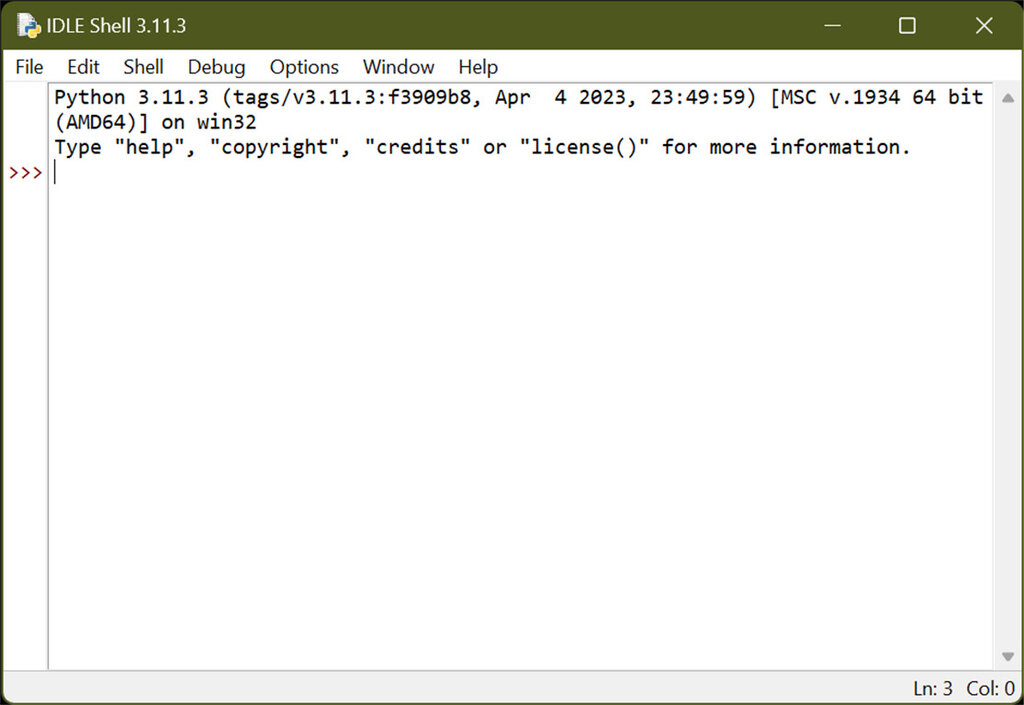
You'll see a >>> prompt, which means the interpreter is ready for your commands. You can type Python code directly here, and it will run immediately after you press Enter.
>>> 5 * 10
50
>>> name = "World"
>>> "Hello, " + name
'Hello, World'
Use the interactive interpreter for quick experiments and calculations. For anything more than a few lines, it's better to save your code in a .py file.
Now you have Python installed and know how to run your code. Let's check your understanding.
What is the official website to download the Python interpreter?
During the Python installation process, which option is highly recommended to check for easier use from the command line?
With your environment set up, you're ready to start diving into the fundamentals of the language.