Zulip Server Setup
Introduction to Zulip
Taming the Chaos of Team Chat
Team chat apps are essential, but they can quickly become overwhelming. Important discussions get buried under a flood of new messages, GIFs, and casual chatter. Trying to catch up after a few hours away feels like a chore. You scroll endlessly, hoping to piece together conversations that have forked in a dozen different directions.
This constant stream of information creates a sense of urgency, forcing everyone to stay plugged in or risk missing out. It's a common problem that leads to distraction and makes focused work difficult. What if there was a way to organize conversations so you could easily find what matters?
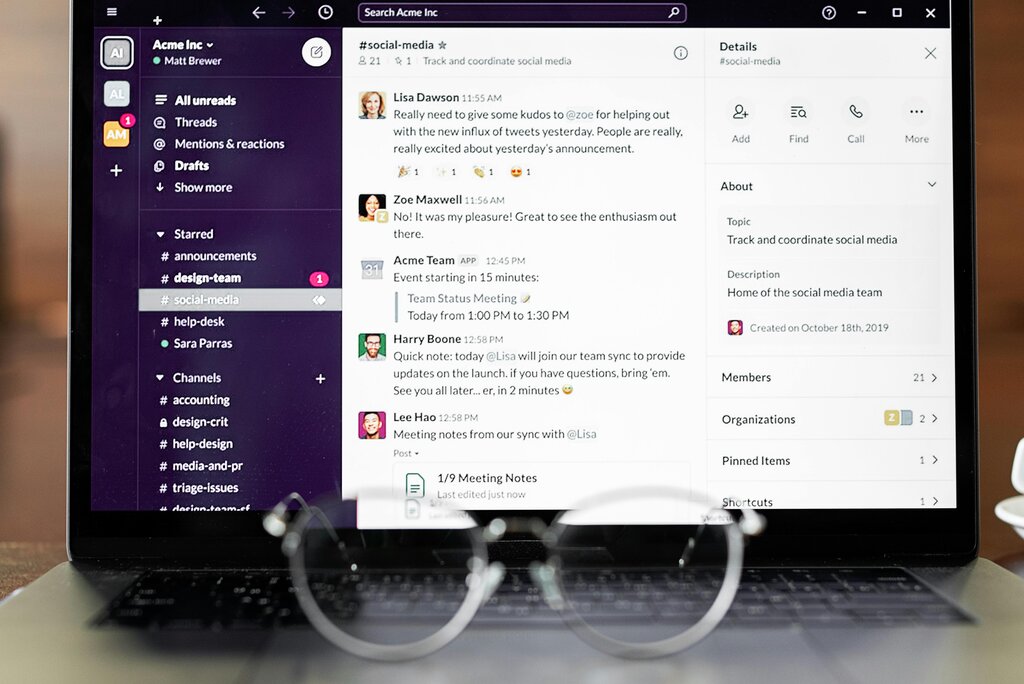
Zulip is an open-source team communication tool built to solve this exact problem. It combines the immediacy of real-time chat with the organization of email, creating a more structured and less stressful environment for collaboration.
Streams and Topics
The key to Zulip's power is its unique threading model. Instead of putting all messages into a single channel, every conversation in Zulip must have a topic. This is a small but fundamental difference that changes everything.
Think of it this way. A channel in Slack or Microsoft Teams is like one giant, continuous meeting with no agenda. Everyone talks over each other, and topics change without warning. In Zulip, conversations are organized into streams and topics.
- Streams are like broad categories, similar to channels. You might have streams for
#marketing,#engineering, or#project-alpha. - Topics are like email subject lines. Within a stream, every conversation gets its own topic. So, inside the
#engineeringstream, you could have topics likeAPI performance,database migration, ornew feature brainstorming.
This structure means you can quickly scan topics to see what's relevant and ignore what isn't. You can jump into a conversation about the
database migration, read it from start to finish without interruption, and then move on to the next topic.
This topic-based threading makes both real-time and asynchronous communication effective. If you're online, you can participate as messages come in. If you're busy, you can come back later and catch up on specific topics without wading through unrelated chatter. Important information is always easy to find, days or even weeks later.
How Zulip Compares
So how does this stack up against other tools? Let's compare the communication models.
| Feature | Slack / MS Teams | Zulip | |
|---|---|---|---|
| Organization | Channels for broad subjects | Streams (channels) and Topics (subjects) for every conversation | Threads grouped by subject line |
| Pace | Fast-paced, real-time | Supports both real-time and asynchronous conversation | Asynchronous, not ideal for quick back-and-forth |
| Catching Up | Requires scrolling through a chronological feed | Easy to scan topics and read specific conversations | Easy to read a single thread, but inboxes get cluttered |
Zulip occupies a sweet spot. It provides the focus of email threads with the speed and convenience of modern chat. This makes it particularly useful for teams that need to have multiple, parallel conversations without losing track of any of them. It's built for deep work, not constant distraction.
What is the primary problem with traditional team chat apps that Zulip aims to solve?
In Zulip's structure, a 'stream' is most similar to what feature in other chat apps?
Now that you understand the core concepts behind Zulip, you're ready to see how it works in practice.