Your Journey to Becoming a Music Producer
Digital Audio Workstations
Your Studio's Command Centre
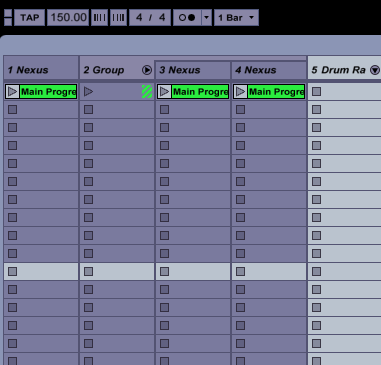
At the heart of any modern music production setup is the , or DAW. Think of it as your virtual studio. It’s a single piece of software that handles everything from recording live instruments and vocals to arranging digital sounds, mixing different elements together, and preparing the final track for release. All the complex processes that once required a room full of expensive hardware are now contained within this powerful application.
The digital audio workstation (DAW) is critical to success in modern music production.
Whether you're working with audio recordings or MIDI data for virtual instruments, the DAW is where it all comes together. It provides a visual timeline to arrange your song, a mixer to balance levels, and a suite of tools to polish your sound.
Choosing Your Weapon
There is no single "best" DAW; the right one for you depends on your budget, operating system, and creative workflow. Most DAWs offer the same core functionality, but they differ in their design philosophy and special features. Many offer free trials, so it's a good idea to experiment before committing.
| DAW | Common Use Case | Operating System |
|---|---|---|
| Ableton Live | Electronic music, live performance | Windows, macOS |
| Logic Pro | All-purpose, songwriting, mixing | macOS only |
| FL Studio | Hip-hop, electronic, beat-making | Windows, macOS |
| Pro Tools | Professional recording, mixing, post-production | Windows, macOS |
| Reaper | Highly customisable, budget-friendly | Windows, macOS, Linux |
Ultimately, the specific DAW you choose is less important than mastering the one you have. The fundamental concepts of recording, editing, and mixing are transferable across all platforms.
The Core Interface
Opening a DAW for the first time can be intimidating, but most are built around three key areas. Understanding these components will help you navigate any DAW with confidence.
-
Arrangement View / Timeline: This is the main workspace where you see your song laid out from left to right, like a scroll. Each horizontal lane is a 'track', which holds a specific instrument or vocal. You arrange clips of audio and MIDI here to build your song structure.
-
Mixer: The mixer gives you a fader and controls for each track, similar to a physical mixing desk. Here you can adjust the volume, pan (left/right positioning), and add effects to balance all the elements of your track.
-
: These are your playback buttons: play, stop, record, fast-forward, and rewind. They let you navigate your project and are usually always visible on screen.
Connecting Your Gear
While you can make music with just a computer and headphones, an audio interface is a crucial piece of hardware for recording high-quality audio. It's an external box that connects to your computer and acts as a bridge between analogue sound (like a microphone or guitar) and the digital world of your DAW.
audio interface
noun
A hardware device that connects microphones, instruments, and other audio gear to a computer, converting analogue audio signals into a digital format for recording and processing.
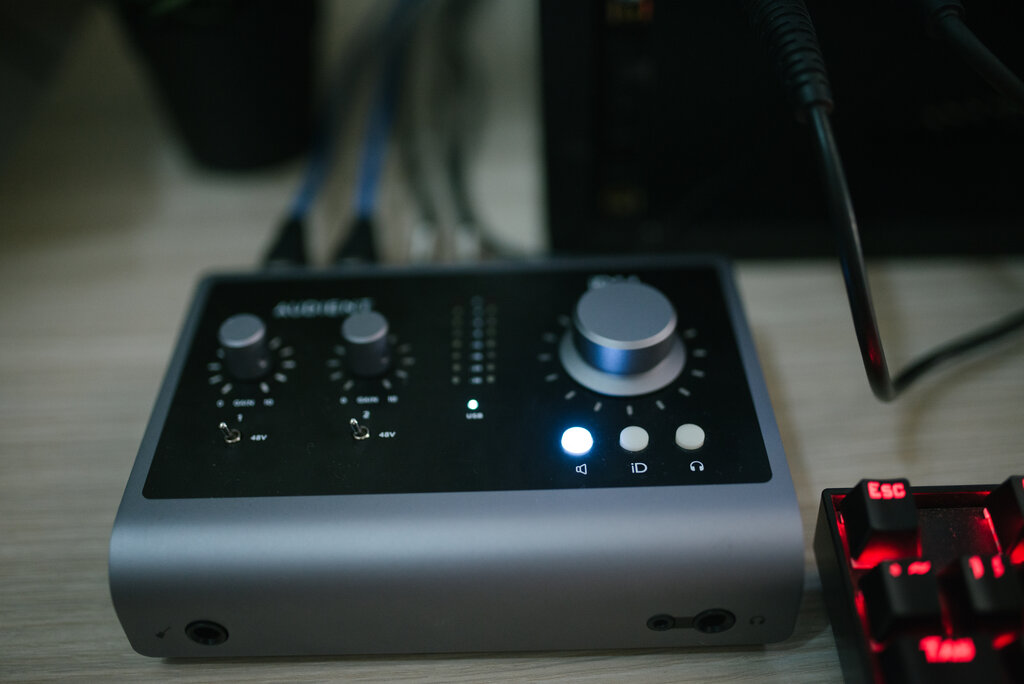
Setting it up is straightforward:
-
Connect the Hardware: Use a USB or Thunderbolt cable to connect the audio interface to your computer. Install any necessary drivers provided by the manufacturer.
-
Configure Your DAW: Open your DAW's preferences or settings menu (often called 'Audio Setup' or 'Preferences').
-
Select the Device: In the audio settings, choose your audio interface as both the 'Input Device' and 'Output Device'. This tells the DAW to use the interface for recording audio in and playing sound out.
Once configured, your DAW will receive signals from any microphone or instrument plugged into the interface, and will play back audio through the headphones or speakers connected to it.
Finally, get into the habit of saving your work. Create a new project file for each song. Most DAWs create a dedicated folder for each project that contains the main session file and an 'Audio Files' subfolder. This keeps all your recordings neatly organised in one place.
Now, let's test your understanding of these foundational concepts.
What is the primary role of a Digital Audio Workstation (DAW) in music production?
In which section of a DAW would you arrange audio clips and MIDI data along a horizontal timeline to build your song?
With your DAW chosen and your interface connected, you have a solid foundation. You're now ready to start creating.