Your First Steps in Programming
Introduction to Programming Logic
Instructions for Computers
Programming is all about giving a computer a set of instructions to follow. But you can't just talk to a computer like you would a person. You need to be very precise. Programming logic is the process of arranging these instructions in a way that makes sense, so the computer can perform a task correctly. Think of it like writing a recipe. Each step must be clear and in the right order for the final dish to turn out right.
Storing Information
To follow instructions, a program needs to remember things. It does this using variables. A variable is like a labeled box where you can store a piece of information. You give it a name, like score or playerName, and then you put a value inside it. This value can be changed later as the program runs.
Variable
noun
A storage location in a program's memory, identified by a name, which contains a known or unknown quantity of information referred to as a value.
But what kind of information can you store? Variables hold different data types. The most common types are numbers (like 10 or 3.14), text (called "strings," like "Hello, world!"), and booleans (which are simply true or false). Choosing the right data type is important because it tells the computer what kind of information is in the box and what it can do with it.
Making Decisions
Programs aren't just a straight list of steps. Often, they need to make decisions based on the information they have. This is done with control flow structures, the most common being the if/else statement. It's a simple idea: if a certain condition is true, the program does one thing. Else (if it's false), it does something different.
For example, in a game, you might have a rule: if the player's health is 0, then show the "Game Over" screen. Else, let the player keep playing. This allows your program to react to different situations.
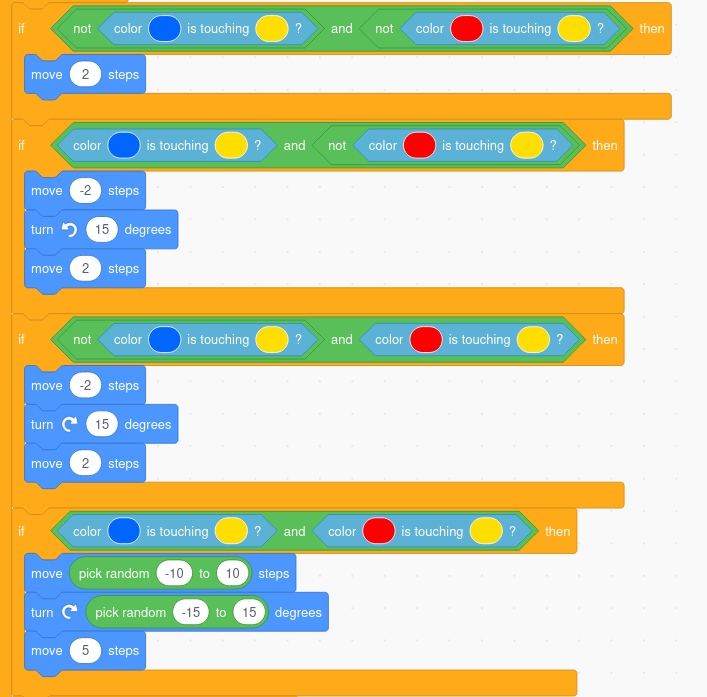
This structure is a fundamental building block. It gives your program a way to choose between different paths, making it dynamic and interactive instead of just doing the same thing every time.
Repeating Actions
What if you need to do something over and over? You could write the same instruction 100 times, but that's inefficient. Instead, programmers use loops. Loops are a way to repeat a block of code until a certain condition is met.
There are two main types:
- While loops: These repeat while a condition is true. For example, a game character might keep attacking while the enemy's health is greater than 0.
- For loops: These repeat a specific number of times. You might use one to make a character jump up and down three times after winning.
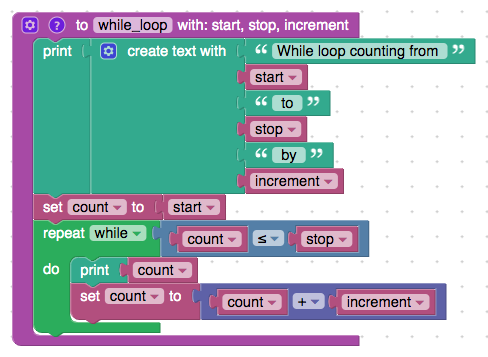
Loops are essential for automating repetitive tasks, from processing items in a list to creating animations that run continuously.
Bundling Code
As your programs get bigger, you'll find you're writing the same chunks of code in multiple places. To keep things organized and avoid repetition, you can bundle instructions into a function. A function is a named block of code that performs a specific task. Once you define it, you can "call" it by name whenever you need it, without having to rewrite all the steps inside it.
For instance, you could create a function called greetPlayer. Inside this function would be the steps to display a welcome message on the screen. Then, every time a new player joins, you just call greetPlayer.
Functions make code reusable, easier to read, and simpler to fix if something goes wrong. If you need to change the greeting, you only have to update it in one place: inside the function.
These concepts—variables, control flow, loops, and functions—are the fundamental building blocks of all programming. By mastering them, you can create instructions for almost any task you can imagine.
Which of the following is the best analogy for programming logic?
What is the primary purpose of a variable in a program?