XML for Payments
Introduction to XML
What is XML?
XML stands for eXtensible Markup Language. At its core, it's a way to structure and store data in a format that's easy for both humans and computers to understand. Unlike HTML, which is designed to display data and focuses on how things look, XML is all about describing the data itself.
XML was designed to store and transport data.
Think of it like a set of customizable labels for your information. You get to define your own tags to wrap around pieces of data, giving them meaning and context. This makes XML incredibly flexible for sharing information between different programs or systems that might not otherwise speak the same language.
<?xml version="1.0" encoding="UTF-8"?>
<note>
  <to>Tove</to>
  <from>Jani</from>
  <heading>Reminder</heading>
  <body>Don't forget me this weekend!</body>
</note>
The line at the top, <?xml ... ?>, is the XML prolog. It's optional but recommended, as it specifies the XML version and character encoding used in the document. The rest of the content is structured using tags that we've defined, like <note>, <to>, and <from>.
Elements and Attributes
The fundamental building blocks of an XML document are elements. An element is everything from its start-tag to its end-tag, including the content in between. In the example above, <to>Tove</to> is an element. The content is "Tove", and it's wrapped by the <to> and </to> tags.
element
noun
A component of an XML document that consists of a start-tag, content, and an end-tag.
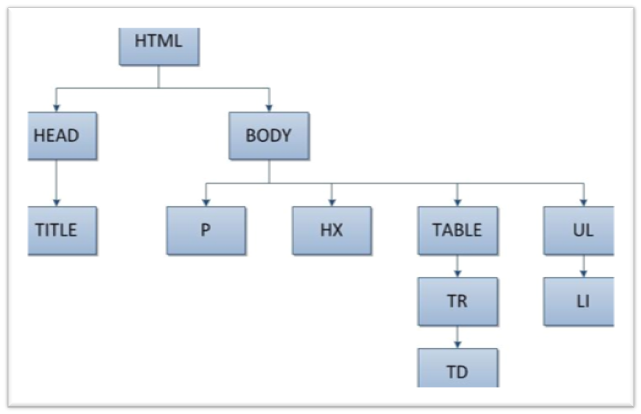
Elements can be nested inside one another to create a hierarchy, or a tree-like structure. The <note> element is the root element; all other elements (<to>, <from>, etc.) are its children.
Sometimes you need to store extra information about an element itself. This is where attributes come in. Attributes are key-value pairs that are placed inside the start-tag of an element.
<note importance="high">
  <to>Tove</to>
  <from>Jani</from>
</note>
Here, importance="high" is an attribute of the <note> element. It provides metadata—data about the data—without being part of the main content. A common question is when to use an attribute versus a child element. A good rule of thumb is to use elements for the actual data and attributes for information that describes the element.
Making it Well-Formed
For a program to read an XML document correctly, it must be well-formed. This means it follows a few strict syntax rules:
- It must have exactly one root element.
- All elements must have a closing tag (e.g.,
<tag>...</tag>).- Tags are case-sensitive.
<Note>is different from<note>.- Elements must be properly nested. An element opened inside another must be closed before the outer element is closed.
- Attribute values must always be enclosed in quotes.
If any of these rules are broken, an XML parser will throw an error and refuse to process the document.
Avoiding Name Collisions
What happens if you combine two different XML files and they both use an element with the same name, like <table>? One might refer to a piece of furniture, and the other might refer to a table of data. This can cause confusion.
Namespaces solve this problem. A namespace is a way to uniquely identify a set of element names. It's defined using an attribute, xmlns, which stands for "XML Name Space".
<root>

  <furn:table xmlns:furn="http://example.com/furniture">
    <furn:name>Coffee Table</furn:name>
    <furn:width>120</furn:width>
  </furn:table>

  <data:table xmlns:data="http://example.com/data">
    <data:row>Cell 1</data:row>
    <data:row>Cell 2</data:row>
  </data:table>

</root>
In this example, furn and data are prefixes that are linked to unique URLs. By adding a prefix to our <table> elements, we can make it clear which <table> we are referring to. The URL doesn't have to point to a real web page; it's just used as a unique identifier to prevent naming conflicts.
Now you have a grasp of the essential pieces of XML. It's a powerful tool for structuring information in a clear, standardized way.
What is the primary function of XML?
Consider the following XML snippet: <book format="hardcover">The Hobbit</book>. In this example, what is format="hardcover"?