WYSIWYG Web Builder Mastery
Introduction to WYSIWYG Web Builders
What You See Is What You Get
Imagine decorating a room. You don't write a list of instructions like "place sofa at coordinates X, Y." You just grab the sofa and move it where you want it. That's the idea behind a WYSIWYG web builder.
WYSIWYG stands for "What You See Is What You Get." It's a type of editor that allows you to create and design a webpage in a way that looks exactly like the final product. You drag images, type text directly onto the page, and change colors with a click, all while seeing the live result.
This approach removes the biggest barrier to creating a website: coding.
A no-code website builder is a tool that lets users design and publish websites using visual editing tools (like drag-and-drop builders) and built-in features, rather than writing HTML, CSS or JavaScript.
Instead of writing complex instructions for a web browser to interpret, you're working directly with the visual elements. The builder handles all the coding behind the scenes, translating your visual design into the languages that browsers understand.
From Code to Clicks
Web design wasn't always so straightforward. In the early days of the internet, building a website meant writing everything by hand. Every piece of text, every link, and every image had to be manually placed using a markup language called HTML (HyperText Markup Language). To add colors, fonts, and layouts, you needed another language: CSS (Cascading Style Sheets).
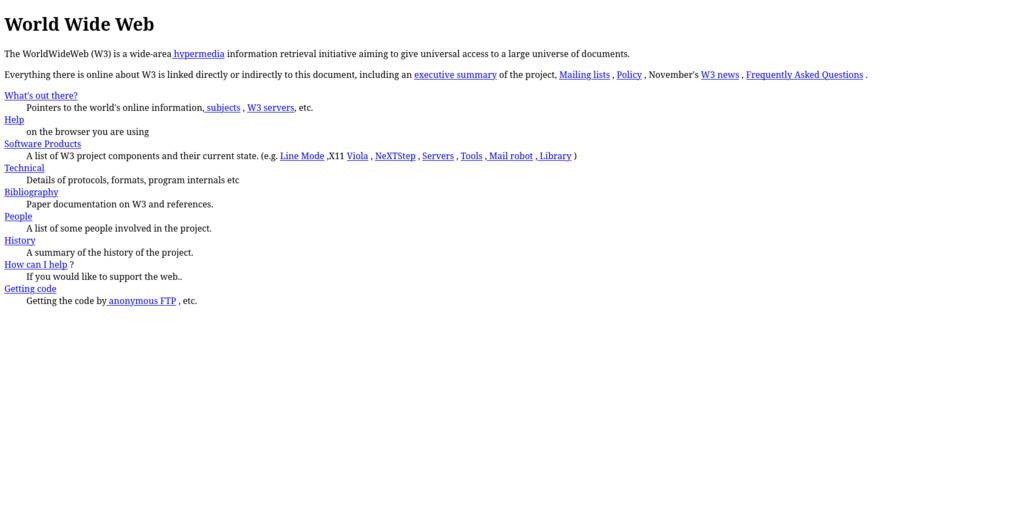
This required specialized knowledge and a lot of patience. A simple webpage might involve code like this:
<html>
  <head>
    <title>My First Website</title>
  </head>
  <body>
    <h1>Welcome!</h1>
    <p>This is a paragraph on my website.</p>
    <img src="photo.jpg" alt="A nice photo">
  </body>
</html>
WYSIWYG editors revolutionized this process. They put a user-friendly interface on top of the code, allowing anyone to build a site. This shift made web design accessible to small business owners, artists, writers, and anyone with an idea to share, not just developers.
The Advantages
The core benefits of using a WYSIWYG builder are speed and simplicity. You can launch a professional-looking website in hours instead of weeks.
- No Coding Required: This is the biggest draw. You can focus entirely on the design and content without writing a single line of code.
- Instant Feedback: You see changes as you make them. There's no need to write code, save it, and then refresh a browser to see if it worked.
- Ease of Use: Most builders use intuitive drag-and-drop interfaces. If you can use a word processor or create a slideshow presentation, you can build a website.
- Pre-built Templates: Many platforms offer professionally designed templates as a starting point, so you're not starting from a blank page.
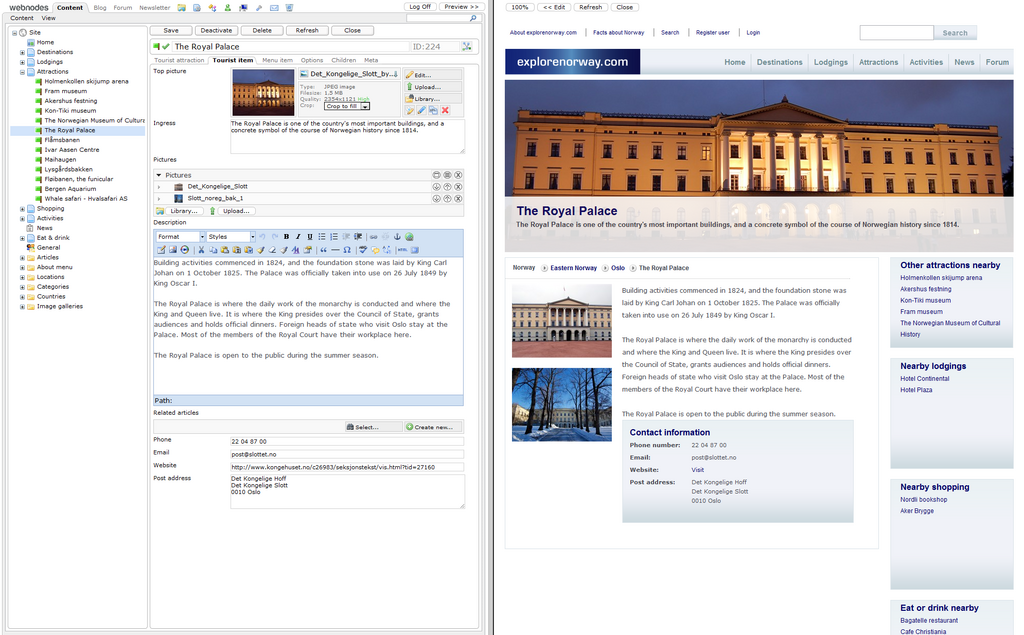
Popular WYSIWYG builders today include platforms like Squarespace, Wix, and Webflow. Each offers a visual-first approach to web creation, empowering users to bring their ideas to life online.