WordPress Website Building
Introduction to WordPress
The Engine of the Web
Over 40% of all websites on the internet are built with WordPress. From small personal blogs to the complex sites of major corporations like Sony Music and The New York Times, it's the most popular way to create a website or blog.
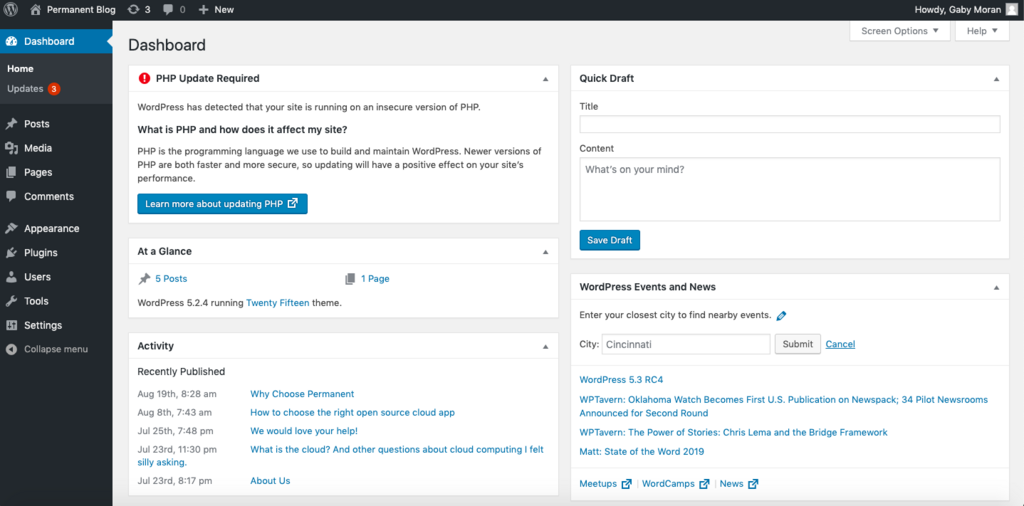
At its core, WordPress is a Content Management System, or CMS. Think of a CMS as the operating system for your website. You don't need to know how to code to create, manage, and publish digital content. It provides a user-friendly interface to handle all the backend complexity, letting you focus on what you want to share with the world.
WordPress began in 2003 as a simple tool for blogging. Its creators, Matt Mullenweg and Mike Little, wanted to build a clean, well-structured platform for publishing text online. It was an open-source project from the start, meaning anyone could use, study, change, and distribute its code for free.
This open nature was key to its growth. A global community of developers started contributing, adding new features and improving the software. Over time, WordPress evolved from a niche blogging tool into a versatile CMS capable of running almost any type of website.
The platform's journey from a simple blog tool to a full-fledged CMS is a testament to the power of open-source collaboration.
Core Functionality
Without getting into the how-to, it's useful to know what WordPress actually does. Its main job is to separate content management from content presentation. This means you can add and edit your text, images, and other media without touching the design and layout of your site.
It handles a few key things out of the box:
- Content Creation: An editor lets you create pages (like an 'About Us' or 'Contact' page) and posts (for a blog or news feed).
- Media Library: A central place to upload and manage all your images, videos, and documents.
- User Management: You can assign different roles and permissions to users, like 'Administrator' with full control, or 'Editor' who can only manage content.
- Customization: This is where WordPress truly shines. You can fundamentally change how your site looks and what it does without writing code.
The WordPress Ecosystem
The power of WordPress isn't just in its core software, but in its massive ecosystem. This consists of three main parts: themes, plugins, and the community.
Themes control the visual design of your website. Think of a theme as the clothing for your site. You can change your site’s entire look and feel by activating a new theme, all while your content (the pages and posts) remains the same.
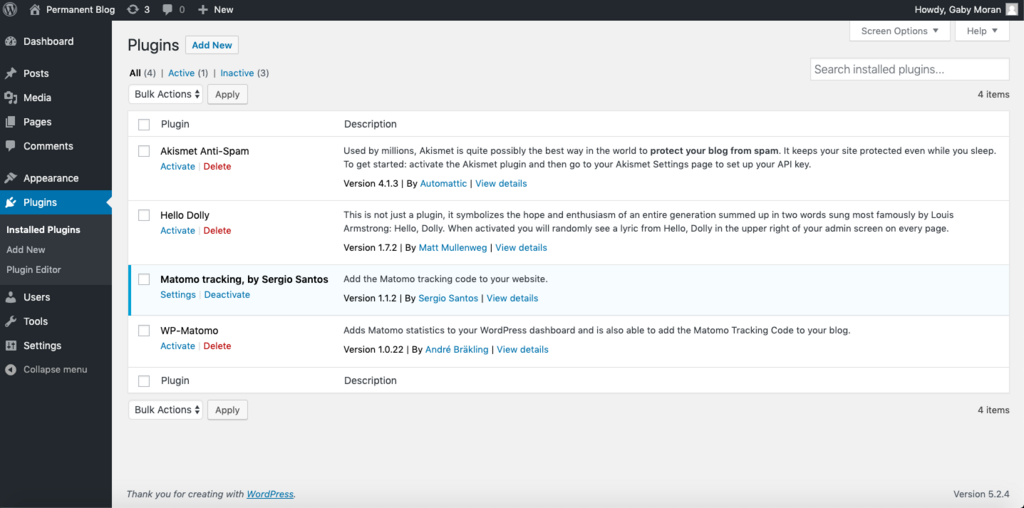
Plugins are like apps for your website. They extend the functionality of WordPress. Want to add an online store, a contact form, or improve your site's search engine optimization (SEO)? There's a plugin for that. There are thousands of free and paid plugins available.
WordPress’s true superpower lies in its ecosystem of themes (design) and plugins (functionality).
Finally, the community is the lifeblood of WordPress. Because it's open-source, it's supported by a huge, active community of developers, designers, and users from all over the world. They contribute code, translate the software, provide support in online forums, and organize local meetups and conferences called WordCamps.
Why Use WordPress?
The benefits are clear. WordPress is flexible enough to run anything from a personal portfolio to a large e-commerce site. Its interface is generally considered user-friendly, making it accessible to beginners. Since the core software is free, it's a cost-effective way to get online.
Its popularity also means there's a wealth of information and support available. If you run into a problem, chances are someone else has already solved it and shared the solution online. This combination of flexibility, ease of use, and strong community support is why it has become the dominant force on the web.
Now, let's review what you've learned.
At its core, what is WordPress?
If you want to change the visual design and layout of your WordPress site without altering your content, what would you use?
Understanding these fundamentals sets the stage for everything else you'll learn about building and managing websites with this powerful tool.