WordPress Plugin Development From Scratch
WordPress Plugin Basics
What Are Plugins?
Think of WordPress core as a new smartphone. It has essential features like calling, texting, and a camera. But to make it truly yours, you download apps for navigation, music, or games. In the world of WordPress, those apps are called plugins.
A plugin is a piece of software containing a group of functions that can be added to a WordPress website. They can extend functionality or add new features to your site without touching the core WordPress files. This is a crucial concept. By keeping custom features separate, you can update the main WordPress software without losing your special modifications.
Plugins add functionality. They let you build almost any kind of website, from an online store to a social network.
Plugins vs Themes
A common point of confusion is the difference between a plugin and a theme. They both change your site, but they have distinct roles.
- Themes control presentation. They dictate the look, feel, and layout of your site. Think of a theme as the car's paint job, body style, and interior design. It's all about what the user sees.
- Plugins control functionality. They add new capabilities. A plugin is like upgrading the car's engine, adding a GPS, or installing a new sound system. It's about what the website does.
While a theme can include special features, and a plugin might have some visual output, their primary jobs are separate. You can only have one active theme, but you can run many plugins at once.
| Feature | Theme | Plugin |
|---|---|---|
| Purpose | Controls the visual design and layout | Adds new features and functionality |
| Activation | One active at a time | Many can be active at once |
| Analogy | The blueprint or paint job of a house | The plumbing, electricity, or security system |
How a Plugin Works
At its heart, a WordPress plugin is simple. It can be a single PHP file with a specially formatted comment block at the top. This header tells WordPress that the file is a plugin and provides information like its name and author.
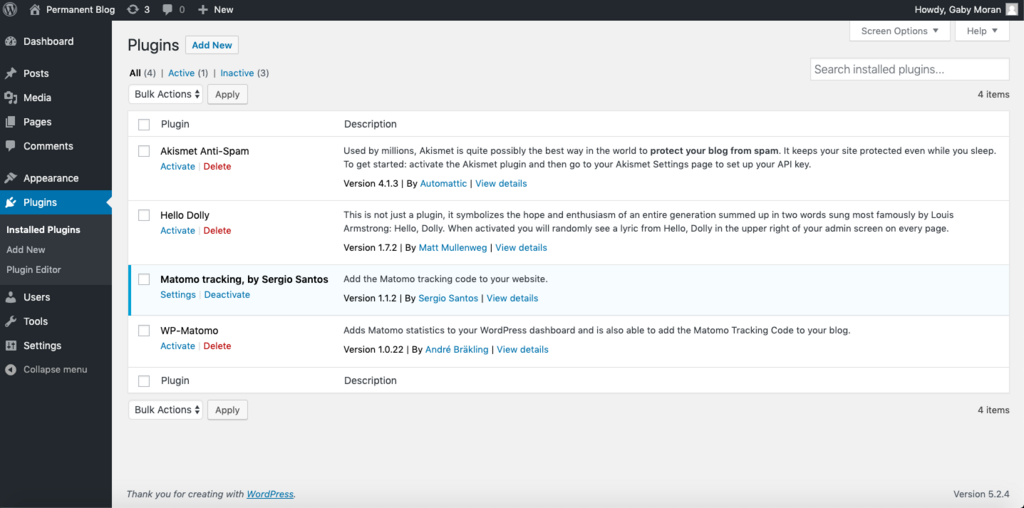
This basic file lives in a specific folder within your WordPress installation: wp-content/plugins. When you go to the Plugins screen in your admin dashboard, WordPress scans this directory, reads the file headers, and lists all the plugins it finds.
<?php
/**
 * Plugin Name: My First Plugin
 * Description: A very simple plugin to demonstrate the basics.
 * Version: 1.0
 * Author: Your Name
 */

// Plugin code goes here.
To interact with WordPress, plugins use something called the Plugin API. This isn't as complex as it sounds. The API is essentially a set of tools, primarily hooks, that let your plugin's code run at specific moments during WordPress's operation.
There are two main types of hooks:
- Actions: These let you add or change functionality at a certain point. For example, you could use an action hook to send an email whenever a new post is published.
- Filters: These let you modify data as it's being processed. For instance, you could use a filter hook to add a short message to the end of every blog post.
By using these hooks, plugins can integrate deeply with WordPress without ever changing a single line of the core code.
Let's check your understanding of these core concepts.
What is the primary role of a WordPress plugin?
A WordPress website can have multiple active plugins, but only one active theme.
Understanding what plugins are and how they differ from themes is the first step in WordPress development. They are the building blocks that allow you to create powerful, custom websites.