WordPress Fundamentals
Introduction to WordPress
What Is WordPress?
Think of a website you visit often. You see text, images, and buttons arranged neatly on the page. This is the 'front-end'—the part visitors interact with. But behind the scenes, there's a 'back-end' where the site's owner adds new articles, uploads photos, and manages everything. A Content Management System, or CMS, is a tool that makes managing that back-end simple, even if you don't know how to code.
Content Management System
noun
A software application that allows users to create, manage, and modify content on a website without the need for specialized technical knowledge.
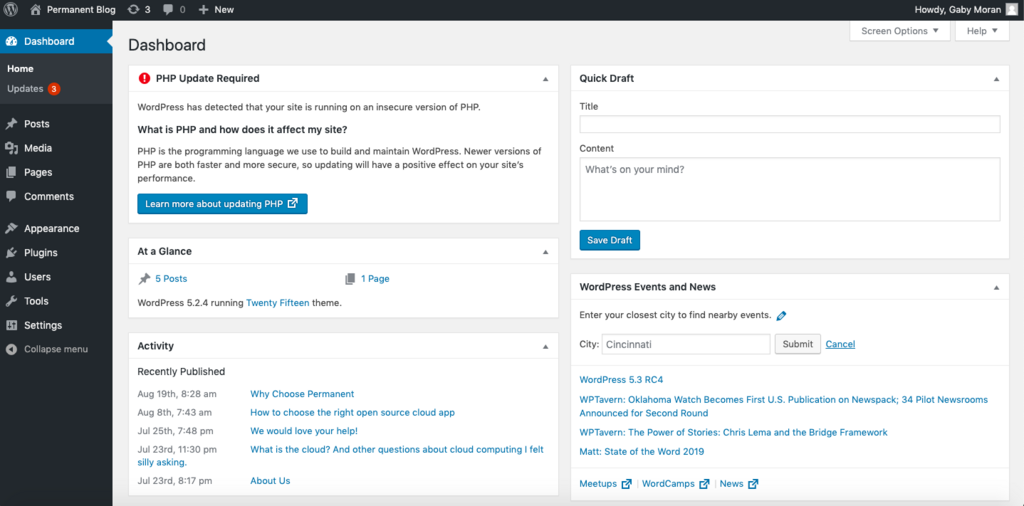
WordPress is the most popular CMS in the world. It powers over 40% of all websites on the internet, from small personal blogs to massive news sites. It gives you a user-friendly interface to control your website's content, appearance, and features, separating the design from the content itself. This means you can write a blog post without worrying about how it will look—the system handles that for you.
A Quick History
WordPress started in 2003 as a simple platform for bloggers. Its creators wanted to build a clean, easy-to-use tool for publishing text online. It quickly gained popularity because it was open-source, meaning anyone could use, study, and modify the code for free.
WordPress has grown from a simple blogging platform into the cornerstone of modern web publishing.
Over the years, a massive community of developers and volunteers expanded its capabilities. They built 'themes' to change a site's design and 'plugins' to add new features like contact forms, online stores, or photo galleries. This evolution transformed WordPress from just a blogging tool into a versatile CMS that can build almost any kind of website.
Two Flavors of WordPress
When people talk about WordPress, they could be referring to one of two different versions: WordPress.org or WordPress.com. The distinction is important, as it determines how much control and responsibility you have over your site.
WordPress.org is self-hosted. You download the free software and install it on your own web hosting account. This gives you complete control over customization and functionality.
WordPress.com is a for-profit service that hosts and manages the software for you. It's easier to start, but offers less flexibility, especially on the free plan.
Think of it like building a house. WordPress.org is like buying a plot of land and building a custom home from the ground up. You have total freedom, but you're also responsible for the foundation, plumbing, and security. WordPress.com is like renting an apartment in a managed building. It’s ready to move in and the landlord handles maintenance, but there are rules about what you can change.
| Feature | WordPress.org (Self-Hosted) | WordPress.com (Hosted Service) |
|---|---|---|
| Cost | Software is free, but you pay for hosting and a domain name. | Offers free plans with limitations; paid plans add features. |
| Customization | Unlimited. Use any theme or plugin you want. | Limited. Theme and plugin options depend on your plan. |
| Maintenance | Your responsibility (updates, security, backups). | Handled for you by the service. |
| Monetization | Full control. Run any ads or e-commerce you choose. | Restricted. Ads are controlled by WordPress.com on free plans. |
For most people who want full control and the ability to grow their site without restrictions, the self-hosted WordPress.org is the way to go.
Let's check what you've learned so far.
What is the primary purpose of a Content Management System (CMS)?
According to the text, WordPress evolved from a simple blogging platform into a versatile CMS primarily due to:
Now you know what WordPress is, where it came from, and the key differences between its two main forms. It’s a powerful tool that puts website creation in the hands of everyone, not just developers.