WordPress E-commerce Store Setup
Introduction to WordPress and WooCommerce
Your Website's Foundation
Think of building a website like building a house. Before you can pick out paint colors or furniture, you need a solid foundation and frame. For your online store, that foundation is WordPress.
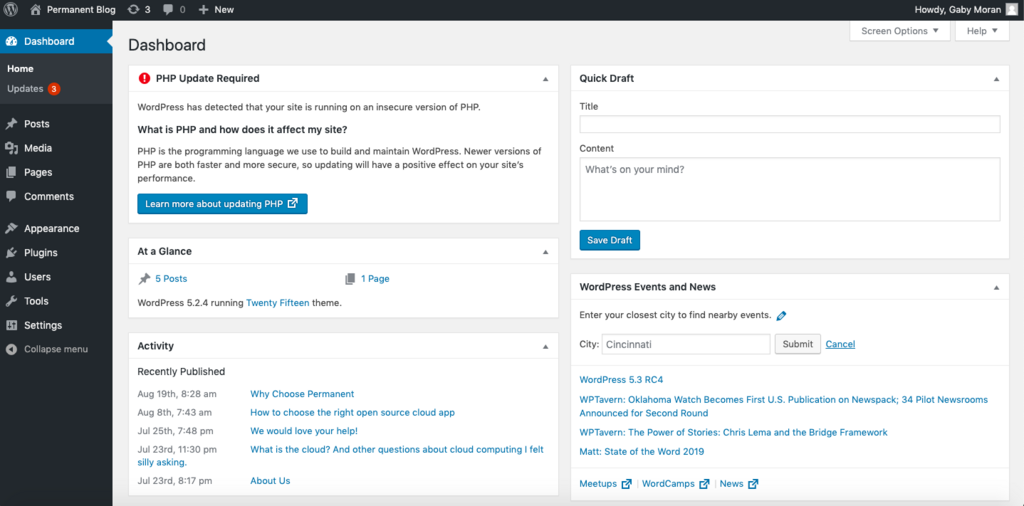
WordPress is a Content Management System, or CMS. It’s a tool that lets you create, manage, and publish digital content—like blog posts, pages, and images—without needing to write code. It started as a simple blogging platform but has grown to power a huge portion of the internet, from small personal sites to massive news outlets.
Using a CMS like WordPress means you can focus on your products and customers, not on the technical details of running a website.
It provides the basic structure: a way to create an “About Us” page, a contact form, a blog to share updates, and the overall design or theme of your site. It’s the versatile framework that everything else gets built upon.
Adding the Storefront
By itself, WordPress doesn't know how to handle products, shopping carts, or credit card payments. To turn your WordPress site into a fully functional online store, you need to add e-commerce capabilities. That’s where WooCommerce comes in.
WooCommerce is a plugin for WordPress. A plugin is like an app for your website; it adds new features and functionality. WooCommerce is specifically designed to add everything you need to sell online:
If WordPress is the foundation and walls of your building, WooCommerce is the cash register, product shelves, and payment terminal.
It seamlessly integrates into your existing WordPress site, adding menus and options to manage products, track orders, and configure payment and shipping options. Because it's a plugin, you get the power of a complete e-commerce platform combined with the flexibility of WordPress.
Why This Combination Works
Using WordPress and WooCommerce together is a popular choice for a few key reasons:
Open-Source
adjective
Software with source code that anyone can inspect, modify, and enhance. It's typically free to use.
First, both are open-source, which means the core software is free to use. You'll still have costs for hosting (renting space on the internet for your site) and potentially for premium themes or plugins, but the foundational tools don't have a subscription fee.
Second, it's incredibly flexible. You have complete control over the look and feel of your store. There are thousands of themes to change the design and even more plugins to add specialized features, like appointment booking, subscription services, or advanced shipping calculators.
Finally, you own your store and all its data. Unlike some platforms where your store exists within their system, a WordPress site with WooCommerce is yours. This gives you the freedom to grow and change your business however you see fit, without being locked into a specific service.
WordPress paired with WooCommerce offers an easy yet powerful e-commerce solution.
This combination provides a powerful, scalable, and customizable platform to build your business.
What is the primary function of WordPress?
To add e-commerce functionality like a shopping cart and product pages to a standard WordPress site, you need a ______, such as WooCommerce.