Wireless Security and Pentesting Mastery
802.11 Frame Analysis
The Language of Wi-Fi
Every time you connect to a wireless network, your device is having a conversation. It's not speaking in words, but in tiny, structured bursts of information called frames. Understanding these frames is like learning the grammar of Wi-Fi. It's the key to seeing what's really happening on the airwaves around you.
All 802.11 communication, which is the standard behind Wi-Fi, is broken down into three fundamental frame types. Think of it like sending a package.
| Frame Type | Analogy | Purpose |
|---|---|---|
| Management | Addressing the envelope | Establishes and maintains connections. Think announcements, requests to join, and disconnections. |
| Control | Delivery confirmation | Manages the flow of data. These are acknowledgements and channel-clearing signals that prevent devices from talking over each other. |
| Data | The letter inside | Carries the actual information you care about—the website content, the email, the video stream. |
For security auditing, we're most interested in Management frames. Why? Because they are the public-facing chatter of a network, broadcast openly for any device to hear. They reveal a network's existence and its basic parameters, all before a single byte of your data is sent.
The Network's Public Announcements
Management frames are how devices discover networks and negotiate connections. Two of the most important types are Beacon frames and Probe Requests.
A Beacon frame is like a lighthouse. An Access Point (AP) broadcasts a Beacon several times a second to announce its presence. It contains all the essential information a device needs to know to consider connecting, including:
- SSID (Service Set Identifier): The network name you see in your list, like "Cafe-Free-WiFi". Sometimes this is hidden, but the AP still broadcasts beacons.
- BSSID (Basic Service Set Identifier): This is the MAC address of the Access Point. It's a unique hardware identifier that definitively identifies the AP, even if multiple networks share the same name.
- Channel: The specific radio frequency the network is operating on.
- Security protocols: Information about whether the network uses WPA2, WPA3, etc.
When your computer or phone shows you a list of available Wi-Fi networks, it's simply displaying the information it has collected from listening to these Beacon frames.
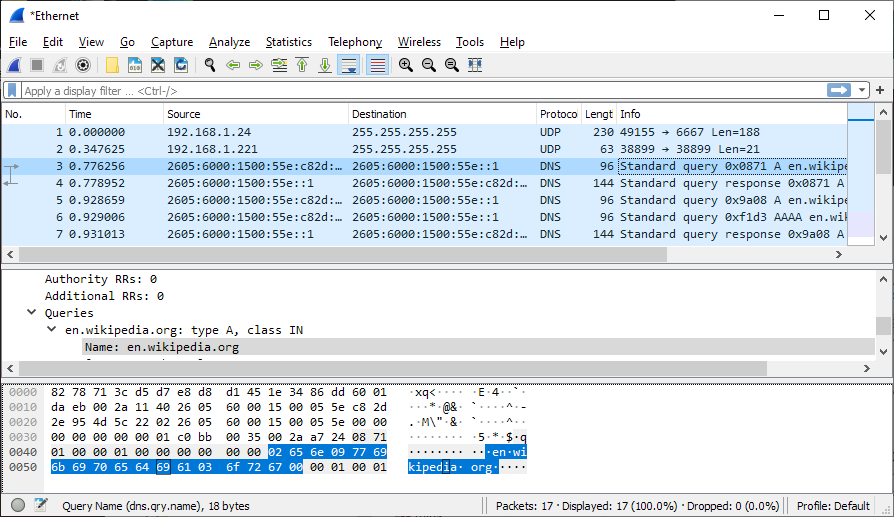
A Probe Request is more active. When your phone tries to connect to a previously known network that isn't currently in range, it sends out a Probe Request. It's like your device shouting into the void, "Is 'MyHomeWiFi' out there?" If the AP for 'MyHomeWiFi' hears this, it replies with a Probe Response, which contains similar information to a Beacon frame. This is how your devices can automatically find and connect to familiar networks.
From Listening to Injecting
By default, your computer's wireless adapter operates in Managed Mode. In this state, it's a polite listener. It only pays attention to frames from the network it's connected to and that are addressed specifically to its MAC address. It ignores the torrent of other Wi-Fi traffic flying through the air.
To perform any kind of wireless security analysis, we need to switch the adapter to . This is the equivalent of a wiretap for Wi-Fi. The adapter becomes promiscuous, capturing all 802.11 frames on a given channel, regardless of the network or destination device. This is how tools like Airodump-ng can see all nearby networks and connected clients without needing to connect to any of them. It's simply listening to and decoding the unencrypted Management frames.
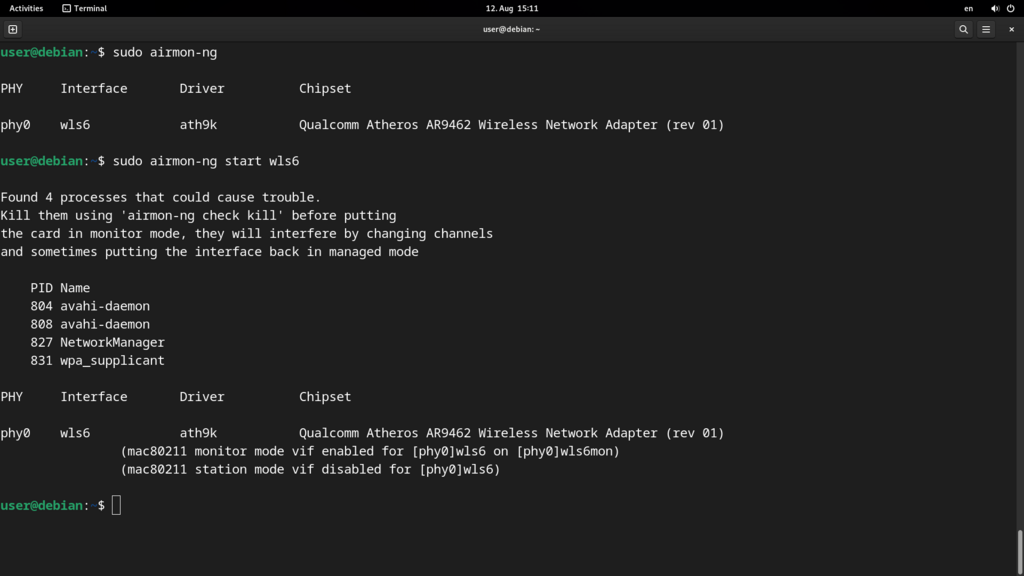
The other crucial capability is . This is the ability to craft and transmit your own custom 802.11 frames onto the network. While Monitor Mode is passive listening, Packet Injection is active participation. You're not just listening to the conversation; you're speaking.
This technique is the foundation for many wireless attacks. For example, an attacker can inject deauthentication frames to kick a legitimate user off the network, forcing their device to reconnect. Capturing that reconnection handshake is a key step in cracking a WPA2 password. Packet injection lets an auditor actively test a network's defenses rather than just passively observing its traffic.
Monitor Mode lets you read the mail of everyone on the street. Packet Injection lets you send forged letters.
By combining the ability to listen to all traffic with the power to inject forged frames, a security professional can analyze, probe, and test the resilience of a wireless network. It all starts with understanding the basic structure of those 802.11 frames.