Windows Virtual Microphone Driver Development
Introduction to Windows Driver Development
The Role of a Driver
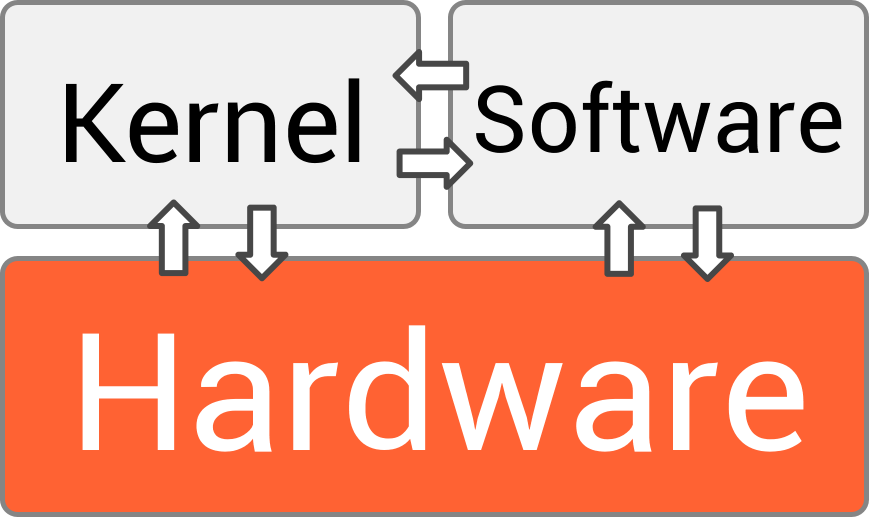
Think of a device driver as a translator. Your computer's operating system (OS) speaks a general language, but each piece of hardware, from your mouse to your graphics card, speaks its own specific dialect. A driver is the piece of software that translates between the two, allowing the OS to give commands to the hardware and understand the information it sends back.
Without drivers, your OS wouldn't know how to use the hardware connected to it. These translators don't all work in the same place, though. They operate in one of two distinct environments: user mode or kernel mode.
User Mode vs. Kernel Mode
The Windows operating system creates a boundary to protect itself from malfunctioning applications. Everything you typically interact with—your web browser, games, and text editors—runs in user mode. This is a restricted environment. If an application in user mode crashes, it usually doesn't affect the rest of the system. The OS can just shut that one program down.
Kernel mode is the inner sanctum. It's where the core of the operating system (the kernel) runs. Code in kernel mode has direct, unrestricted access to all hardware and memory. It's a high-privilege, high-performance environment. Because of this power, it's also high-risk. A bug in kernel-mode code, like a driver, can crash the entire operating system, leading to the infamous Blue Screen of Death (BSOD).
For a long time, most important drivers had to run in kernel mode. But modern Windows versions have frameworks that allow more types of drivers to run safely in user mode. This is preferred for devices like printers or cameras, where a driver crash shouldn't take down the whole computer.
Models and Frameworks
Over the years, the way developers write drivers for Windows has evolved. The goal has always been to make the process simpler and more reliable.
An older model you might hear about is the Windows Driver Model (WDM). Introduced with Windows 98 and Windows 2000, it was a step forward, creating a unified model for drivers. However, writing a WDM driver was complex. Developers had to write a lot of boilerplate code to handle common OS events like power management (sleep, hibernate) and Plug and Play (connecting/disconnecting a device). It was easy to make mistakes.
To fix this, Microsoft created the Windows Driver Frameworks (WDF). This is the modern, recommended way to write drivers. WDF is a set of libraries that handles most of the complex, repetitive tasks for you. Instead of writing everything from scratch, the developer can focus on the specific logic for their hardware.
WDF provides an object-oriented model and abstracts away much of the OS's internal complexity, resulting in smaller, more stable, and easier-to-maintain drivers.
WDF comes in two flavors, matching the two modes we discussed:
- Kernel-Mode Driver Framework (KMDF): Used for writing kernel-mode drivers. It's the choice for high-performance hardware that needs direct access, like graphics cards or storage controllers. KMDF simplifies the difficult parts of WDM, like managing the driver's lifecycle and handling I/O requests.
- User-Mode Driver Framework (UMDF): Used for writing user-mode drivers. Because they run in the protected user-mode environment, UMDF drivers are much less likely to cause system instability. This framework is ideal for protocol-based or serial-bus devices like USB webcams or scanners.
Tools of the Trade
If you want to start writing drivers, you'll need a specific set of tools provided by Microsoft. The development environment is more specialized than it is for typical application development.
- Visual Studio: This is the primary Integrated Development Environment (IDE) for all Windows development, including drivers.
- Windows Driver Kit (WDK): This is an extension for Visual Studio. It contains all the specific headers, libraries, and tools needed for driver development, including templates to get you started with a WDF driver.
- Windows Software Development Kit (SDK): This provides tools and resources for building applications, but some components are also necessary for driver development.
A crucial part of the setup is the testing environment. Because a buggy kernel-mode driver can make a system unstable or unbootable, developers almost never write and test drivers on the same machine. The standard practice is to use two computers:
- Host Computer: Runs Visual Studio, where you write and build the driver code.
- Target Computer: The machine where the driver is installed and tested.
The two machines are connected with a network or serial cable, allowing the developer on the host machine to debug the driver as it runs on the target machine. This isolates any potential crashes to the test machine, keeping the development environment safe.
What is the primary role of a device driver?
A driver bug that causes a system-wide crash, often called a "Blue Screen of Death," is most likely to occur in a driver running in which mode?
That's a quick look at the core concepts behind Windows drivers. It's a complex field, but the modern frameworks have made it more accessible than ever.