Wi-Fi Hacking Essentials
Wi-Fi Basics
The Language of Wi-Fi
Wi-Fi feels like magic. Information flies invisibly through the air, connecting our devices to the internet. But it's not magic—it's technology built on a set of precise rules, much like a language. These rules allow devices from different manufacturers to speak to each other seamlessly over radio waves.
At its core, Wi-Fi is simply a standard for creating a wireless local area network, or WLAN.
The organization that sets these rules is the Institute of Electrical and Electronics Engineers, or IEEE. The specific family of standards for Wi-Fi is called IEEE 802.11. Over the years, this standard has evolved, with new versions offering faster speeds and better performance. You've probably seen these versions referred to by letters like b, g, n, ac, or ax. More recently, the Wi-Fi Alliance simplified this with names like Wi-Fi 4, 5, and 6.
| Standard | Common Name | Max Speed | Frequency |
|---|---|---|---|
| 802.11b | Wi-Fi 1 | 11 Mbps | 2.4 GHz |
| 802.11g | Wi-Fi 3 | 54 Mbps | 2.4 GHz |
| 802.11n | Wi-Fi 4 | 600 Mbps | 2.4/5 GHz |
| 802.11ac | Wi-Fi 5 | 1.3 Gbps | 5 GHz |
| 802.11ax | Wi-Fi 6 | 9.6 Gbps | 2.4/5 GHz |
Each new standard is a dialect of the Wi-Fi language, offering improvements while usually remaining backward-compatible with older versions. The main differences come down to speed and the radio frequency bands they use, typically 2.4 GHz or 5 GHz. The 2.4 GHz band has a longer range but is more crowded and prone to interference, while the 5 GHz band offers faster speeds over a shorter distance.
Network Building Blocks
A typical wireless network has two main types of players: access points and clients.
Access Point
noun
A device that creates a wireless local area network. It connects wireless devices to a wired network, such as the internet.
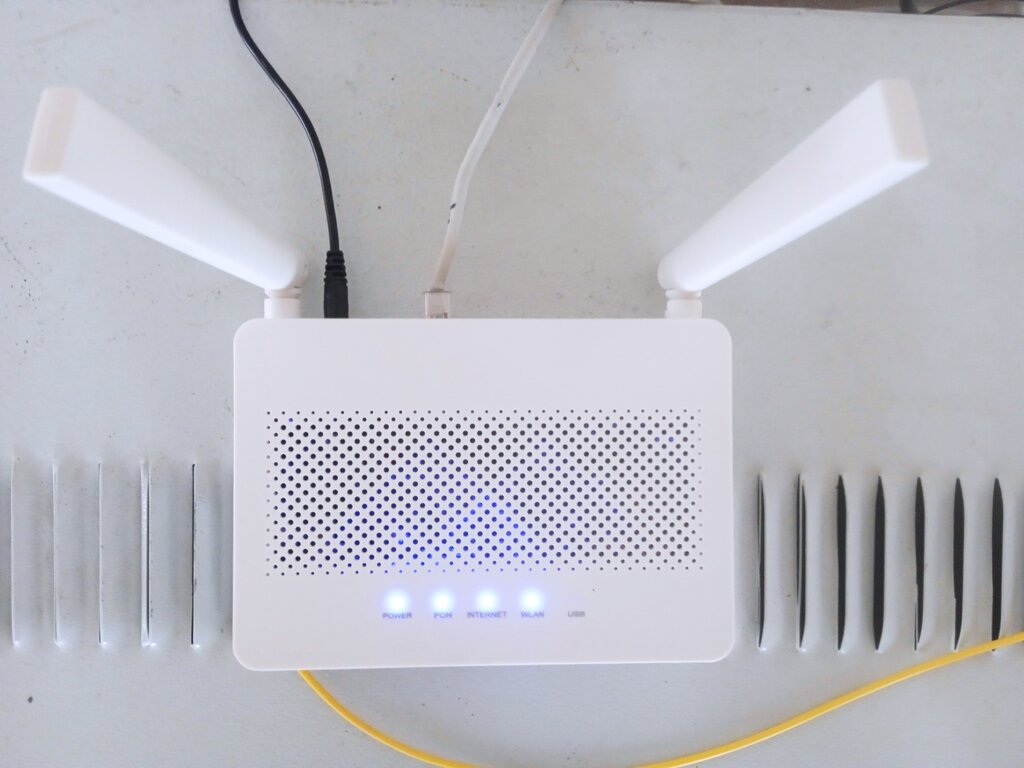
Think of an Access Point (AP) as a central hub or a translator. It takes the internet signal from a wired connection (like your modem) and broadcasts it wirelessly. At the same time, it listens for signals from your wireless devices and sends their data back to the internet. The wireless router in your home is the most common example of an AP.
The other players are the clients. A client is any device that connects to the network through the access point. This includes your laptop, smartphone, smart TV, gaming console, and even your smart refrigerator. Clients don't talk directly to the internet; they talk to the AP, which handles the connection for them.
How Devices Connect
This setup, with clients connecting to a central AP, is called infrastructure mode. It's the most common way to build a wireless network and is used in homes, offices, and coffee shops.
There is another, less common method called ad-hoc mode. In this mode, two or more clients connect directly to each other without an AP. It's like a private, direct conversation between devices. This is useful for quickly sharing a file between two laptops when no Wi-Fi network is available.
Infrastructure mode uses a central hub (the AP) to manage the network, while ad-hoc mode is a direct peer-to-peer connection.
Understanding these basic components—the standards, the access points, and the clients—is the first step to understanding how Wi-Fi works. It provides the foundation for how data travels wirelessly from the internet to your screen.
Let's check your understanding of these core Wi-Fi concepts.
Which organization is responsible for developing the 802.11 family of standards that form the technical foundation for Wi-Fi?
In a typical home or office setting, what is the primary role of a wireless Access Point (AP)?
With these building blocks in place, you now have a solid grasp of the principles behind wireless networking.