Website vs Portal Strategy for Business Growth
Website vs Portal
The Public Square and the Private Office
Think of a website as a digital storefront on a busy street. Anyone can walk by, look in the window, and step inside to browse. It’s a public space designed to share information with a wide, general audience. The goal is to attract visitors and provide them with content, whether that's articles, product information, or company details.
website
noun
A collection of publicly accessible, interlinked web pages that share a single domain name. Its primary purpose is to broadcast information to a broad audience.
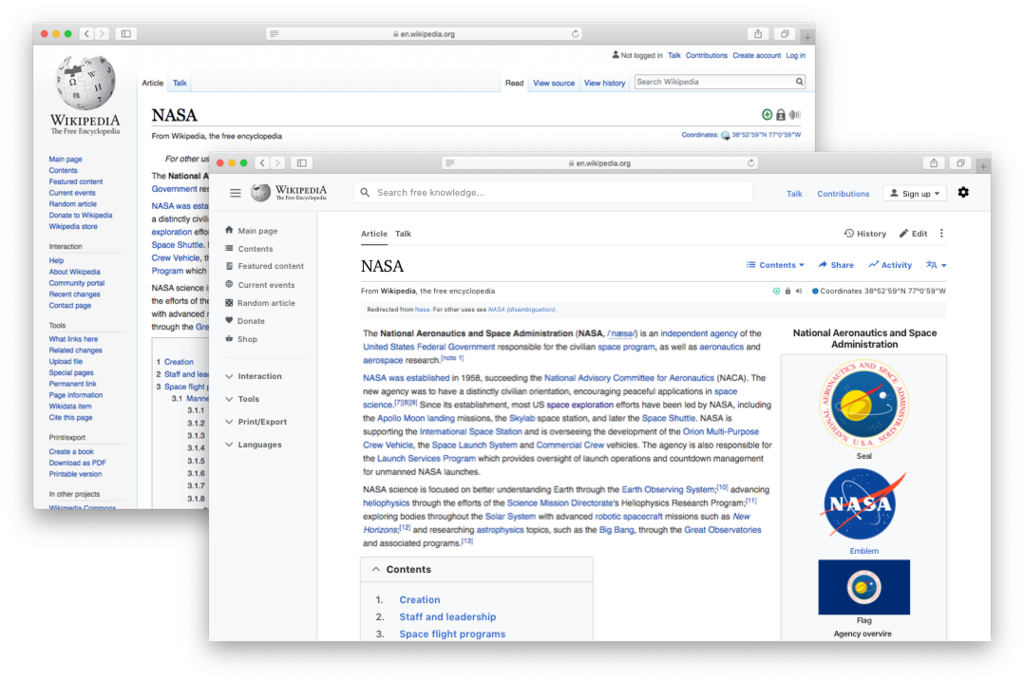
A website is a one-to-many communication tool. The owner of the website creates content, and many users consume it. Interaction is usually limited to things like contact forms, comments, or purchases. Wikipedia is a classic example of a website. It’s a vast, public library of information available to everyone.
Your Personalized Dashboard
A web portal, on the other hand, is like a private office or a members-only club. You need a key, in this case a username and password, to get in. Once inside, the experience is tailored specifically to you. It's a gateway to a personalized set of tools, information, and services.
Unlike a general website, a portal's main job isn't to broadcast information to the public. Instead, it serves specific information to a specific user.
Portals pull information from various sources and present it in a single, unified view. Think of your online banking dashboard. It shows your account balances, transaction history, and options to transfer money, all in one place. This experience is unique to you; another user logging into the same portal will see their own financial information, not yours.
Client Portals: Implementing a client portal where clients can upload documents, track the progress of their application, and communicate with their broker can streamline the process and provide clients with a centralized place for all their mortgage-related information.
These are often called client portals, student portals, or employee intranets. They focus on interaction and specific tasks rather than general browsing.
Side by Side
Let's break down the core differences. The main distinction comes down to access and purpose. Websites are for public consumption, while portals are for private interaction.
| Feature | Website | Web Portal |
|---|---|---|
| Audience | General public | Specific, registered users |
| Access | Open to everyone | Requires login (authentication) |
| Content | Static & generic | Dynamic & personalized |
| Purpose | To inform and attract | To interact and transact |
| Communication | One-to-many | One-to-one or many-to-many |
Imagine a university. Its main website (like university.edu) is public. It has information for prospective students, parents, and the general community about its programs and history. This is the website.
Once a student enrolls, they get access to the student portal. Here, they can register for classes, view their grades, check tuition balances, and access course materials. This space is personalized and requires a login. This is the web portal.
Now that you can tell the difference, let's test your knowledge.
According to the analogy in the text, a public website is like a digital storefront, while a web portal is like a...
The single most important factor that distinguishes a web portal from a website is the requirement of a username and password for access.
Here are the key terms we've covered.
Understanding whether you need a public-facing website or a private, interactive portal is a key first step in any digital strategy. Each serves a distinct and valuable purpose.