Website Accessibility Auditing
Introduction to Web Accessibility
What Is Web Accessibility?
Think about a public building. It likely has ramps, automatic doors, and elevators. These features aren't just for people in wheelchairs; they also help parents with strollers, delivery workers with carts, and people on crutches. They make the building easier for everyone to use.
Web accessibility is the digital version of this idea. It’s the practice of designing websites, tools, and technologies so that people with disabilities can use them. The goal is to ensure everyone has equal access to information and functionality online.
Accessibility means more than just being able to access something; it involves being able to participate fully.
When a website is accessible, anyone can perceive, understand, navigate, and interact with it. It creates an inclusive space, removing barriers that might otherwise prevent people from engaging with the digital world.
Designing for Everyone
Disabilities can affect how people interact with the web in many different ways. Understanding these diverse needs is the first step toward building better online experiences.
- Visual Impairments: This includes blindness, low vision, and color blindness. Users might rely on screen readers, which read text aloud, or need high-contrast text and the ability to zoom in without breaking the page layout.
- Auditory Impairments: People who are deaf or hard of hearing may not be able to access audio content. They rely on alternatives like captions for videos and transcripts for podcasts.
- Motor Impairments: Some individuals may have difficulty using a mouse due to conditions like arthritis or tremors. They might navigate using only a keyboard, voice commands, or other assistive technologies.
- Cognitive and Neurological Disabilities: This broad category includes learning disabilities, ADHD, and seizure disorders. For these users, clear and consistent navigation, simple language, and predictable layouts are essential. Flashing content can also be a serious health risk.
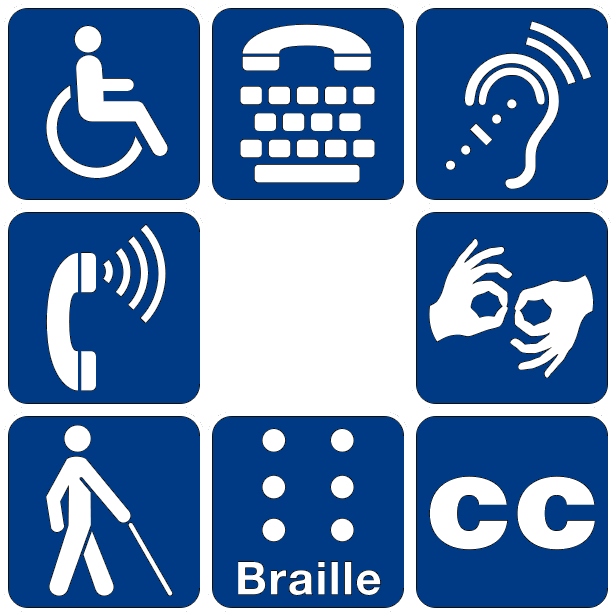
Making a site accessible for one group often improves the experience for others. For instance, captions on a video help not only people who are hard of hearing but also someone watching in a noisy environment or a non-native speaker who finds it easier to read along.
Designing for accessibility benefits everyone, not just those with disabilities.
Common Roadblocks Online
When websites aren't built with accessibility in mind, they create barriers that can make them difficult or impossible to use. Here are some of the most common issues people face.
| Barrier | Who It Affects Primarily |
|---|---|
| Images without descriptive text (alt text) | People with visual impairments using screen readers |
| Videos without captions or transcripts | People with auditory impairments |
| Websites that can't be navigated with a keyboard | People with motor impairments |
| Low color contrast between text and background | People with low vision or color blindness |
| Vague or confusing link text like "Click Here" | People using screen readers and those with cognitive disabilities |
| Forms that are difficult to fill out or submit | People with motor, visual, and cognitive impairments |
Recognizing these barriers is the first step toward removing them and building a more open and inclusive web for everyone.
The practice of making websites usable by people with disabilities is often compared to a public building having features like ramps and elevators. What is this practice called?
Which of the following would be an essential accommodation for a user with a motor impairment who has difficulty using a mouse?