Websim Interactive Game and Web Page Creation
Creating Interactive Games
From Code to Gameplay
You've learned how HTML creates structure, CSS adds style, and JavaScript brings interactivity. Now, let's combine those skills to build something truly dynamic: a game. Making a game isn't just about writing code; it's about designing an experience. Before you write a single line of JavaScript, you need to think like a game designer.
The Rules of the Game
Every game, from a simple mobile puzzle to a massive open-world adventure, is built on a few fundamental ideas. Understanding them is the first step to creating your own.
First, a game needs an objective. What is the player trying to achieve? It could be getting the highest score, reaching a finish line, or solving a puzzle. A clear objective gives the player purpose.
Next are the mechanics. These are the actions the player can take, like jumping, moving, or clicking. Mechanics are the verbs of your game. They define how the player interacts with the game world.
Finally, there's feedback. When the player does something, the game must respond. This can be a sound effect, a score increase, or a character animation. Feedback tells the player their actions matter and makes the game feel alive.
These three elements—objective, mechanics, and feedback—work together in a continuous cycle. The player takes an action (mechanic) to pursue their goal (objective), and the game responds (feedback), creating a new situation for the player to react to.
Bringing Your Game to Life
The core of any animated game is the game loop. Think of it as a flipbook. The game loop is a piece of code that runs over and over, very quickly. In each pass, it does two main things: update the game's state and then draw everything on the screen.
- Update: It handles the logic. Has the player moved? Did they collide with an enemy? Should the score change? All these calculations happen here.
- Draw: After all the updates are calculated, it redraws the screen to show the new state. The player's character is now in a new position, the enemy has moved, and the score is updated.
This update-and-draw cycle happens so fast—often 60 times per second—that our eyes perceive it as smooth motion.
// A simplified game loop
function gameLoop() {
  // 1. Update game state
  update();

  // 2. Redraw the screen
  draw();

  // 3. Repeat on the next frame
  requestAnimationFrame(gameLoop);
}

// Start the loop
requestAnimationFrame(gameLoop);
To make the game interactive, we need to respond to player input. JavaScript makes this easy by listening for events, like key presses. We can create a function that runs whenever a specific key is pressed, changing variables that the update function will use in the next cycle of the game loop.
// Listen for a key being pressed down
document.addEventListener('keydown', function(event) {
  if (event.key === 'ArrowRight') {
    // Tell the game the player wants to move right
    player.isMovingRight = true;
  }
});

// Listen for a key being released
document.addEventListener('keyup', function(event) {
  if (event.key === 'ArrowRight') {
    // Tell the game the player stopped moving right
    player.isMovingRight = false;
  }
});
Your Workshop: Websim's Tools
Websim provides all the tools you need in one place. You'll use the built-in code editor to write your HTML, CSS, and JavaScript. The best part is the live preview window, which instantly shows the results of your code. This immediate feedback is perfect for game development, allowing you to tweak and test ideas on the fly.
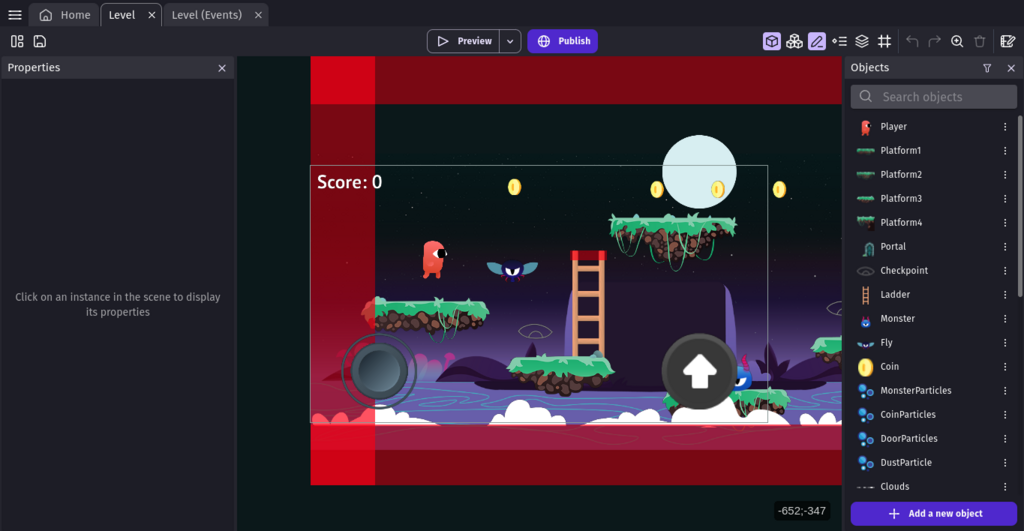
No game works perfectly on the first try. This is where testing and debugging come in. Debugging is the process of finding and fixing errors, or "bugs," in your code.
Play your game often and try to break it. What happens if you press two keys at once? What if you run into a wall? As you find issues, you'll need to investigate.
One of the most powerful and simple debugging tools is console.log(). You can use it to print the value of any variable to the browser's console at any point in your code. Is your character not moving? Use console.log() inside your game loop to see its position coordinates. This helps you pinpoint exactly where your logic went wrong.
Tip: Use
console.log('Player X:', player.x)to print a variable's value along with a label. This makes your console output much easier to read when you're tracking multiple variables.
Ready to put these concepts into practice?
According to the fundamentals of game design, what are the three core elements that work together in a continuous cycle?
What are the two primary phases of the game loop that run repeatedly to create the illusion of motion?
By combining design fundamentals with JavaScript logic and using Websim's tools, you have everything you need to start building your own interactive games.