Web Application Security Essentials
Web Application Basics
How Web Apps Work
You use web applications every day, from checking your email to scrolling through social media. They might look like simple websites, but they're much more powerful. Think of a static website as a digital brochure. You can look at it, but you can't really interact with it. A web application, on the other hand, is like a digital store. You can browse, add items to a cart, and make a purchase. It's a dynamic experience tailored to you.
This interactivity is made possible by a constant conversation happening behind the scenes. To understand how web apps function, we need to look at the two key players in this conversation: the client and the server.
Clients and Servers
Every web application operates on a client-server model. It's a simple but powerful concept.
The client asks for things, and the server provides them.
The client is the web browser on your computer or phone—think Chrome, Safari, or Firefox. It's your window to the internet. When you type a web address or click a link, your browser (the client) sends a request out into the digital world.
The server is a powerful computer, or a network of computers, that stores the website's files, data, and logic. Its job is to listen for requests from clients. When a request comes in, the server finds the right information, processes it, and sends it back as a response.

This request-response cycle is the heartbeat of the web. You click a "login" button (request), and the server sends back your profile page (response). You search for a video (request), and the server sends a list of results (response). This happens thousands of times a day without you ever seeing it.
The Language of the Web
For clients and servers to understand each other, they need to speak the same language. The primary language they use is called the Hypertext Transfer Protocol, or HTTP.
protocol
noun
A set of rules governing the exchange or transmission of data between devices.
HTTP defines the rules for how messages are formatted and transmitted. For example, a client's request might look something like GET /index.html, which is a simple command asking the server for the main homepage file. A server's response includes a status code (like 200 OK for success) and the content that was requested, such as the HTML, CSS, and JavaScript that your browser uses to render the page.
However, standard HTTP sends all this information in plain text. Anyone snooping on the network could potentially read it. That's a huge problem, especially if you're sending sensitive data like passwords or credit card numbers.
This is where HTTPS comes in. The 'S' stands for 'Secure'. HTTPS is just HTTP with an added layer of encryption. It uses technology like SSL/TLS to scramble the data sent between the client and the server. This makes the conversation private and secure. It's like sending a sealed, unreadable letter instead of a postcard.
Putting It All Together
Web applications are typically built with a multi-tiered architecture. While there are many variations, a classic three-tier model is a great way to understand the different parts.
| Tier | Role | What it Does |
|---|---|---|
| Presentation Tier | Frontend | This is what you see and interact with in your browser. It's built using HTML, CSS, and JavaScript. |
| Logic Tier | Backend | This is the engine of the application. It runs on the server and handles the business logic, like validating your login or processing a payment. |
| Data Tier | Database | This is where the application's data is stored and managed, from user profiles to product inventories. |
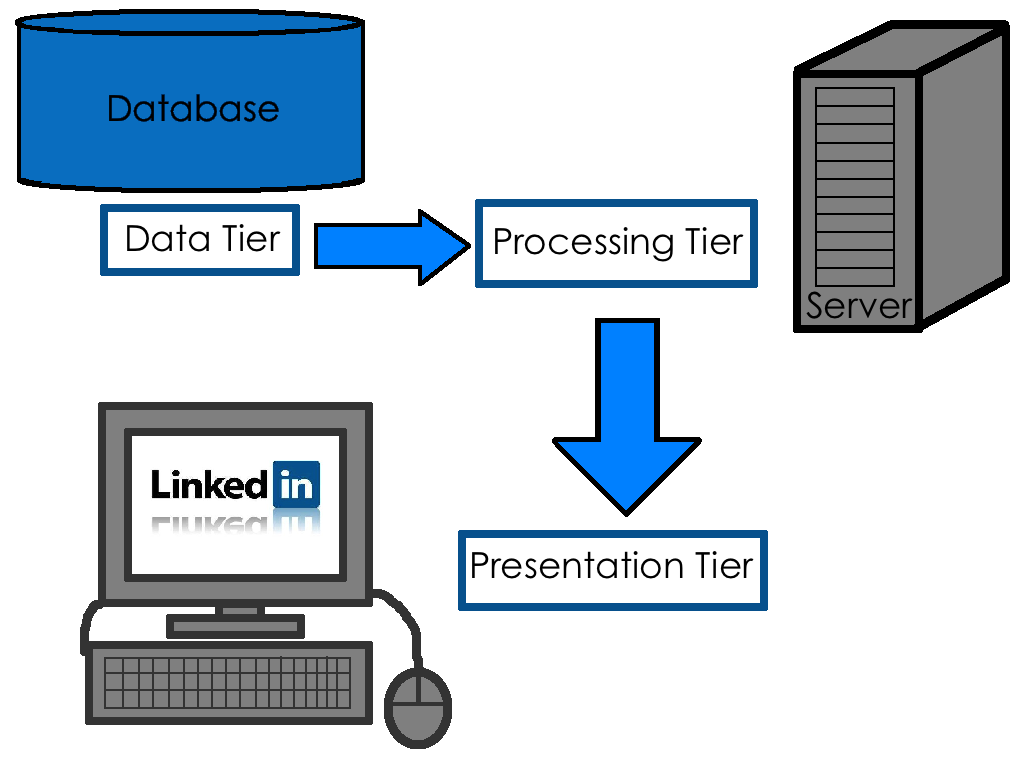
These layers work together seamlessly. Your browser (presentation) sends a request. The server (logic) processes it, maybe by fetching information from the database (data), and then sends a response back to your browser, which displays the final result. Understanding this structure is the first step toward understanding how web applications work and how they are secured.
In the client-server model of a web application, what is the primary role of the client?
A static website is to a digital brochure as a web application is to a ______.