VPC and VNet Fundamentals
Introduction to Cloud Networking
Your Private Space in the Cloud
When you use cloud computing, you're sharing a massive, global infrastructure with countless other users. But how do you keep your applications and data separate and secure? You create your own private, isolated section of the cloud. This is the core idea behind a Virtual Private Cloud (VPC) or Virtual Network (VNet).
A Virtual Private Cloud (VPC) is a logically isolated network within a cloud environment.
Think of a public cloud provider like a huge apartment building. A VPC is like your own private apartment within that building. It has its own walls, its own locked door, and you decide who gets to come in and out. Inside, you can arrange the furniture however you like. It’s your secure space, completely separate from your neighbors, even though you all live in the same building.
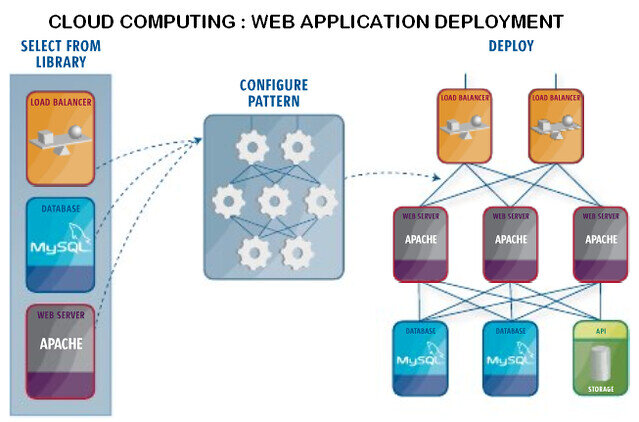
Different cloud providers have their own names for this concept. Amazon Web Services (AWS) calls it a VPC, while Microsoft Azure calls it a Virtual Network (VNet). Google Cloud also uses the term VPC. Though the names differ slightly, the fundamental purpose is the same: to give you a private networking environment that you control.
Building Your Virtual Network
Once you have your private space, you need to organize it. Just like an apartment has different rooms for different activities, a VPC is divided into smaller segments. These components help you control how your resources communicate with each other and the outside world.
Subnet
noun
A smaller, segmented range of IP addresses within a VPC. It's like a room within your virtual apartment.
Subnets allow you to group related resources. A common practice is to create public subnets for resources that need to be accessible from the internet, like a web server, and private subnets for resources that should be isolated, like a database. This segmentation is a fundamental security practice.
But how does traffic know where to go? That's the job of two other key components:
Route Tables: These are like a GPS for your network traffic. A route table contains a set of rules, called routes, that determine where network traffic from your subnet or gateway is directed. Each subnet in your VPC must be associated with a route table.
Gateways: These are the doorways to and from your VPC. An Internet Gateway allows resources in your public subnets to communicate with the internet. Other types of gateways handle traffic to your on-premises corporate network or to other cloud services.
Why Bother with a VPC?
Setting up a VPC provides several powerful benefits that are essential for any serious cloud deployment.
| Benefit | Description |
|---|---|
| Security | VPCs are the first line of defense. By creating private subnets and controlling traffic with security rules, you can protect sensitive resources like databases from direct exposure. |
| Control | You have full control over your virtual networking environment. You choose your own IP address ranges, create subnets, and configure route tables and gateways to match your needs. |
| Scalability | You can design your network to support growth. A well-structured VPC allows you to easily add new resources and services without having to re-architect your entire network. |
By understanding these basic building blocks, you gain the ability to design and manage a cloud infrastructure that is secure, scalable, and tailored to your specific requirements. It's the foundation upon which all other cloud services are built.
Ready to test your knowledge? Let's see what you've learned about cloud networking.
Which of the following best describes the primary purpose of a Virtual Private Cloud (VPC)?
In a typical VPC setup, where would you place a database that should not be directly accessible from the internet?
Understanding VPCs and their components is the first step in mastering cloud infrastructure.