VLAN Fundamentals
Introduction to VLANs
Virtual Walls for Your Network
Imagine a large, open-plan office. Everyone is in one giant room. When one person shouts, everyone hears it. It's easy for conversations to get mixed up, and private discussions are impossible. This is similar to a traditional Local Area Network (LAN), where all devices are in one big, shared space.
Now, imagine putting up soundproof walls to create smaller team rooms for different departments like Sales, Engineering, and Finance. People in the Sales room can talk freely without disturbing Engineering. This logical separation is exactly what a Virtual Local Area Network, or VLAN, does for a computer network.
VLAN
noun
A Virtual Local Area Network (VLAN) is a method of logically segmenting a single physical network into multiple, isolated broadcast domains at the data link layer (Layer 2) of the OSI model.
A VLAN groups devices together into a virtual network, regardless of their physical location. An engineer on the first floor and another on the third floor can be on the same VLAN, while the person sitting next to them could be on a completely different one.
The Benefits of Separation
Creating these virtual networks isn't just for organization. It provides tangible benefits.
Security: By isolating traffic, you create barriers. If the marketing department's network (VLAN 20) is compromised, the sensitive data on the finance department's network (VLAN 30) remains protected because the traffic is kept separate.
Performance: On a traditional network, some messages, called broadcasts, are sent to every single device. As you add more devices, this "chatter" can slow things down. VLANs shrink the size of these broadcast domains. A broadcast message sent on the Engineering VLAN only goes to engineering devices, reducing unnecessary traffic and freeing up bandwidth.
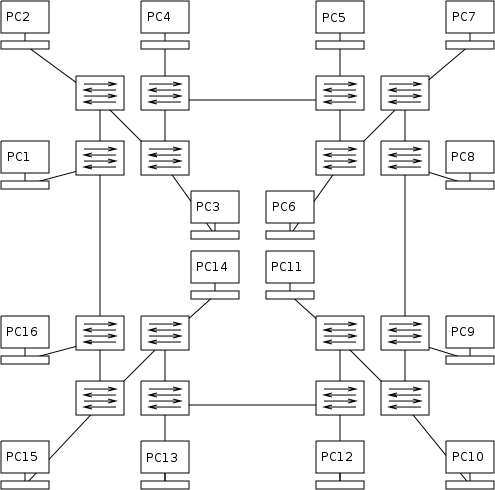
Simplified Management: VLANs allow you to manage your network based on function, not location. If an employee from accounting moves to a new desk, you don't need to physically rewire cables. You just configure their new network port to be part of the accounting VLAN, and they're instantly connected to the right resources. This flexibility makes network changes much faster and easier.
How It Works: The VLAN Tag
So how do network switches know which data belongs to which VLAN? They use a system called VLAN tagging.
When a piece of data, called an Ethernet frame, leaves a device, it travels to a network switch. If that port is part of a VLAN, the switch inserts a small piece of extra information into the frame's header. This is the VLAN tag.
A VLAN is created by adding a tag, or header, to each Ethernet frame.
This process is standardized by the IEEE 802.1Q protocol, ensuring that switches from different manufacturers can all understand the same tags. The tag contains a VLAN ID (a number from 1 to 4094) that uniquely identifies which virtual network the frame belongs to.
When a switch receives a tagged frame, it reads the VLAN ID. It then knows to only forward that frame out of ports that are members of the same VLAN. This is how the virtual separation is enforced. The tag is then typically removed by the switch before the frame is sent to its final destination device, so the end device doesn't even need to know it was on a VLAN.
What is the primary function of a Virtual Local Area Network (VLAN)?
According to the IEEE 802.1Q standard, what is added to an Ethernet frame to identify its VLAN membership?
By using these simple tags, VLANs provide a powerful way to organize, secure, and streamline a network without changing any physical wiring.