Video Editing Fundamentals
Introduction to Video Editing
The Art of the Story
At its heart, video editing is the process of arranging video shots to tell a story or share an idea. Think of raw video footage like a pile of sentences. An editor's job is to select the best ones, put them in a logical order, and trim away the parts that don't add to the story. This turns a collection of clips into a single, polished piece that flows smoothly from beginning to end.
Editing
verb
The process of selecting, arranging, and modifying video and audio clips to create a finished product.
The goal isn't just to cut out mistakes. It's to build a narrative, create a mood, and guide the viewer's attention. A well-edited video can make you laugh, teach you a new skill, or persuade you to see a different point of view. It's a crucial step that transforms raw footage into something meaningful.
Editing: is the basic creative force of filmmaking. It is the process of selecting, arranging, and assembling the essential components of a movie- visual, sound, and special effects- to tell a story in a unique way (340).
Editing in the Wild
Video editing is everywhere. It’s not just for Hollywood movies or TV shows. Every time you scroll through social media, watch a news report, or take an online course, you're seeing the work of a video editor. The skills are applied differently depending on the goal.
| Field | Application |
|---|---|
| Film & Television | Crafting feature films, documentaries, and TV series. |
| Social Media | Creating short, engaging clips for platforms like TikTok and Instagram. |
| Marketing | Producing commercials, product demos, and promotional content. |
| Education | Developing online courses, tutorials, and informational videos. |
| Journalism | Assembling news packages and reports from field footage. |
In each case, the editor makes choices about what to show and when to show it. A marketing video might use quick cuts and upbeat music to create excitement, while an educational tutorial will use a slower pace and clear graphics to help you learn.
The Basic Workflow
While every project is unique, the editing process generally follows a standard workflow. This structure helps keep the project organized and ensures a smooth path from raw footage to final video.
First, you gather and organize all your materials. This includes video clips, audio files, music, and any graphics you plan to use. Next, you assemble these clips into a basic sequence, known as a 'rough cut.'
After the story is in place, you refine it. This is where you add polish by trimming clips precisely, adding transitions, adjusting color, mixing audio, and adding titles or effects. Finally, you export the project as a single video file, ready to be shared with the world.
Choosing Your Tools
To edit a video, you need software. There is a huge range of video editing applications available, from simple, free tools perfect for beginners to complex, professional software used to edit blockbuster films. Many computers and smartphones even come with basic video editing apps pre-installed.
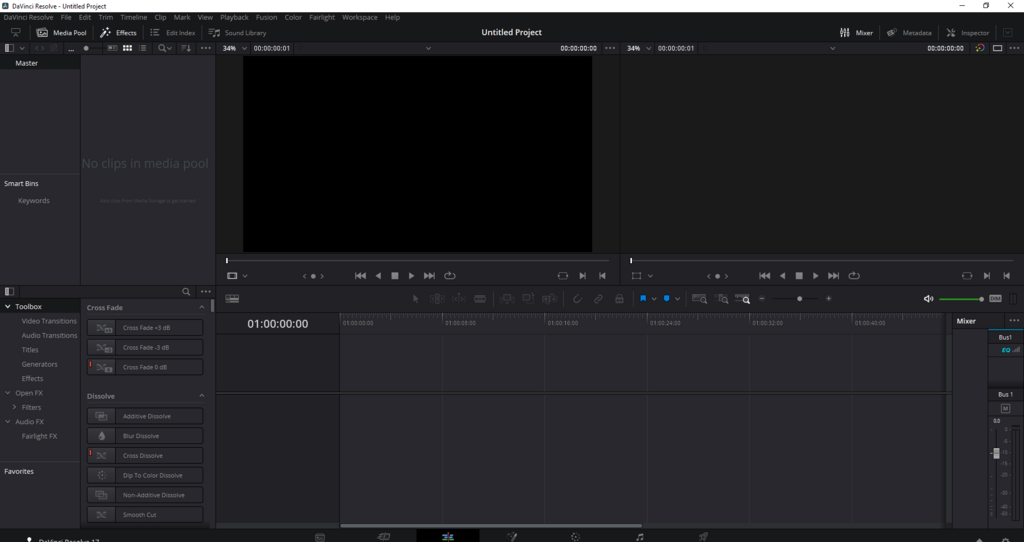
Some popular options for beginners include iMovie (for Apple devices) and Clipchamp (for Windows). As you advance, you might explore more powerful software like DaVinci Resolve, Adobe Premiere Pro, or Final Cut Pro. The best tool to start with is often the one that's most accessible to you. You don't need expensive software to learn the fundamentals.
The core principles of storytelling and pacing are the same, no matter what software you use. Focus on learning the craft first, and the tools will follow.
Now that you have a sense of what video editing is and how it works, let's check your understanding.
What is the primary goal of video editing?
In a standard video editing workflow, what is the step that comes immediately after gathering and organizing all your materials?
Understanding these core concepts is the first step on your editing journey. Next, you'll learn how to start putting these ideas into practice.