Video Editing for Social Media Growth
Introduction to Video Editing
Editing is Storytelling
Video editing is more than just trimming the awkward pauses from a clip. It's the art of telling a story. Think of a film director. They shoot hours of footage, but it's the editor who pieces together the best takes to create a compelling narrative. They decide what the audience sees and when they see it, controlling the rhythm and emotional impact of the final product.
On social media, this is crucial. You have only a few seconds to grab someone's attention before they scroll away. Good editing can turn a simple video into something that hooks the viewer, makes them feel something, and encourages them to watch until the end.
Properly edited videos can elevate your content, garner more attention, and help you connect with your audience more effectively.
Whether you're making a quick tutorial, a funny sketch, or a travel vlog, the editing choices you make will define how your audience experiences it. It’s the invisible force that makes a video feel professional, engaging, and worth sharing.
The Building Blocks
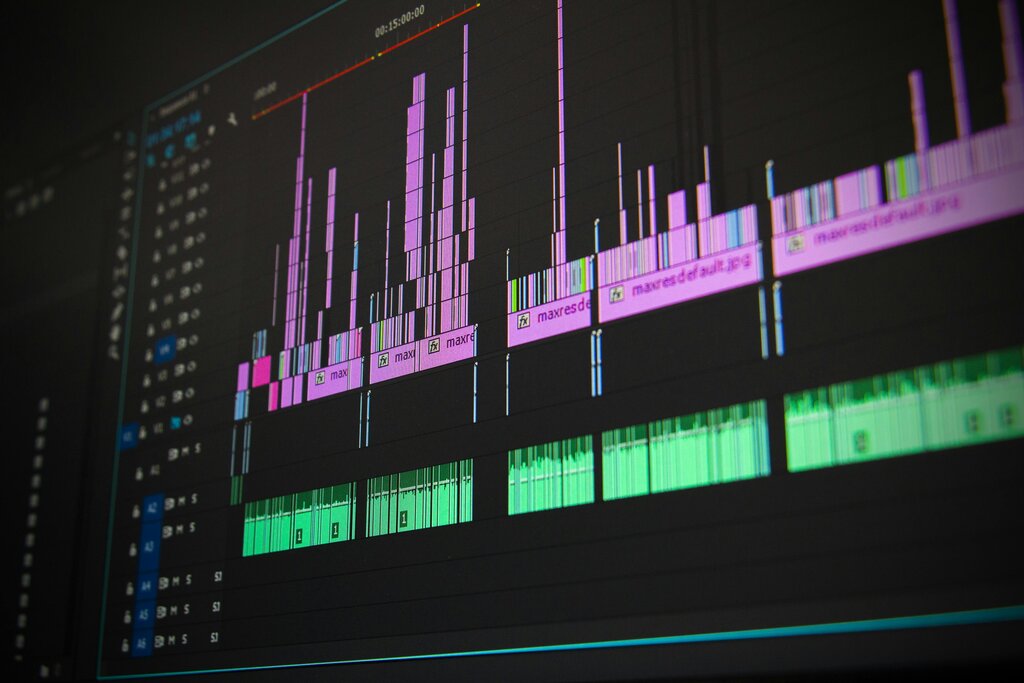
Every edited video is built from the same fundamental parts. Understanding them is the first step to creating your own. The main workspace in any editing software is the timeline.
timeline
noun
A visual representation of your video from beginning to end, where you arrange clips, audio, and effects in sequence.
Think of the timeline like a comic strip. Each panel is a clip, and you arrange them in the order you want the story to unfold. The simplest way to move from one clip to the next is a cut.
cut
noun
An abrupt, instantaneous switch from one shot to another. It's the most common and basic edit.
When you want to show a change in time, location, or mood more gently, you can use a transition.
transition
noun
A visual effect used between two clips to blend them together, such as a fade, dissolve, or wipe.
Cuts, transitions, and the timeline are the grammar of video editing. They are the basic tools you'll use to construct your visual sentences and paragraphs.
The Editing Workflow
The video editing process generally follows the same path, regardless of the project. It’s a creative funnel that starts with a lot of raw material and ends with a polished, focused final product.
First, you organize your footage. This means importing all your video clips, sound files, and graphics into your editing software and sorting through them to find the best material.
Next, you assemble a rough cut. This is where you lay out your selected clips on the timeline to create the basic structure of your story. Don't worry about perfection here; the goal is just to get the main ideas in order.
Then you refine the edit. You'll trim clips to the perfect length, adjust the timing to improve the rhythm, and make sure every cut feels smooth and purposeful. This is where the video really starts to take shape.
After the main edit is locked in, it's time to polish. This involves adding music, sound effects, text overlays, and color correction to enhance the mood and clarify your message.
Finally, you export the video. This creates a final, shareable file that's compressed and formatted for the social media platform where you plan to post it.
Now let's review the key terms we've covered.
Ready to check your understanding?
What is the primary goal of video editing, especially for social media?
In video editing, the workspace where you arrange your clips sequentially to build your story is known as the ______.
Mastering these fundamentals is the first and most important step. Once you're comfortable with them, you can create clear and engaging videos for any platform.