Video Editing for Social Media Growth
Introduction to Video Editing
The Art of the Cut
Think of video editing as storytelling. You start with raw footage—a collection of moments, scenes, and sounds. Your job as an editor is to sort through these pieces and assemble them into something new, a story that flows and captures attention. It’s not just about removing mistakes; it’s about shaping a narrative.
Every decision you make, from which clip to use to how long it stays on screen, influences how the viewer feels and what they understand. You are the guide, leading them through the story you want to tell.
Your Basic Toolkit
Every great creation starts with mastering the fundamentals. In video editing, this means getting comfortable with a few key actions that form the basis of all your work. Let's break them down.
Cutting is the act of removing a section from a clip. Imagine you filmed a ten-second clip but coughed in the middle. You'd make a cut before the cough and another one right after, then delete that small piece. This leaves you with two separate clips, seamlessly joined.
Trimming is slightly different. It involves shortening the beginning or end of a clip. If a shot starts a second too early before the action begins, you can trim the start to make it tighter. Trimming helps perfect the timing of each individual shot.
Sequencing is where the story truly takes shape. It’s the process of arranging your trimmed and cut clips on a timeline. The order you choose dictates the narrative. A shot of someone looking sad followed by a shot of a rainy window tells a different story than if the order were reversed.
The order of your clips creates the story. A different order creates a different story.
Finding Your Rhythm
Once you know how to assemble clips, the next step is to think about how they feel when played together. This is where pacing and rhythm come in.
Pacing is the speed at which your video's story unfolds. A fast-paced video with quick cuts can create a sense of energy, excitement, or urgency. Think of an action movie trailer. In contrast, a slow-paced video with longer shots gives the viewer time to absorb the visuals and reflect, creating a calmer or more dramatic mood.
Rhythm is the flow created by the timing and pattern of your edits. Just like in music, a steady, predictable rhythm can be soothing, while a varied, unpredictable rhythm can build suspense or surprise. The interplay between long shots and short shots, quiet moments and loud ones, creates a rhythm that keeps the viewer engaged.
Editing: is the basic creative force of filmmaking. It is the process of selecting, arranging, and assembling the essential components of a movie- visual, sound, and special effects- to tell a story in a unique way (340).
Tools of the Trade
You don't need expensive equipment to start editing. Many powerful tools are available for both mobile devices and computers, often for free. The best tool is the one that you find intuitive and that fits your workflow.
For mobile editing, apps like CapCut and InShot are incredibly popular. They offer a simple interface perfect for quick edits on the go. You can easily trim clips, add music, and apply filters directly from your phone.
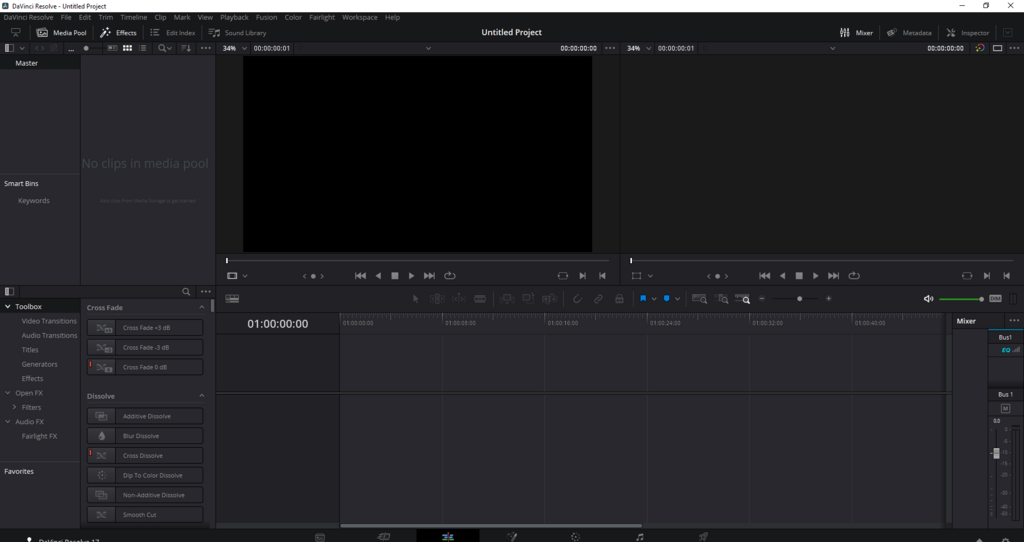
On a laptop or desktop, you have more powerful options. DaVinci Resolve offers a free version with professional-grade color correction and editing tools. Kdenlive is a fantastic open-source option that is both free and feature-rich. These programs give you more control over your project with features like multi-track timelines and advanced effects.
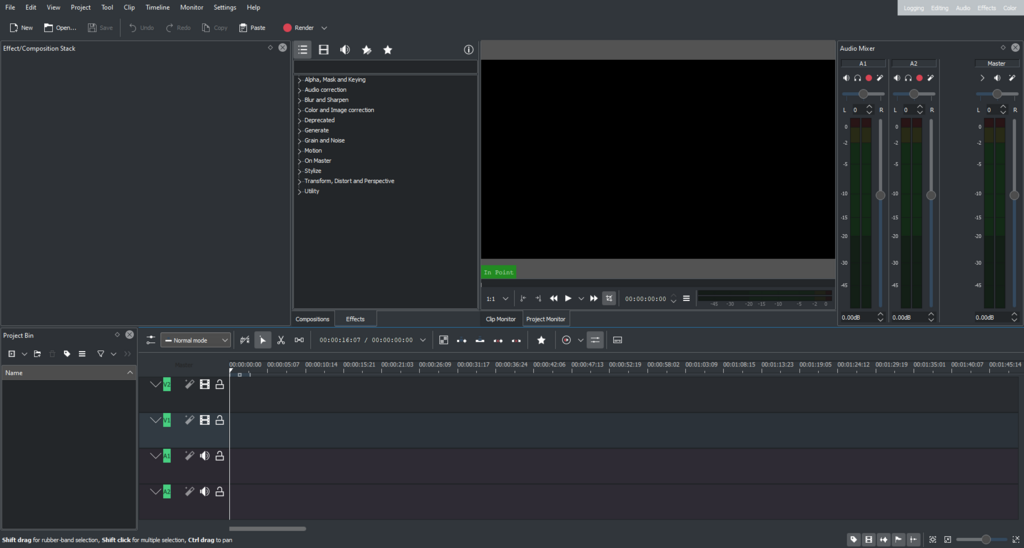
Don't get bogged down choosing the perfect software. Pick one, watch a few beginner tutorials, and start experimenting. The skills you learn—cutting, trimming, sequencing, and pacing—are universal and will transfer to any platform you use in the future.
Time to check what you've learned about the essentials of video editing.
What is the primary difference between cutting and trimming a video clip?
You are creating a trailer for an action movie. To create a sense of energy and excitement, you should use...
With these fundamentals, you have the building blocks to start creating compelling videos. The key is to practice, experiment, and find your own editing style.