Video Editing Essentials
Introduction to Video Editing
The Art of the Cut
Video editing is the process of arranging video shots to create a new, cohesive work. Think of it like being a writer, but instead of words, your building blocks are video clips, sound effects, and music. The goal isn't just to string shots together. It's to tell a story, evoke an emotion, or communicate an idea clearly.
At its heart, editing shapes the raw footage into a final product. It sets the pace, creates the mood, and guides the viewer's attention. A few quick cuts can create a feeling of excitement or chaos. A long, lingering shot can build suspense or allow for a moment of reflection. The editor decides what the audience sees and when they see it, making them one of the most important storytellers in any video project.
Video editing is where footage becomes story, where rhythm meets psychology, and where your creative fingerprint is born.
From Scissors to Software
Video editing wasn't always a digital process. In the early days of film, editors physically cut strips of film with a blade and taped them together in the desired sequence. This was a painstaking, hands-on craft. Every cut was permanent, and rearranging scenes meant literally taking your project apart and starting over.
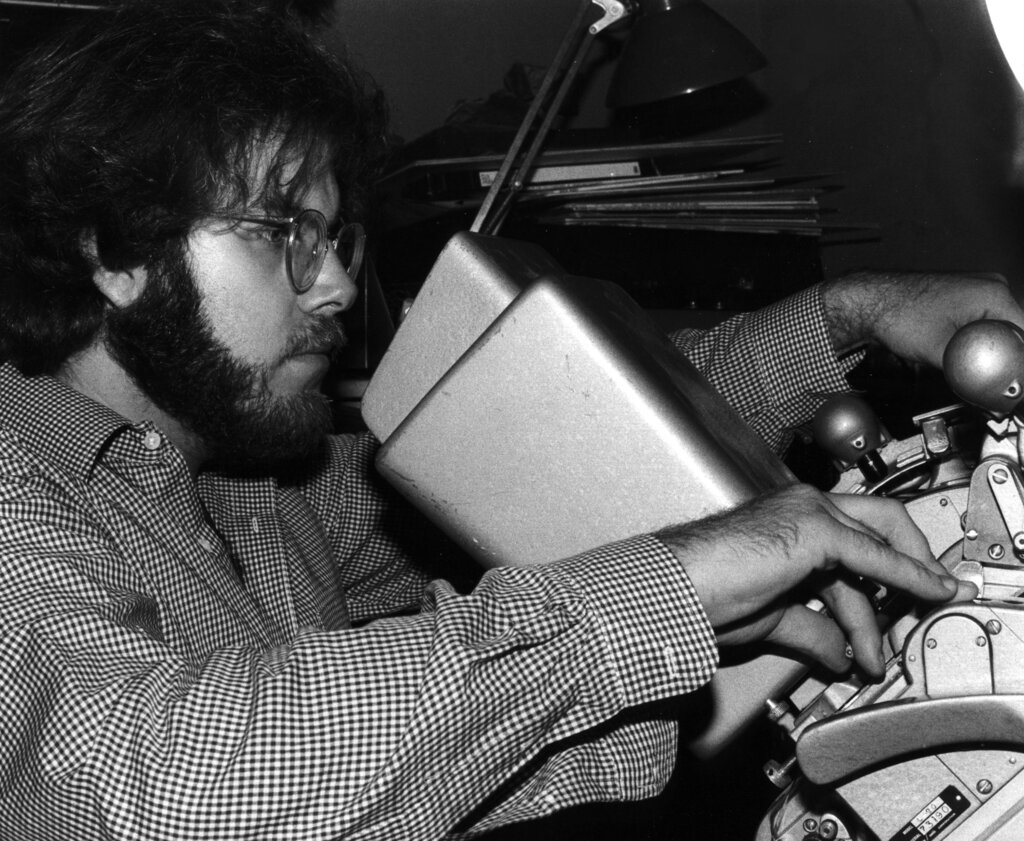
This method is known as linear editing. The name comes from the process: you had to assemble your video in a straight line, from start to finish. If you were editing using videotape, you would record shots from source tapes onto a master tape, one after another. Made a mistake or wanted to change the first scene? You had to re-record everything that came after it.
The game changed with the arrival of computers. Today, we use non-linear editing systems, or NLEs. This digital approach allows an editor to access any shot in any order, at any time. It's like the difference between writing an essay on a typewriter versus a word processor. With an NLE, you can move clips around, trim them, delete them, and experiment freely without destroying the original footage or having to redo your entire timeline.
The Editor's Workflow
While every project is different, most video editing follows a general workflow. It starts with organizing all the raw material, a process known as logging. This involves importing all video and audio files into the editing software and arranging them in a way that makes sense, often by labeling clips or sorting them into folders (called 'bins').
Next comes the assembly edit, or 'rough cut'. This is the first pass at putting the story together. The editor lays out the clips in sequence on a timeline, focusing on the overall structure and narrative flow without worrying too much about precise timing or fancy effects. The goal is to create a basic skeleton of the final video.
From there, the editor refines the project. They tighten the cuts, adjust the timing to improve pacing, add transitions between clips, and begin working with audio. This includes cleaning up dialogue, adding music, and incorporating sound effects. Finally, the editor performs color correction to ensure all the shots match visually and color grading to give the video its final stylistic look. After a final review, the video is exported into a playable file.
The basic workflow: Organize -> Assemble -> Refine -> Finalize
The editor is more than just a technician who knows how to use the software. They are a creative partner in the filmmaking process. They must have a keen sense of timing, rhythm, and story. They often have to make difficult decisions about what footage to keep and what to discard, solving problems and finding the most effective way to present the material.
Today, many different software options are available for non-linear editing. Some are free and great for beginners, while others are industry-standard tools with powerful features. Here are a few common ones:
| Software | Common Use Case | Skill Level |
|---|---|---|
| DaVinci Resolve | Professional color grading, all-in-one editing | Beginner to Pro |
| Adobe Premiere Pro | Industry standard for content creators & filmmakers | Intermediate to Pro |
| Final Cut Pro | Popular with Apple users and content creators | Intermediate to Pro |
| Kdenlive | Free, open-source option with robust features | Beginner to Intermediate |
| CapCut | Mobile-first editing for social media content | Beginner |
Choosing the right software often comes down to your budget, your computer, and the types of projects you plan to work on. The good news is that the fundamental concepts of editing apply to all of them.