Video Coding for Product Prototypes
Introduction to Video Prototyping
What Is Video Prototyping?
A video prototype is a short film that shows how a product works. Think of it like a movie trailer for an app, website, or even a physical device. Instead of just showing static screens or wireframes, it demonstrates the user's journey, showing how they might interact with the product in a real-world scenario.
The main goal is to tell a story. This story helps everyone—from developers to investors—understand the product's vision and how it will feel to use it. It focuses on the flow and context of the user experience, not just the visual details of individual screens.
Video prototypes can be simple or complex. They can range from a slideshow of sketches with a voiceover to a fully animated, high-fidelity simulation of the user interface.
Why Bother With Video?
Creating a video might seem like extra work, but it offers huge advantages in the design process. Static mockups can feel flat and disconnected. They show what the product looks like, but a video shows how it works and why it's valuable.
Videos are a universal language. They communicate complex interactions and user flows in a way that’s easy for anyone to grasp, regardless of their technical background. Seeing a feature in motion makes it instantly understandable. This clarity helps get everyone on the same page, reducing misunderstandings between designers, developers, and stakeholders.
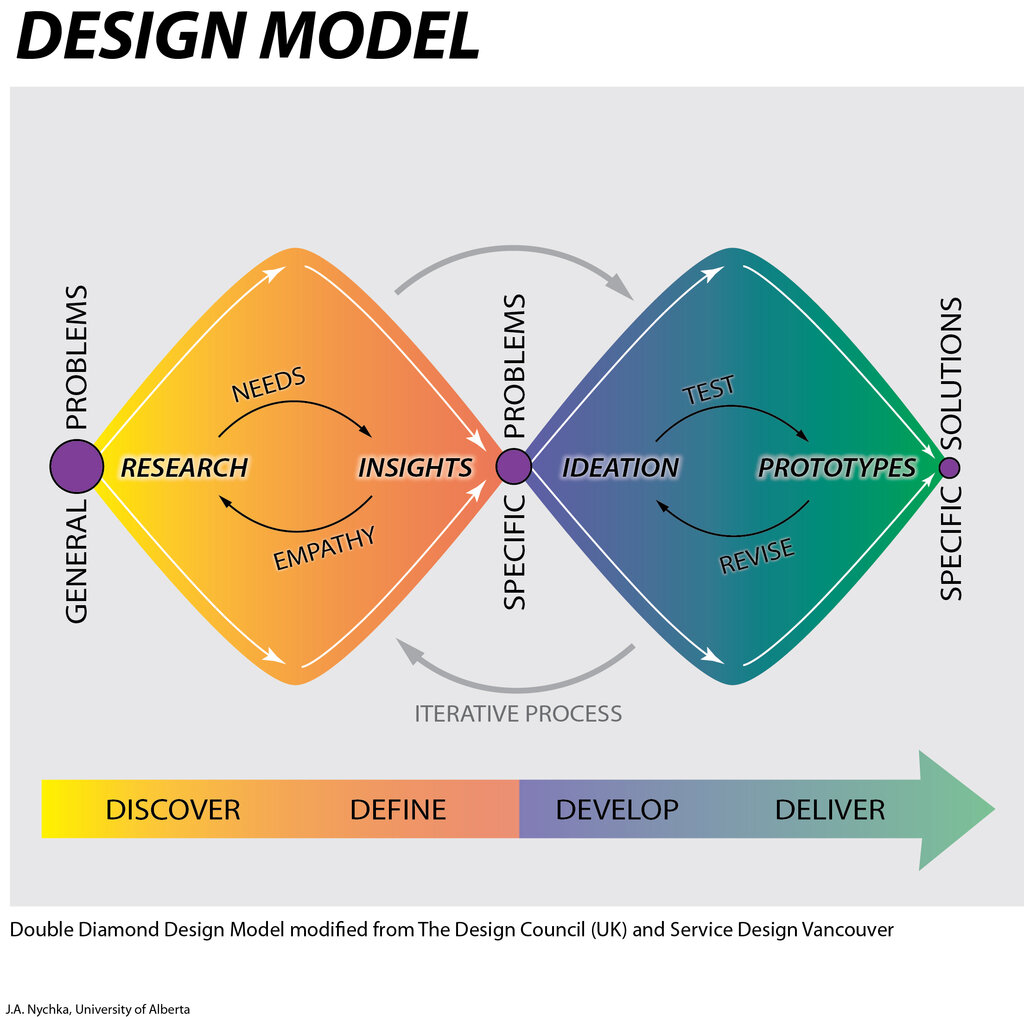
When people can see how a product is meant to be used, they provide much better feedback. A video prototype allows test users and stakeholders to experience the timing, animations, and overall feel of the interactions. This leads to more insightful comments than you'd get from simply clicking through a series of screens.
Prototypes provide stakeholders with a tangible representation of the proposed user experience, allowing them to interact with the design and provide feedback based on real user interactions.
Most importantly, video prototyping can save a lot of time and money. Discovering a major flaw in the user flow during the video stage is a simple fix. Discovering that same flaw after weeks of coding is a costly disaster. It’s a low-risk way to test big ideas before committing significant resources.
Tools for the Job
You don't need a Hollywood film studio to create a video prototype. Many tools, from simple to advanced, can help you bring your ideas to life.
| Tool Category | Examples | Best For |
|---|---|---|
| Presentation Software | PowerPoint, Keynote, Google Slides | Simple, quick animations and click-throughs. |
| UI Design & Prototyping | Figma, Adobe XD, ProtoPie | Creating interactive, high-fidelity mockups with animations. |
| Video Editing Software | Adobe Premiere Pro, Final Cut Pro | Combining screen recordings, adding voiceovers, and polishing the final video. |
| Animation Software | Adobe After Effects | Creating custom animations and sophisticated visual effects. |
The right tool depends on your goal. For a quick concept validation, presentation software might be all you need. For a polished prototype to show investors, a combination of UI design and video editing tools will deliver a more professional result.
Now that you understand the what, why, and how of video prototyping, you can start thinking about how to apply it to your own projects.