VBA Scripting for Office Automation
Introduction to VBA
What is VBA?
If you've ever found yourself doing the same boring, repetitive task in Microsoft Excel, you've probably thought, "There has to be a better way." There is, and it's called Visual Basic for Applications, or VBA.
VBA is a coding language integrated into Excel that allows you to automate repetitive or complex processes.
Think of it as the language you use to give instructions to applications like Excel, Word, and PowerPoint. Instead of clicking through the same sequence of buttons and menus over and over, you can write a script—a set of instructions—that tells the program what to do. VBA then carries out those instructions for you, instantly and flawlessly.
Your Built-in Assistant
The best part is that VBA isn't a separate program you need to buy or install. It’s already built into the Microsoft Office suite. It's like having a personal assistant living inside your software, waiting for you to delegate tasks. This assistant is fluent in Excel, Word, Access, Outlook, and PowerPoint, allowing you to create powerful connections between them.
When you record a macro in Excel, you're actually creating VBA code without realizing it. A macro is simply a recorded sequence of your actions. The program watches what you do—like making text bold, copying data, or creating a chart—and translates it into a VBA script. You can then run this script with a single click to repeat the entire process.
Why Bother with VBA?
Learning even a little bit of VBA can transform how you work. The primary benefits are speed, accuracy, and customization.
-
Save Time: Automate tasks that take minutes or hours and condense them into a few seconds. Imagine generating a complex weekly report with the click of a button.
-
Reduce Errors: Humans make mistakes, especially with tedious, repetitive work. A well-written script performs its task perfectly every single time, ensuring consistency and reliability.
-
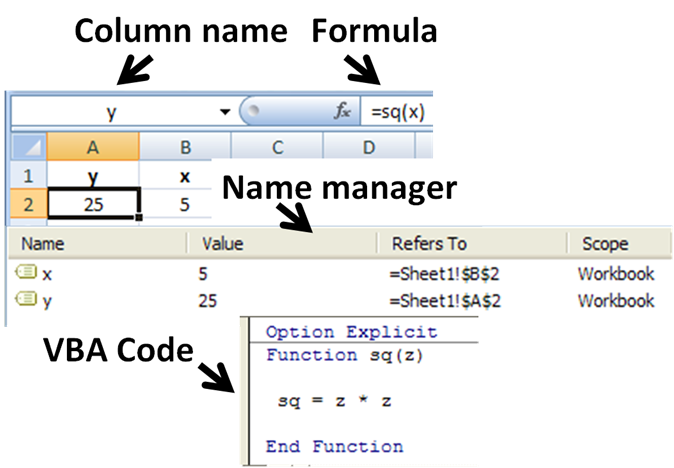
Customize Office: You can build your own tools. If you need a function that Excel doesn't have, you can create it with VBA. You can also add custom buttons to the ribbon to perform your most common multi-step tasks.
Essentially, VBA allows you to mold Office applications to fit your exact needs, rather than adapting your workflow to the software's limitations.
Here are a few examples of what you can do:
-
Automate Reports: Clean up raw data, format it into a professional-looking report, and email it to your team—all automatically.
-
Generate Documents: Pull data from an Excel spreadsheet to create hundreds of personalized letters or invoices in Word.
-
Manage Emails: Automatically process incoming emails in Outlook, saving attachments to specific folders based on the sender or subject line.
-
Streamline Data Entry: Create custom forms that guide users through data entry, validating information as it's typed to prevent errors.
Even simple scripts can save you a surprising amount of time and effort.
What is the primary purpose of VBA (Visual Basic for Applications)?
When you record a macro in Excel, what is happening behind the scenes?
Now that you understand what VBA is and what it can do, you're ready to start exploring how to put it into action.