Valve's Proton Explained
Introduction to Proton
Gaming on Linux Made Easy
For years, gaming on Linux was a niche pursuit. The vast majority of PC games are developed for Microsoft Windows, leaving Linux users with a small library of native titles. If you wanted to play the latest blockbuster, you often had to switch to a different operating system. That all changed with Proton.
Developed by Valve, the company behind the massive digital game store Steam, Proton is a compatibility layer. Think of it as a translator. Windows games are written to communicate with Windows using a specific set of commands, or API calls. Proton intercepts these commands and translates them into ones that Linux can understand in real time. This allows many Windows-only games to run on Linux systems, often with little to no manual setup.
Proton is based on a popular open-source project called Wine (a recursive acronym for "Wine Is Not an Emulator"). Valve built upon Wine's foundation, adding features and optimizations specifically for gaming to create a more seamless experience for Steam users.
Integration with Steam
The magic of Proton lies in its deep integration with the Steam client. For the user, the process is incredibly simple. You enable a setting called Steam Play, and suddenly, your library of Windows games has "Install" buttons next to them, even on a Linux machine. When you click install, Steam automatically downloads and configures the correct version of Proton for that game. There are no complicated command-line tools or manual configurations needed for most titles.
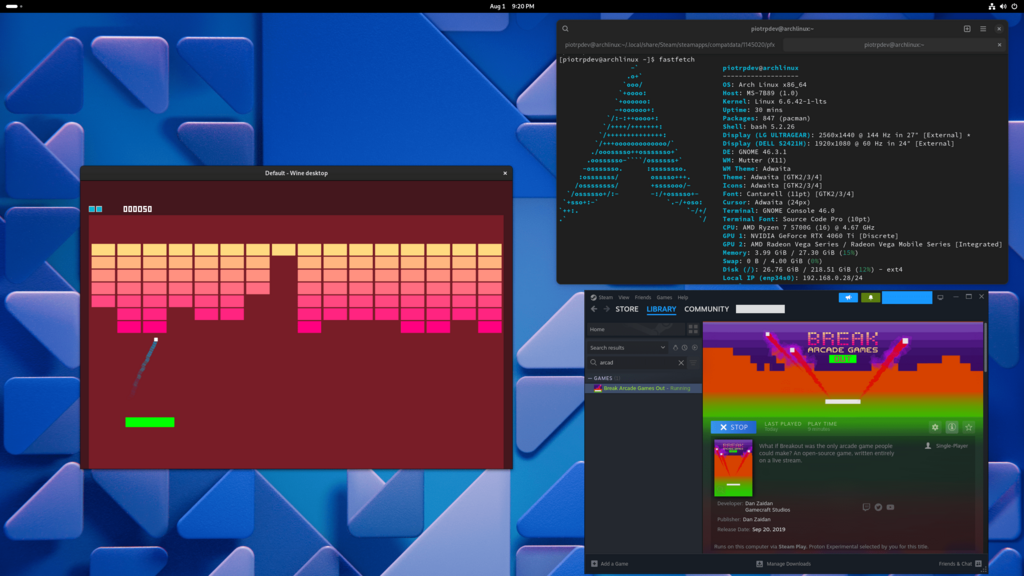
This technology has been a game-changer. It instantly unlocked thousands of titles for the Linux community, making it a much more viable platform for PC gaming. The success of Valve's handheld gaming device, the Steam Deck, is built on this foundation. The Steam Deck runs a custom version of Linux, and it uses Proton to run a massive portion of the Steam library.
Checking Compatibility
While Proton works remarkably well for many games, compatibility isn't perfect for every single title. This is where the community comes in. A website called ProtonDB allows users to submit reports on how well specific games run using Proton. It uses a simple rating system to give you a quick idea of what to expect.
| Rating | Meaning |
|---|---|
| Platinum | Runs perfectly out of the box. |
| Gold | Runs great after some minor tweaks. |
| Silver | Runs with minor issues, but is generally playable. |
| Bronze | Runs, but with significant issues that may impact gameplay. |
| Borked | The game is currently unplayable. |
Before buying a game, many Linux users check ProtonDB to see if others have gotten it to work smoothly. These reports often include helpful tips, such as specific Proton versions to use or launch options that fix common problems.
What is the primary function of Proton?
Proton's development is based on a pre-existing open-source project called Wine.
Proton has fundamentally reshaped the landscape of PC gaming, proving that you don't need Windows to access a massive library of games.