UX for AI Tools
Introduction to AI UX Design
Designing for Intelligent Systems
Designing a user experience (UX) for an Artificial Intelligence tool is different from designing a standard app. With a normal app, the system follows predictable, pre-programmed rules. You tap a button, and the same thing happens every time. But AI is different. It learns, adapts, and can even be unpredictable.
AI UX is about creating a bridge between complex AI capabilities and everyday human needs. It’s the practice of making intelligent systems useful, understandable, and trustworthy for the people who use them. This means moving beyond just making things look good and focusing on how the system behaves and communicates.
Artificial intelligence (AI) presents new challenges for the user experience (UX) of products and services.
Your job as a designer isn't just to create an interface, but to shape the entire interaction between the person and the AI. This requires a deeper understanding of what the AI can and can't do.
Know Your Material
To design a good product, you have to understand the materials you're working with. If you're designing a chair, you need to know the properties of wood versus steel. The same is true for AI. You don't need to be a machine learning engineer, but you do need a solid grasp of the AI's capabilities and its limitations.
AI models excel at certain tasks. They can recognize patterns in vast amounts of data, generate creative text and images, and personalize experiences for millions of users simultaneously. They can act as powerful assistants, automating tedious tasks and offering new ideas.
However, AI also has significant limitations. It lacks true common sense and can make strange mistakes. It can inherit biases from the data it was trained on, leading to unfair or skewed outcomes. Sometimes, an AI will confidently state incorrect information as fact—a phenomenon known as “hallucination.”
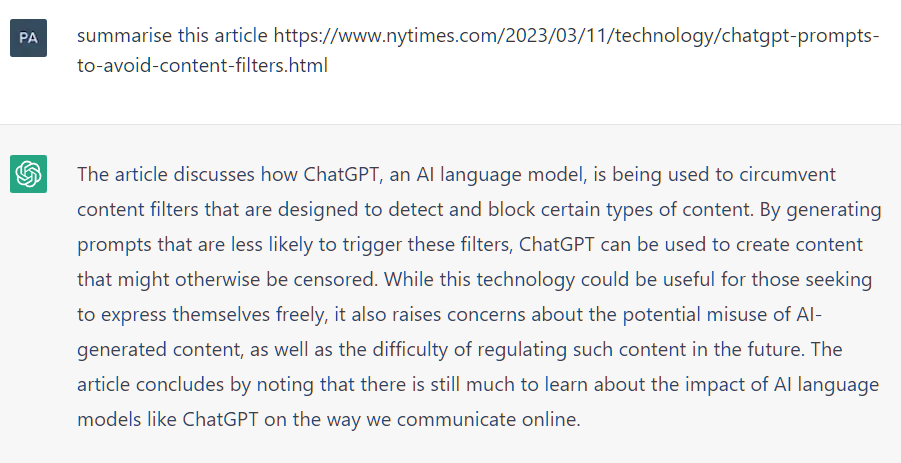
Understanding this balance is critical. If you design an experience that asks the AI to do something it's bad at, users will be frustrated. A great AI UX designer knows how to leverage the AI's strengths while creating safeguards to handle its weaknesses.
Building User Trust
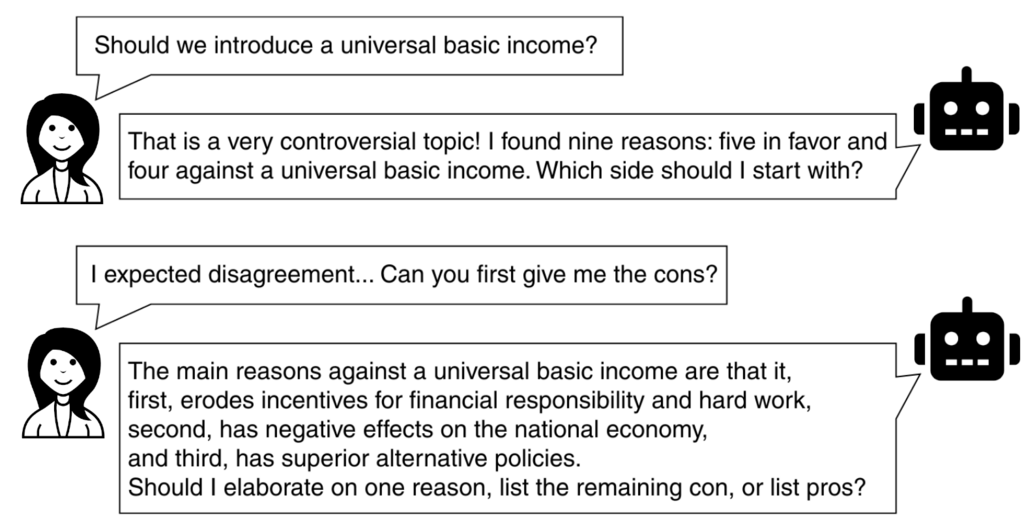
When a system's behavior isn't entirely predictable, trust becomes the most important part of the user experience. People are often wary of AI because it can feel like a mysterious "black box." They wonder: How did it come up with that answer? Is it biased? Can I rely on its suggestions?
As a designer, you can build trust by making the AI more transparent. This doesn't mean showing users the complex math behind the model. It means communicating what the system is doing, why it's doing it, and how confident it is in its results, all in plain language. Your design should empower the user, making them feel in control.
The goal is to design a partnership between the human and the AI. The user should always feel like they are the one making the final decision, with the AI serving as a helpful, transparent co-pilot.
For example, if an AI recommends a product, the interface could show why it made that recommendation: "Because you previously liked similar items." If an AI generates a paragraph of text, the design could highlight parts that are less certain and suggest alternatives. These small design choices demystify the AI and give the user a sense of agency.
Designing for AI-powered apps goes beyond aesthetics—it requires a deep understanding of AI capabilities, transparency, usability, and trust-building mechanisms.
Ultimately, the role of UX in AI is to ensure that these powerful tools are not just functional, but also responsible, understandable, and genuinely helpful to people.