UX Design for Product Analysis
Introduction to UX Design
The Feeling of a Product
Think about the last app you used that just felt right. Finding what you needed was effortless. The buttons were where you expected them to be. You accomplished your goal without a single moment of confusion or frustration. Now, think about an app that made you want to throw your phone across the room. Confusing navigation, hidden features, and unexpected behavior. The difference between these two experiences is user experience (UX) design.
UX design is the process of making a product, whether it's a website, an app, or a physical object, useful, easy, and enjoyable to interact with. It's not just about how a product looks, but how it feels and how well it works for the person using it.
User Experience (UX)
noun
A person's overall feeling and perception when interacting with a product or service, including its usability, accessibility, and the pleasure derived from the interaction.
The scope of UX is broad. It covers everything from initial research into what users need, to designing the flow of tasks, structuring information logically, and testing to see how real people interact with the product. It's the invisible architecture that guides a user's entire journey.
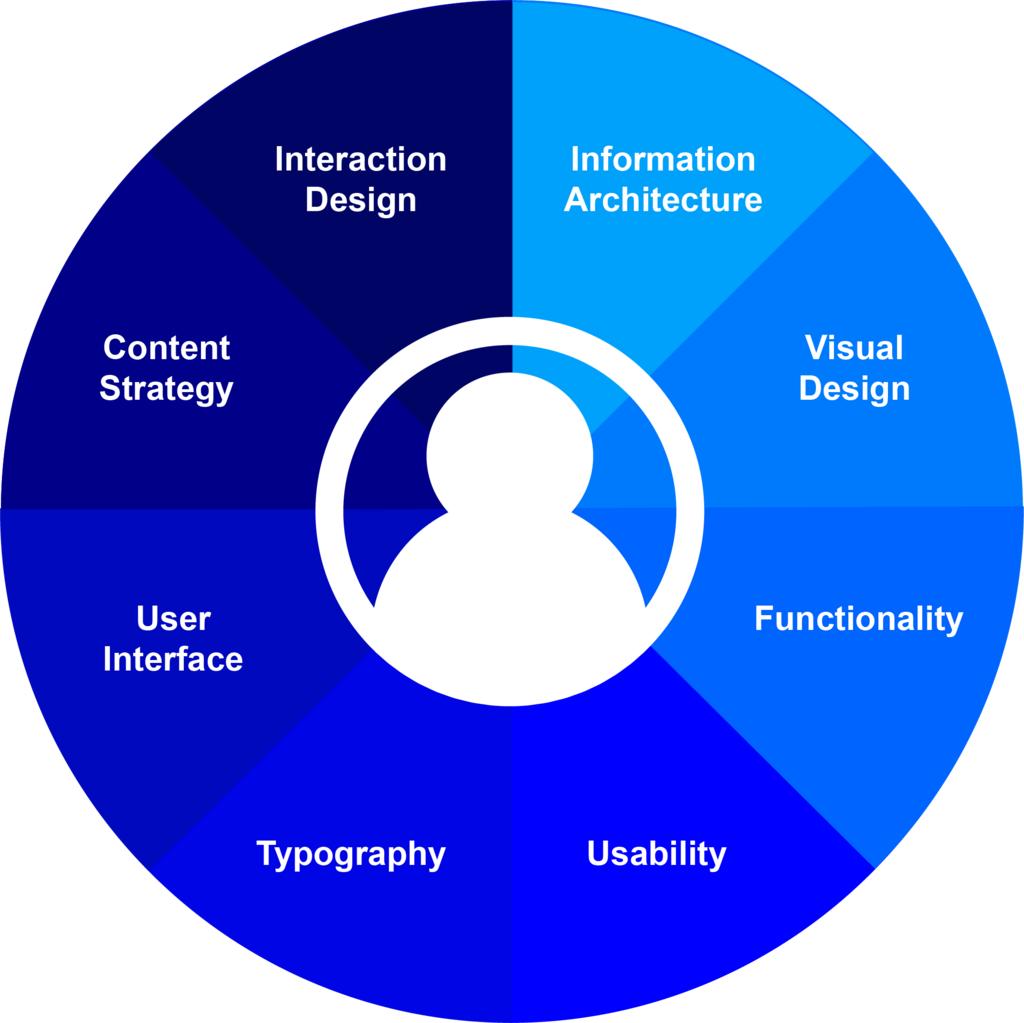
UX and UI Are Not the Same
People often use the terms UX and User Interface (UI) interchangeably, but they refer to different things. They're closely related, but the distinction is important.
Imagine building a car. UX design is deciding where the steering wheel goes, how the pedals feel under your foot, whether the dashboard is easy to read at a glance, and how comfortable the seats are for a long trip. It's the entire experience of driving the car.
UI design is choosing the font for the speedometer, the color of the dashboard lights, and the shape of the gear stick. It's the look and feel of the car's specific controls and surfaces.
UI is a critical part of UX, but it's only one part. A beautiful interface (good UI) can't save a product that's confusing or difficult to use (bad UX). On the other hand, great UX can be let down by a clunky or ugly interface. The best products have both working in harmony.
Guiding Principles
Effective UX design isn't random; it's guided by a set of core principles. The most important of these is being user-centered. This means every decision, from the big picture to the smallest detail, is made with the user's needs, goals, and limitations in mind.
User-centric design (UCD) puts the needs, desires, and limitations of the user at the forefront of the design process.
Beyond this central idea, a few key principles guide the work:
- Clarity: The product should be easy to understand and use. Users should never have to guess what something does or where to find a feature. Clear labels, logical layouts, and straightforward language are essential.
- Consistency: Elements should look and behave in similar ways throughout the product. A button that performs an action on one screen should look and act like a button on another screen. This predictability makes the product feel familiar and easy to learn.
- Feedback: The system should always keep users informed about what is happening. When a user clicks a button, there should be a visual cue that the click was registered. If a page is loading, a progress indicator lets the user know the system is working. This prevents confusion and builds trust.
- Accessibility: A product should be usable by people with a wide range of abilities and disabilities. This includes considering things like color contrast for people with low vision, keyboard navigation for those who can't use a mouse, and screen reader compatibility.
Ultimately, good UX is crucial for a product's success. It can increase customer loyalty, boost conversion rates, and reduce the need for customer support. When a product is designed for its users, they are more likely to use it, enjoy it, and recommend it to others. It turns a functional tool into a delightful experience.
Ready to check your understanding?
What is the primary goal of user experience (UX) design?
User Interface (UI) design is a part of the broader field of User Experience (UX) design.