Upgrade Your PS4 Hard Drive
Understanding PS4 Storage
The Heart of Your Game Library
Every PlayStation 4, whether it's the original, the Slim, or the Pro, has a hard drive inside. This isn't just a box for storage; it's the home for everything that makes your console yours. Your downloaded games, system software, game updates, and precious save files all live here.
Most PS4s came from the factory with a Hard Disk Drive, or HDD. Think of an HDD like a tiny, super-fast record player. It has a spinning magnetic disk, called a platter, that holds all your data. A small mechanical arm with a read/write head moves back and forth across this platter to find and retrieve your game files or save your progress.
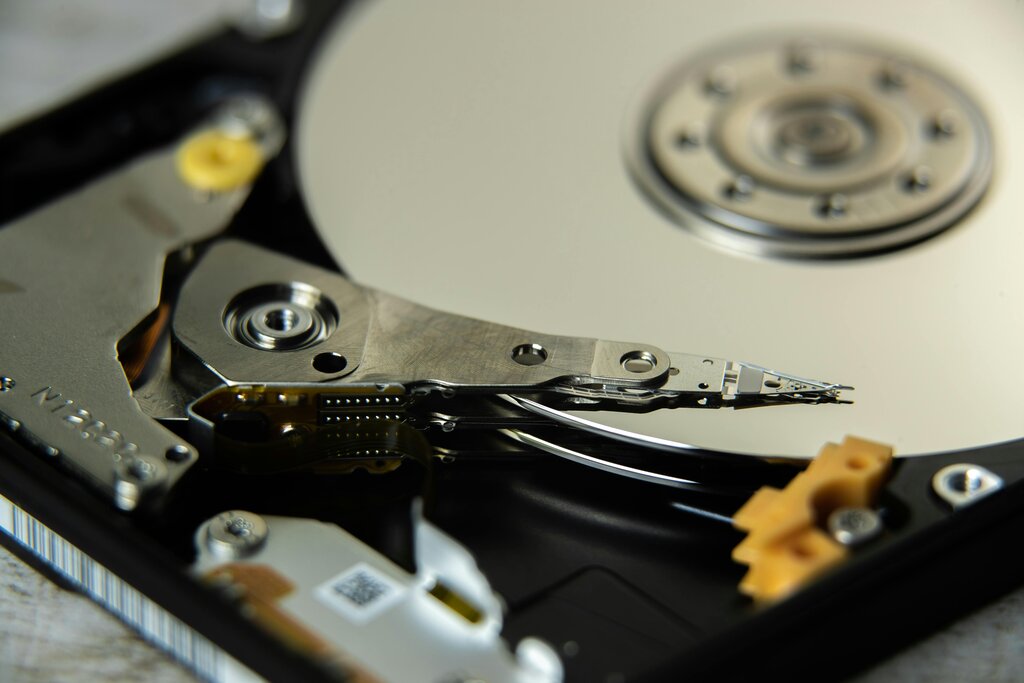
This physical process of spinning and seeking is impressive, but it has its limits. Because parts have to move, there's a ceiling on how quickly an HDD can deliver data. For a long time, this was perfectly fine. But as games became larger and more graphically intense, that mechanical delay started to become a noticeable bottleneck.
The Bottleneck Effect
The stock HDD in the PS4 is the primary reason for long loading screens. When you start a game or fast travel across a huge open world, the console needs to pull massive amounts of data—textures, character models, sound files—from the drive. The HDD's mechanical arm frantically searches the spinning platter for all these bits and pieces.
This delay is what you experience as a loading screen. The game is literally waiting for the hard drive to catch up.
This doesn't just affect initial load times. It can also impact performance during gameplay. You might see textures pop in late, or experience a slight stutter as the game streams new data from the drive in the background. The HDD, reliable as it is, struggles to keep pace with the demands of modern games.
A Modern Alternative
This is where Solid State Drives, or SSDs, come in. An SSD is a newer type of storage that has no moving parts at all. Instead of a spinning platter, it uses interconnected flash-memory chips, similar to the storage in your smartphone or a USB thumb drive, but much faster and more robust.
Because data access is purely electronic, an SSD can read and write information almost instantly. There's no platter to spin up and no arm to move into position. This fundamental difference is what makes upgrading to an SSD such a popular choice for PS4 owners looking to boost performance.
An SSD upgrade will provide a noticeable boost in responsiveness, faster boot times, and faster loading for certain types of games.
| Feature | Hard Disk Drive (HDD) | Solid State Drive (SSD) |
|---|---|---|
| Mechanism | Mechanical (spinning platters) | Electronic (flash memory) |
| Load Times | Slower | Significantly Faster |
| System Speed | Standard | More responsive menu & UI |
| Durability | More fragile due to moving parts | More durable, no moving parts |
| Cost | Less expensive per gigabyte | More expensive per gigabyte |
While the PS4 wasn't originally designed with SSD speeds in mind, the hardware can still take advantage of the faster access times. The result is a console that feels snappier and gets you into your games more quickly.
Let's check your understanding of PS4 storage.
What is the primary cause of long loading screens on a standard PlayStation 4?
What is the key structural difference between a Hard Disk Drive (HDD) and a Solid State Drive (SSD)?
Upgrading your PS4's storage from an HDD to an SSD is one of the most effective ways to breathe new life into the console, reducing wait times and improving the overall experience.