Unlocking Restricted Access to Google Search
Browser Access Tricks
Living Off the Land
Sometimes, the simplest tools are the most effective. When you're faced with a network that blocks certain websites, you don't always need complex software to get around it. The browser you're already using has a few built-in tricks that can bypass basic filters. This approach is often called “living off the land” because it uses the resources already available to you.
These techniques work by changing how you request a webpage, either by asking a third-party service to fetch it for you or by disguising the address. They're quick, require no installation, and are surprisingly effective against simple keyword or domain-based blocking systems.
Using Google Against Itself
Ironically, one of the best tools for accessing blocked sites is Google itself. Since network filters are often hesitant to block Google's own services, you can leverage them to act as a middleman, fetching content on your behalf.
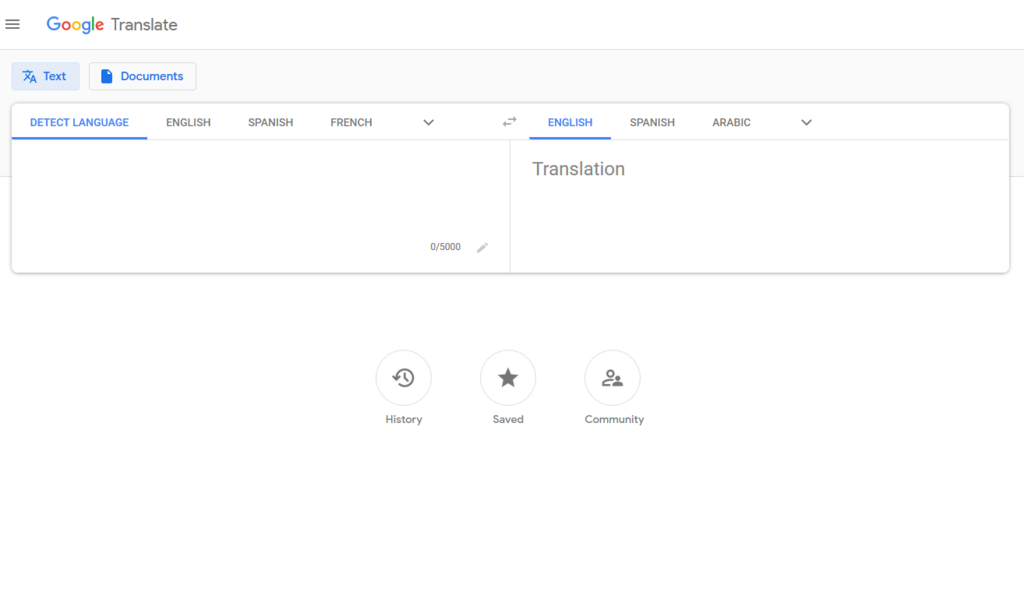
One clever method is to use Google Translate as a makeshift proxy. When you ask it to translate a website, Google's servers visit the site, grab the content, and then display it to you within the translation frame. The network filter only sees you communicating with translate.google.com, not the blocked site.
Here's how:
- Go to Google Translate.
- Select different languages for the input and output, for example, English to Spanish.
- Instead of typing text, enter the full URL of the site you want to visit (e.g.,
https://example.com) into the input box. - Click the link that appears in the output box. The site should load within the Google Translate interface.
Another method is to access Google's Web Cache. Search engines like Google take snapshots of pages and store them on their own servers. If a site is blocked, you may still be able to view the most recent snapshot Google saved. This won't be the live version of the site, but it's often good enough.
To use it, simply perform a Google search using the cache: operator followed by the website's address, with no space in between.
cache:example.com
This tells Google to show you its cached copy of example.com instead of trying to connect you to the live site. Keep in mind that dynamic content or very recent updates won't be visible.
Simple Disguises
Basic network filters often work like a simple checklist. They scan for specific keywords or domain names in your web traffic. If they see blocked-site.com, they stop the connection. The key, then, is to disguise the address so it doesn't match what the filter is looking for.
URL shorteners are a classic way to mask a link. Services like Bitly or TinyURL take a long URL and convert it into a short, random-looking one. A filter looking for
example.comwill likely ignore a link liketinyurl.com/xyz123, even though it leads to the same place. This is a simple but effective way to get past rudimentary keyword filtering.
Another trick relies on lazy filter configuration. Sometimes, a network administrator will only block the main version of a site, like www.example.com, but forget to block its other subdomains. Many websites have a mobile version at a different address, such as m.example.com.
By simply typing the mobile address directly into your browser, you can sometimes slip past a filter that's only watching for the www version.
Finally, you can try accessing a website by its IP address instead of its domain name. A domain name (like google.com) is just a human-friendly alias for a numerical IP address (like 142.250.191.78). A filter might be set to block the name but not the number.
You can find a site's IP address using online tools or by running a command like ping example.com in your computer's command prompt or terminal. Once you have the IP address, just type it into your browser's address bar. However, be aware that many modern websites host multiple sites on a single IP address, so this method doesn't always work.
These browser-based methods are your first line of attack. They're quick, easy, and can often be all you need to get past simple network restrictions.
What is the main principle behind the "living off the land" approach to bypassing network filters?
When you use Google Translate to view a blocked website, why does this method often succeed?