Understanding Program Execution
Introduction to Computer Architecture
The Building Blocks of a Computer
A computer isn't just one single thing. It's a system of key parts that work together to run programs, play videos, and connect you to the internet. Think of it like a team where each member has a specific job. Understanding these roles is the first step to understanding how computers work.
The three main players are the Central Processing Unit (CPU), Memory, and Input/Output (I/O) devices. Each one is essential for turning electrical signals into a functioning machine.

As you can see, information flows from input devices, gets processed by the CPU using memory, and is then sent to output devices. Let's break down what each part actually does.
The Brains of the Operation
The Central Processing Unit, or CPU, is the computer's brain. It's where the thinking happens. Every time you click, type, or run an application, the CPU is responsible for executing the instructions that make it happen. It's a powerful calculator that can perform billions of operations per second.
The CPU has two main sub-components that help it manage its work:
- Arithmetic Logic Unit (ALU): This is the mathematical core. The ALU handles all the arithmetic (addition, subtraction) and logic (like comparing if one number is greater than another). It's the part that does the actual calculating.
- Control Unit (CU): If the ALU is the calculator, the Control Unit is the operator. It doesn't do the math itself. Instead, it directs the flow of data inside the processor. It fetches instructions from memory and tells the ALU and other components what to do next. It manages the entire process.
In short, the Control Unit directs the orchestra, while the Arithmetic Logic Unit plays the instruments.
Memory: The Computer's Workspace
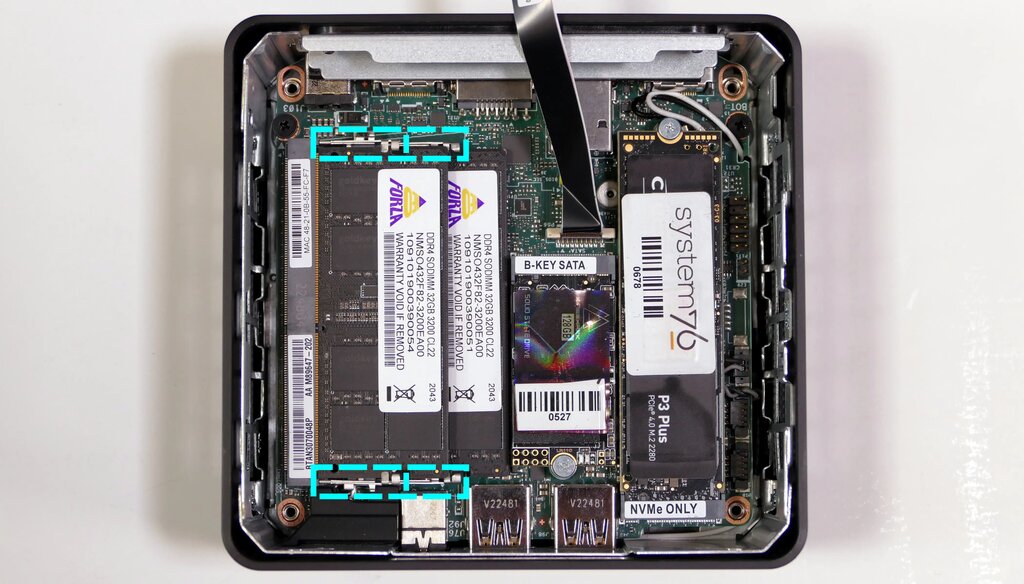
The CPU is fast, but it needs a place to store the data and instructions it's working on right now. That place is memory. The main type of memory is called Random Access Memory, or RAM.
Think of RAM as the CPU's workbench. When you open a program, the necessary instructions and data are loaded from your long-term storage (like a hard drive) into RAM. This is because RAM is incredibly fast, allowing the CPU to access what it needs almost instantly. The bigger the workbench, the more things the CPU can work on at once without slowing down.
The key feature of RAM is that it's volatile. This means it needs power to hold information. When you turn off your computer, everything in RAM is cleared. That's why we have to save our work to a storage device, which holds data permanently.
Input and Output
The CPU and memory are great, but they'd be useless if they couldn't communicate with the outside world. That's where Input and Output (I/O) devices come in. They are the bridge between you and the computer.
Input devices bring information into the computer. Output devices send information out.
| Input Devices | Output Devices |
|---|---|
| Keyboard | Monitor |
| Mouse | Printer |
| Microphone | Speakers |
| Webcam | Projector |
Putting it all together, a simple action like typing a letter involves every component. You press a key on your keyboard (input), the signal goes to the CPU. The CPU processes this instruction, using RAM to hold the character data, and then sends the result to your monitor (output) so you can see the letter appear on the screen. This all happens in a fraction of a second.
Now that you've seen the core components of a computer, let's test your knowledge.
What is considered the 'brain' of the computer, responsible for executing instructions?
When you type on a keyboard and see the letters appear on the screen, you are using both input and output devices.
These building blocks are the foundation of everything a computer does. From the simplest calculation to the most complex software, it all comes down to the CPU, memory, and I/O devices working in harmony.