Understanding Man in the Middle Attacks
Packet Journey Basics
Data Doesn't Teleport
When your computer (the client) sends a request to a server, the information doesn't magically appear at its destination. It travels. Think of it like sending a letter. You don't hand it directly to the person you're writing to, especially if they're across the country. You put it in a mailbox, and the postal service takes it from there.
The internet works similarly. Your data is broken down into small pieces called packets. If you're sending something large, like an email with a photo, it's like sending a book one page at a time, each in its own tiny envelope. This process ensures that no single large file clogs up the network pathways.
Each packet is a small, self-contained unit of data sent across a network. It's the digital equivalent of an envelope carrying a small piece of your message.
Anatomy of a Packet
Every packet has two main parts: the header and the payload. It's helpful to think of the postal service analogy again. The header is the envelope, and the payload is the letter inside.
The header contains all the addressing and control information. This includes the sender's IP address (the return address), the destination's IP address (the recipient's address), and other technical details, like a sequence number so the recipient computer can put the pages of the book back in the right order.
The payload is the actual data—a piece of the email, a fragment of the photo, or a part of the website you requested. It's the content of the letter itself. For anyone handling the packet along its route, the header is visible and provides all the instructions needed to get it to the right place. The payload is just along for the ride.
The Packet's Journey
So, how does the packet get from your laptop to a server on the other side of the world? It doesn't travel in a straight line. Instead, it gets passed from one device to another in a series of hops.
First, your computer sends the packet to your local router. This device, often called the default gateway, is like your neighborhood post office. It's the first stop for any data leaving your local network.
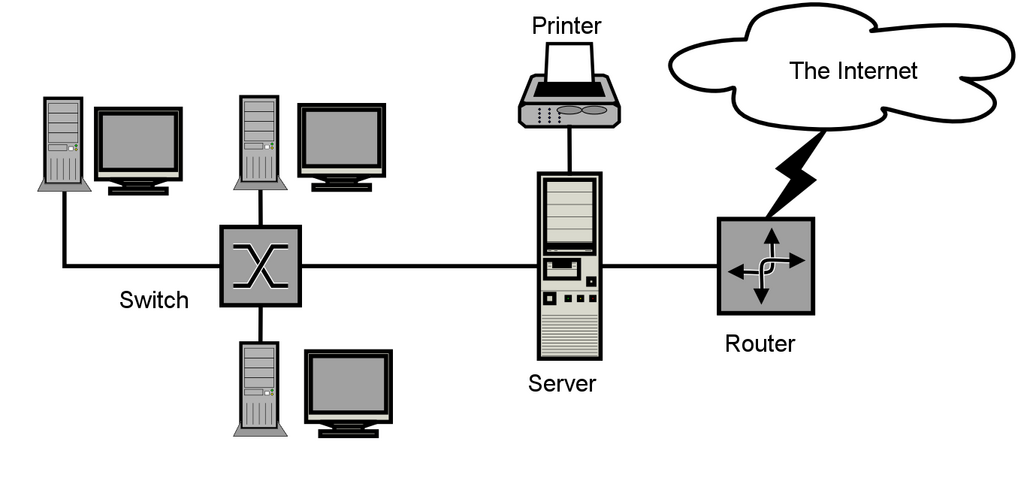
From there, your router forwards the packet to your Internet Service Provider (ISP). The ISP has its own powerful routers that look at the destination address in the packet's header and decide the best next step for its journey. The packet hops from router to router, each one making a decision about where to send it next, getting it closer to its final destination.
This is why unencrypted data is a risk. Each of these routers along the path can, in theory, look at the packet. If the header and payload aren't encrypted, it's like sending a postcard instead of a letter in a sealed envelope. Anyone who handles it can read the contents.
Now that you understand that data travels in packets and makes many stops along the way, we can start to see where opportunities for interception might arise.