Understanding Computer Kernels
Introduction to Operating Systems
What Is an Operating System?
Think of an operating system (OS) as the general manager of your computer. It’s the core software that handles everything behind the scenes, allowing you to interact with your device without needing to know the complex language of hardware. Whether you're using a laptop, phone, or tablet, you're interacting with an OS like Windows, macOS, Linux, Android, or iOS.
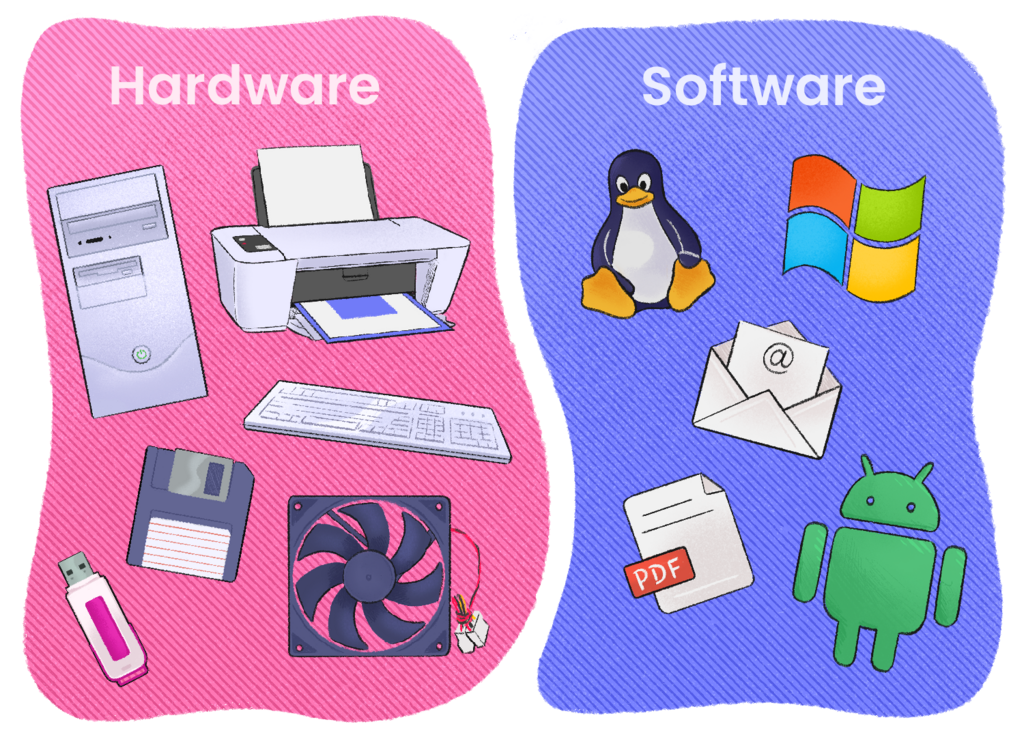
The main job of an OS is to be the middleman between you (and your applications) and the computer's physical hardware.
Without an operating system, every application developer would have to write code to directly control the screen, keyboard, and storage drives. It would be chaos. The OS provides a stable, consistent environment so that a program like a web browser can run on thousands of different computer models without custom modifications. It takes care of the complicated details so the applications don't have to.
The Master of Resources
A computer's resources are its fundamental components: the Central Processing Unit (CPU) that performs calculations, the memory (RAM) that holds active data, the storage drives that keep your files, and all the devices you plug in, like a mouse or printer. The OS manages these resources, deciding who gets what and when. This prevents conflicts and ensures the system runs smoothly and efficiently. Let's look at its three main management jobs.
Process
noun
A program that is currently running or executing. When you launch an application, the operating system creates one or more processes for it.
Your computer is almost always doing multiple things at once. You might have a web browser open, music playing in the background, and an email client checking for new messages. Each of these is a separate process, and the OS is in charge of managing them all. This is called process management.
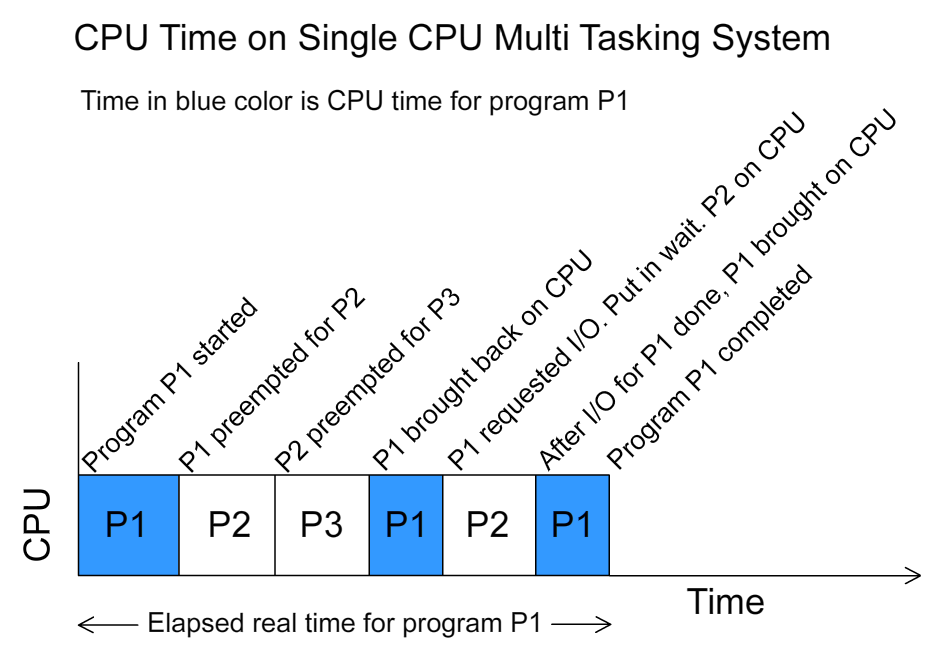
The OS decides which process gets to use the CPU at any given moment. Even with a single CPU core, an OS can switch between processes thousands of times per second. This rapid switching creates the illusion that many programs are running simultaneously. It's the OS's job to schedule these processes, start and stop them, and handle how they communicate with each other.
Next up is memory management. Think of your computer's memory, or RAM, as its short-term workspace. When you open a program, the OS allocates a specific chunk of this workspace for it to use. The OS has to keep track of which parts of memory are currently in use, by which process.
Crucially, the OS must ensure that one process can't access or overwrite the memory belonging to another. This protection is vital for stability. If your music player crashed, you wouldn't want it to take your web browser down with it. When you close an application, the OS reclaims its memory, making it available for the next process.
Finally, there's device management. Your computer connects to many devices: keyboards, monitors, printers, Wi-Fi adapters, and more. The OS communicates with all of them through special software called drivers. When you want to print a document, your application doesn't talk directly to the printer. Instead, it sends a request to the OS.
The OS then uses the printer's driver to translate that request into commands the printer understands. This abstracts the hardware away from the application. It's why you can use the same word processor with hundreds of different printer models. The OS handles the specific details for each device.
The operating system controls hardware components, manages memory, and provides security features, among other essential tasks.
These three roles—managing processes, memory, and devices—are the foundation of what makes a computer a useful, multipurpose machine. The OS works silently in the background, orchestrating a complex dance of hardware and software to create a seamless experience for you.
What is the primary role of an operating system?
How does an OS create the illusion of running many programs simultaneously on a single CPU core?