Understanding Computer Cursors
Introduction to Cursors
What is a Cursor?
In the digital world, a cursor is your primary point of contact. It's a small, movable indicator on your screen that shows where your next action will take place. Whether you're about to type text, click a button, or drag a file, the cursor tells you where it's all going to happen. It’s the visual stand-in for your hand, mouse, or stylus within the computer's environment.
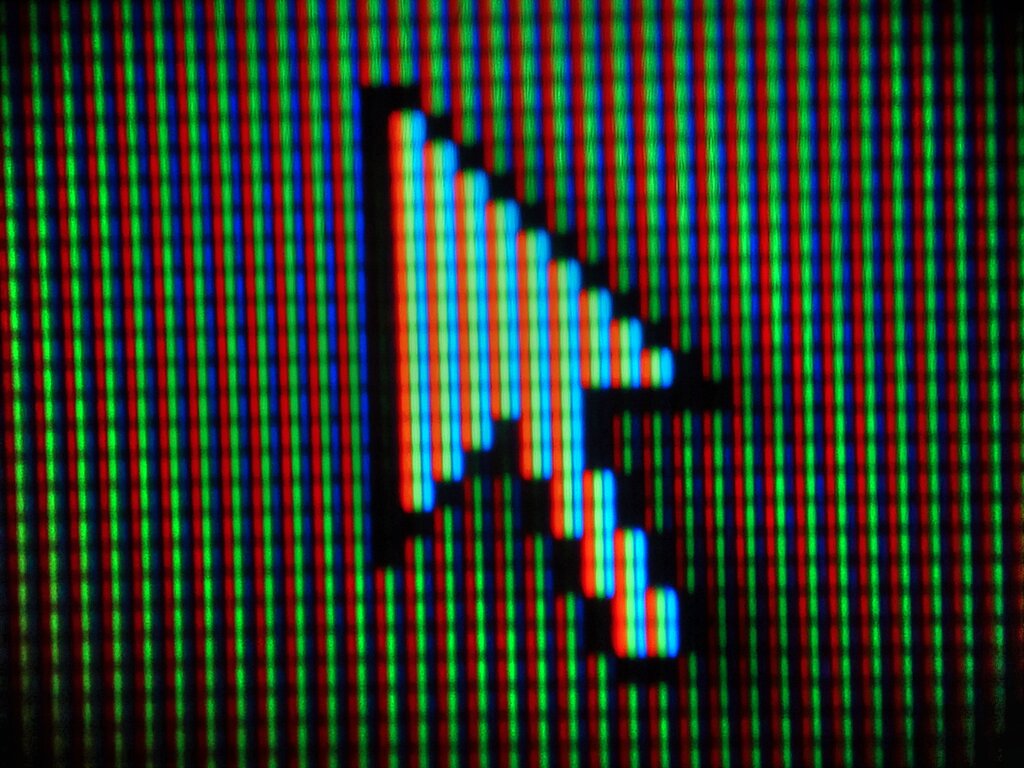
The name itself hints at its active role. It comes from the Latin word “cursor,” which means “runner” or “messenger.” Just like a runner carrying a message, the cursor dashes across the screen to carry out your commands.
Cursor
noun
A movable indicator on a computer screen identifying the point that will be affected by input from the user.
A Brief History
Before we had mice and graphical interfaces, computers used text-based displays. In these early systems, the cursor was often a simple blinking underscore or a solid block. It did one job: show where the next character would appear. There was no pointing and clicking, just typing.

The invention of the mouse and the Graphical User Interface (GUI) changed everything. The cursor transformed from a simple text marker into a versatile pointer, most famously the angled arrow. This new kind of cursor allowed users to interact with the screen in a more direct and intuitive way, pointing to icons, menus, and windows. It made computers accessible to a much wider audience.
Why Cursors Matter
The cursor is more than just a dot on the screen. It’s a fundamental tool for communication between you and your device. It provides constant feedback, letting you know that the system is responsive and where your focus is. Without it, navigating a computer would be like trying to find a light switch in a dark room.
A cursor is primarily a graphical element on a display screen indicating the current position for user interaction, responding to input from devices like mice or touchpads.
It’s the bridge that connects our physical actions to digital outcomes. By moving a mouse or swiping on a trackpad, we control this small symbol that wields immense power within the machine, allowing us to create, communicate, and explore.