Understanding AI Capabilities
Introduction to OpenAI API
The API: Your Bridge to AI
Think of an API, or Application Programming Interface, as a waiter in a restaurant. You don't go into the kitchen to cook your own food. Instead, you give your order to the waiter, who takes it to the kitchen and brings back your meal. The waiter is the intermediary that lets you access the kitchen's services without needing to know how it works.
The OpenAI API works the same way. It's a bridge that lets you or your applications 'talk' to OpenAI's powerful AI models. You send a request (your 'order'), and the API delivers the AI's response (your 'meal'). This allows anyone to integrate sophisticated AI capabilities into their own software, websites, or projects without building the models from scratch.
OpenAI's API strategy allows developers to integrate their models into custom applications.
Whether you're a developer, a researcher, or just a curious individual, the API is your gateway to leveraging these advanced tools for your own purposes.
What Can It Do?
The OpenAI API provides access to a wide range of models with diverse capabilities. It's not just about chatbots. You can generate human-like text, write code in various programming languages, create unique images from a description, translate languages, and so much more.
Imagine building an app that summarizes long articles, a tool that helps you brainstorm creative ideas, or a system that generates artistic images. The API is the engine behind these applications.
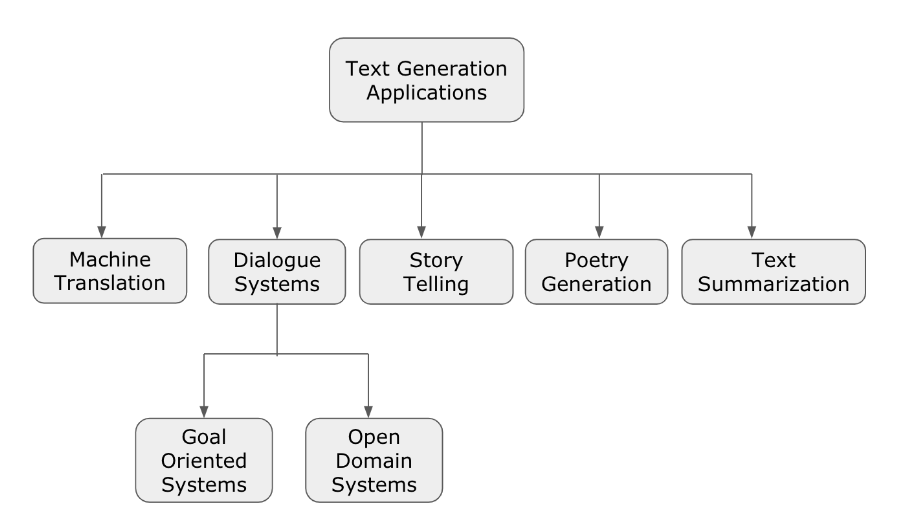
Some of the core functionalities include:
- Text Generation: Crafting everything from emails and essays to poetry and song lyrics.
- Code Generation: Writing and debugging code in multiple languages.
- Image Generation: Creating realistic images and art from text prompts using models like DALL·E.
- Reasoning: Solving complex problems that require logical steps, from math word problems to data analysis.
By accessing different models through the API, you can build applications that are specialized for a wide array of tasks.
Getting Your API Key
To start using the API, you need an API key. Think of this key as a secret password that authenticates your requests. It tells OpenAI that it's really you making the request and allows them to track your usage. It's crucial to keep your API key private and secure, just like any other password.
Here’s how you get one:
Once you have your key, you're ready to start making requests. You'll include this key in every API call you make. Remember, you can create multiple keys for different projects to keep things organized and secure.
Understanding API Functionality
When you interact with the API, you're essentially having a conversation with a specific AI model. The main things you'll specify in a request are the model you want to use and the prompt you're giving it.
- Model: This is the 'brain' you want to use. OpenAI offers various models, each with different strengths. For example, GPT-4 is great for complex reasoning, while DALL·E 3 is used for generating images.
- Prompt: This is your instruction. A well-crafted prompt is key to getting a good response. It tells the model what you want it to do, providing context, instructions, and any necessary input data.
Another important concept is 'tokens.' You can think of tokens as pieces of words. The API uses tokens to measure how much text is processed for each request. Both your prompt and the model's response are converted into tokens to calculate the cost of the API call. Generally, 1,000 tokens is about 750 words.
| Concept | Description |
|---|---|
| API Key | A unique secret code used to authenticate your requests. |
| Model | The specific AI engine you want to use (e.g., GPT-4). |
| Prompt | The input or instruction you provide to the model. |
| Token | The basic unit of text the API uses for processing and billing. |
By understanding these core components, you can begin to structure requests that get you the results you're looking for.
Ready to check your understanding?
In the restaurant analogy, what does the API represent?
What is the primary purpose of an API key?
Now that you have the foundational knowledge, you're prepared to start exploring what you can build with the OpenAI API.