UI UX and Design Thinking Fundamentals
Introduction to UI and UX
What Are UI and UX?
When you use an app or a website, you're interacting with two distinct but related concepts: the User Interface (UI) and the User Experience (UX). They work together to shape how you feel about a digital product. Let's break down what each one means.
User Interface
noun
The visual elements a person interacts with when using a product or service. This includes everything from screens and buttons to icons and typography.
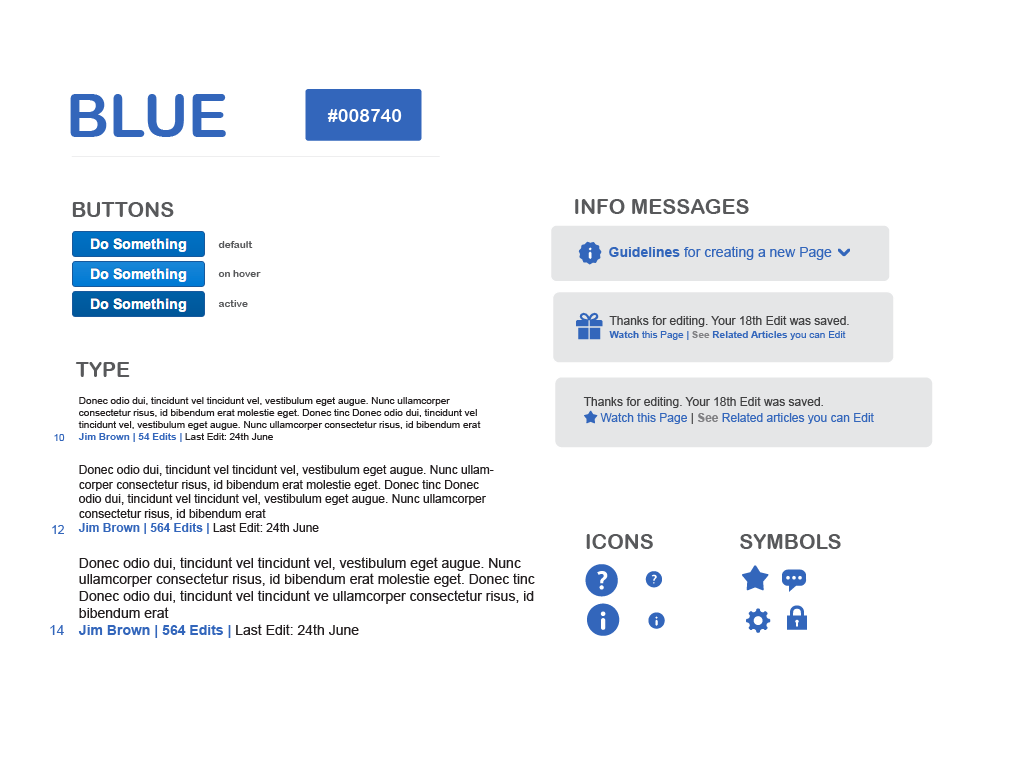
Think of UI as the look and feel of a product. It’s the color of the buttons, the font used for the text, and the spacing between elements on the screen. UI design is a purely digital practice that focuses on aesthetics and interactivity. A good UI is visually appealing and easy to interact with.
User Experience
noun
The overall experience a person has when interacting with a product or service, including their emotions, beliefs, and perceptions. It focuses on the journey a user takes to solve a problem.
UX, on the other hand, is about the entire journey. It’s not just about how the product looks, but how it works and feels from the user's perspective. Is the product easy to use? Does it solve the user's problem efficiently? UX design is a broad field that considers the user's entire interaction with the product, from the first click to the final goal.
UI vs. UX: The Core Differences
It's a common mistake to use UI and UX interchangeably, but they focus on different parts of the user's journey. UI is about the destination's appearance, while UX is about the entire trip.
Imagine building a house. The UX designer would be the architect, planning the layout of the rooms, ensuring the house is functional, and making sure the flow from one room to another makes sense for the family living there. The UI designer would be the interior decorator, choosing the paint colors, furniture, and light fixtures to make the house visually appealing and comfortable. You need both to create a great home.
| Feature | User Interface (UI) | User Experience (UX) |
|---|---|---|
| Focus | Visuals & Interactivity | Overall Feeling & Usability |
| Goal | Create an aesthetically pleasing and easy-to-use interface | Create a product that is useful, usable, and enjoyable |
| Analogy | The look of the car's dashboard | The feeling of driving the car |
| Questions | What color should the button be? | Can the user easily find the checkout button? |
Simply put: UI is how it looks. UX is how it works.
How They Work Together
UI and UX are not in competition; they are two sides of the same coin. A product can't succeed without both. A beautiful app (great UI) that is confusing to navigate (bad UX) will frustrate users. Similarly, an app that is perfectly logical and easy to use (great UX) but looks dated and ugly (bad UI) may fail to attract and retain users.
The UX design process usually comes first. UX designers conduct research to understand user needs and map out the user's journey. This creates a blueprint, or a set of wireframes, for the product. Then, UI designers step in to bring that blueprint to life. They create the visual style, interactive elements, and overall look and feel that align with the user experience goals.
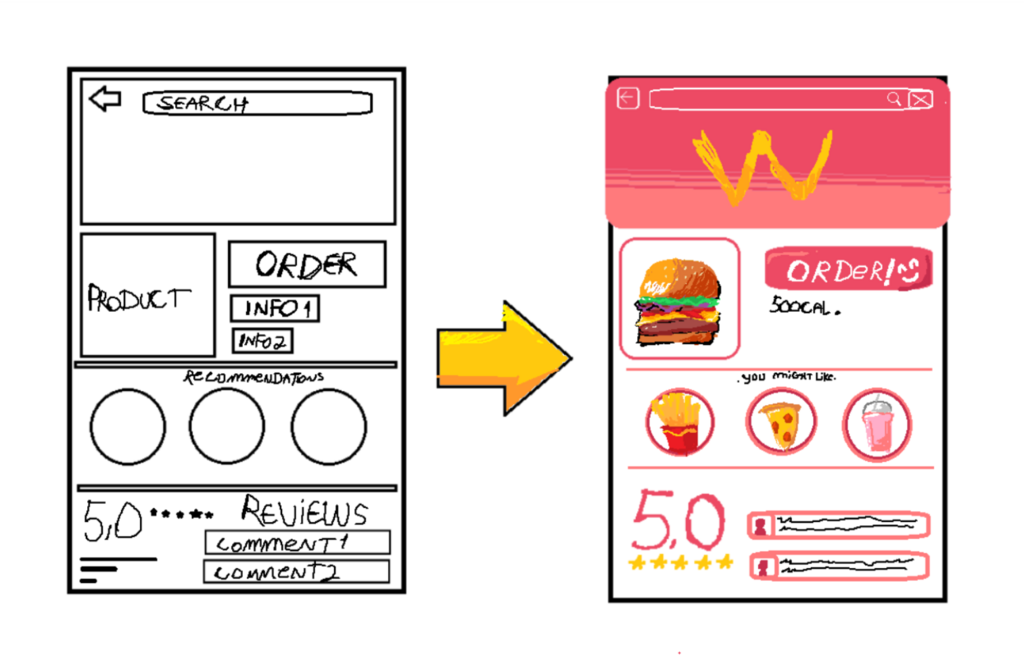
This partnership ensures the final product is both functional and beautiful. Good UI can enhance a user's experience by making the product more intuitive and enjoyable to use. Good UX provides the solid foundation that makes the UI's visual polish meaningful. When they work in harmony, they create products that people love to use.
User interface (UI) design is a difficult yet important task for ensuring the usability, accessibility, and aesthetic qualities of applications.
Ultimately, both disciplines are essential for creating successful digital products. They share the common goal of putting the user first, just from different perspectives. Understanding the distinction and the partnership between them is the first step toward creating better products for everyone.