UI Design Fundamentals
Introduction to UI Design
What is UI Design?
Every time you use an app, a website, or even a smart TV, you're interacting with a User Interface. It’s the collection of screens, pages, buttons, and icons that allows you to control a digital product. Think of it as the visual bridge between you and the technology.
User Interface
noun
The visual elements of a program through which a user interacts with a device or application.
The goal of UI design is to make that interaction as simple and efficient as possible. When done well, you barely notice it. You tap a button, and it does exactly what you expect. When it’s done poorly, you feel frustrated, confused, or annoyed. Good UI design guides you naturally, making technology feel intuitive rather than complicated.
One of the key objectives of a user interface with the aim of providing a good experience is to make the lives of users easy, less frustrating, and simple.
UI vs. UX
You'll often hear UI mentioned alongside UX, which stands for User Experience. They're related, but they aren't the same thing. It's a common point of confusion, so let's clear it up.
UI is about how things look. It covers the visual and interactive elements: the colors, the typography, the buttons, and the spacing. It's the product's presentation and aesthetic.
UX, on the other hand, is about the overall feeling you get when using the product. Is it easy to use? Does it solve your problem effectively? Does it feel logical? UX is the entire journey a person takes with a product, from their first impression to their last interaction.
A simple analogy: UI is the paint color, the stylish dashboard, and the comfortable seats of a car. UX is the feeling of driving it—the smooth ride, the responsive steering, and the easy-to-reach controls.
UI is a crucial part of UX, but it's only one piece of the puzzle. A beautiful app (good UI) that is confusing to navigate will result in a bad user experience. Similarly, an app that is easy to use (good UX) but looks ugly and dated might fail to attract users.
| User Interface (UI) | User Experience (UX) |
|---|---|
| Focuses on visual elements | Focuses on the overall journey |
| Concerned with aesthetics | Concerned with usability & feel |
| Asks, "How does it look?" | Asks, "How does it work?" |
| Designer is like a graphic designer | Designer is like an architect |
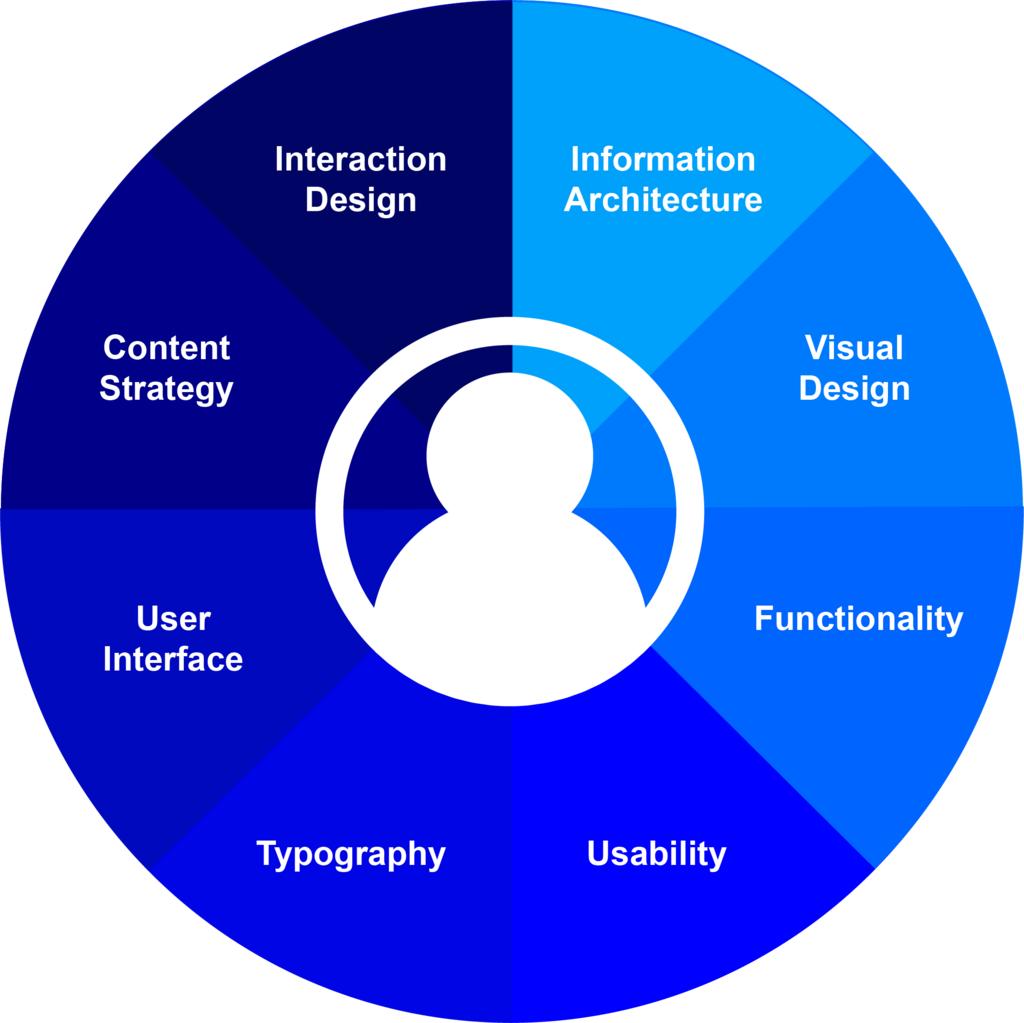
The UI Designer's Role
A UI designer is responsible for the 'look and feel' of a digital product. Their work is a blend of graphic design and technical know-how. They decide on the visual elements and how they all fit together to create a cohesive and pleasant experience.
Their key responsibilities typically include:
- Visual Design: Choosing a color palette, selecting fonts, and designing icons that align with the product's brand.
- Layout: Deciding how information and interactive elements are arranged on the screen to guide the user's eye and make navigation intuitive.
- Interactivity: Designing how elements respond when a user interacts with them, like what a button looks like when you press it.
- Consistency: Creating a visual language that is applied consistently across the entire product, so users don't have to re-learn how things work on every new screen.

To do this, UI designers create style guides, mockups, and prototypes that show what the final product will look and behave like. They work closely with UX designers to understand user needs and with developers to bring their visual concepts to life.
A Quick History of UI
User interfaces have changed dramatically over the decades, evolving alongside technology. The goal has always been the same: to make computers easier for people to use.
In the beginning, there was the Command-Line Interface (CLI). Users had to type specific text commands to get the computer to do anything. It was powerful but required memorization and was far from user-friendly for the average person.
The major breakthrough came with the Graphical User Interface (GUI). This introduced visual metaphors we still use today: a desktop, windows, icons, and a mouse to point and click. Suddenly, users could interact with computers by directly manipulating visual elements instead of typing commands. This made computers accessible to a much wider audience.
Today, we're in an era of Natural User Interfaces (NUI), dominated by touchscreens, voice commands, and even gestures. We can interact with technology in ways that feel more natural and intuitive, like pinching to zoom on a photo or asking a smart assistant to play a song.

This evolution shows a clear trend: moving the burden of understanding from the human to the machine. Good UI design continues this mission, making complex systems feel simple.
Now that you understand the basics of UI design, let's test your knowledge.
What is the primary goal of UI design?
An app has a beautiful color scheme and modern fonts, but users find it confusing to find the main menu. Which statement best describes this situation?