Ubuntu Desktop and Linux Fundamentals
Introduction to Linux
What is Linux?
At its heart, Linux is an operating system, just like Windows or macOS. It's the core software that manages all of your computer's hardware and lets you run other programs, like a web browser or a game.
What makes Linux special is that it's open source. This means its source code, the very blueprint of the software, is freely available for anyone to view, modify, and share. This collaborative approach has led to a stable, secure, and flexible system used on everything from smartphones to the world's most powerful supercomputers.
It all started in 1991 with a Finnish student named Linus Torvalds. He created the first version of the Linux kernel, the central component of the operating system, and shared it with the world. This spirit of openness is a key part of the Linux identity.
The Kernel at the Core
Every operating system has a kernel, and Linux is no different. Think of the kernel as the engine of a car. You don't interact with the engine directly; you use the steering wheel, pedals, and gearshift. But the engine is what makes everything go.
The Linux kernel is the bridge between your software and the computer's physical hardware. It manages the processor (CPU), memory (RAM), storage devices, and anything else you plug in. When you click an icon to open an application, the kernel handles the complex task of assigning memory and CPU time to get that program running.
This modular design is powerful. The kernel is the constant, reliable foundation. Everything built on top of it can be swapped out and customized.
Flavors of Linux
While there's only one Linux kernel, there are hundreds of different Linux operating systems. These are called distributions, or "distros" for short.
Think of it like this: the Linux kernel is the engine, but a distribution is the entire car. Different car manufacturers (like Ford, Toyota, or Honda) all build cars with engines, but they design different bodies, dashboards, and features. Similarly, Linux distributions package the kernel with other software, like a graphical desktop, system tools, and applications, to create a complete and usable operating system.
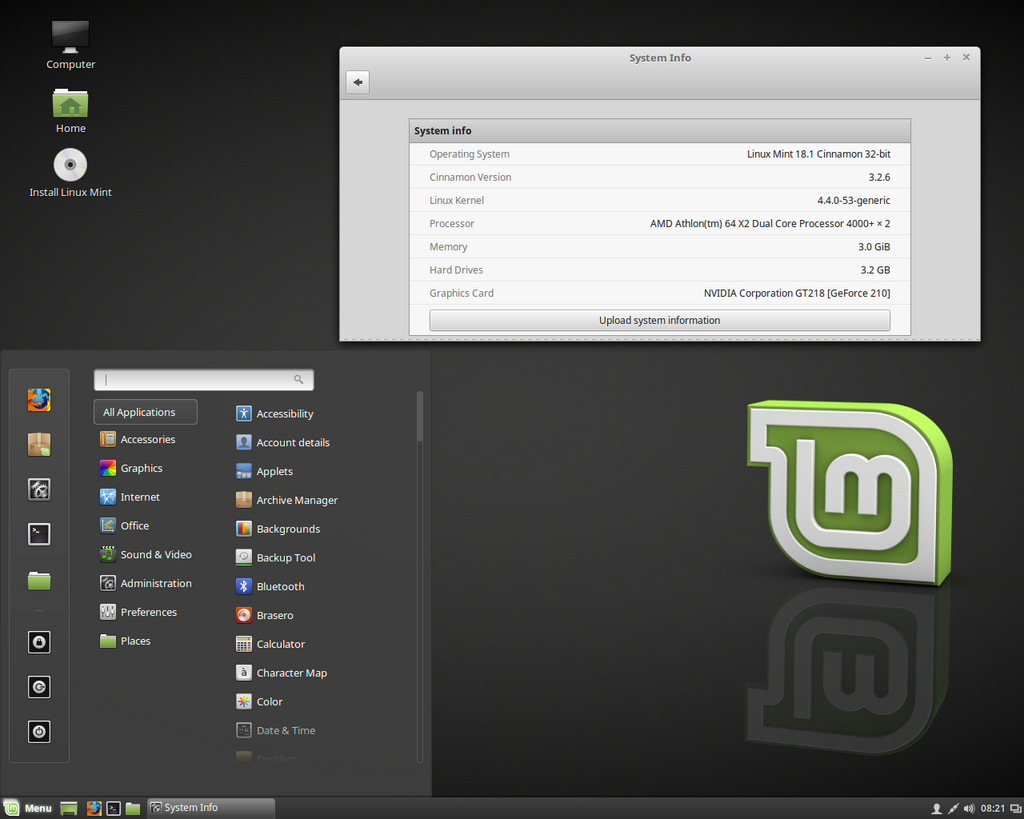
Some popular distributions include Ubuntu, Linux Mint, and Fedora. Each one offers a different look, feel, and set of pre-installed tools. But under the hood, they all run on the same powerful and stable Linux kernel.
Linux vs Windows
So how is Linux different from an operating system like Windows? While both help you run your computer, they have fundamental differences in their philosophy and design.
| Feature | Linux | Windows |
|---|---|---|
| Cost | Almost always free | Requires a paid license |
| Source Code | Open Source (viewable and modifiable) | Closed Source (proprietary) |
| Customization | Highly customizable; choose your desktop, tools, etc. | Limited customization options |
| Software | Access to vast repositories of free, open-source software | Primarily uses installable programs from vendors |
The biggest distinction is the open-source nature of Linux. This leads to more choice and control for the user. Instead of one company deciding how your operating system looks and works, a global community of developers contributes to Linux. This results in a diverse ecosystem where you can pick a distribution that perfectly fits your needs, whether you're a programmer, a designer, or just browsing the web.
Because it's open source, Linux is often seen as more transparent and secure. With many eyes on the code, security vulnerabilities can be found and fixed quickly by the community.
We're ready to test your knowledge on the basics of Linux. Let's see what you've learned.
What is the central component of the Linux operating system, responsible for managing hardware resources?
What is the primary implication of Linux being an "open-source" operating system?
Understanding these core concepts is the first step. You now know what Linux is, the role of the kernel, and how distributions provide different experiences on the same solid foundation.