Tkinter GUI Development Projects
Introduction to Tkinter
What Is Tkinter?
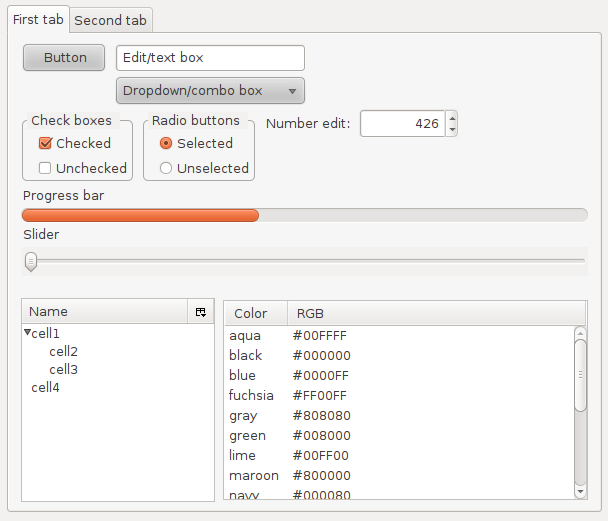
So far, your Python programs have likely run in a terminal, showing text and asking for input on the command line. To build applications with buttons, menus, and windows, you need a way to create a graphical user interface, or GUI.
Tkinter is the most commonly used library for developing GUI (Graphical User Interface) in Python.
Tkinter is Python's standard, built-in library for creating these GUIs. It's a wrapper around a toolkit called Tk, which was originally designed for the Tcl scripting language in the early 1990s. Because it's included with most Python installations, it's often the first GUI library Python programmers learn.
Getting Started
The best part about Tkinter is that you probably already have it. It comes bundled with Python on Windows and macOS. On some Linux distributions, you might need to install it separately.
To check if Tkinter is ready to go, open your Python interpreter and try to import it:
python -c "import tkinter"
If you don't see an error, you're all set. If you do get an error, you can install it on Debian-based systems like Ubuntu with this command:
sudo apt-get install python3-tk
Once the installation is complete, you're ready to build your first application.
Your First Window
Creating a basic window involves just a few lines of code. Let's break it down.
First, you need to import the library. It's a common convention to import tkinter and give it the shorter alias tk to make your code cleaner.
# Import the tkinter library
import tkinter as tk
Next, you create the main window for your application. This window is the foundation upon which all other elements, like buttons and text fields, will be placed. You create it by calling tk.Tk().
# Create the main window
window = tk.Tk()
Finally, to make the window appear and stay open, you need to start Tkinter's event loop. This is a crucial step. The event loop listens for user actions, like mouse clicks or key presses, and keeps the window from closing immediately after it opens.
# Start the event loop
window.mainloop()
Putting it all together, here's the complete script for a simple, empty window. We'll also add a title to make it look more professional.
import tkinter as tk

# Create the main window instance
window = tk.Tk()

# Set the title of the window
window.title("My First GUI App")

# Start the event loop to display the window
window.mainloop()
The
.mainloop()method is essential. Without it, your script would create the window and then exit immediately, so you'd never see it.
That's it! You've successfully created a graphical application with Python. Now you're ready to start adding widgets and functionality.
What is the primary purpose of the Tkinter library in Python?
Which line of code is essential for making a Tkinter window appear and respond to user actions like clicks and key presses?