TidalCycles OSC to TouchDesigner
Introduction to TidalCycles
What is TidalCycles?
TidalCycles is a live coding environment. That means you write code, and it immediately turns your code into music. Think of it as a language for describing musical patterns. Instead of clicking on a piano roll or recording an instrument, you describe rhythms and melodies with text. This lets you create complex, evolving compositions from simple rules.
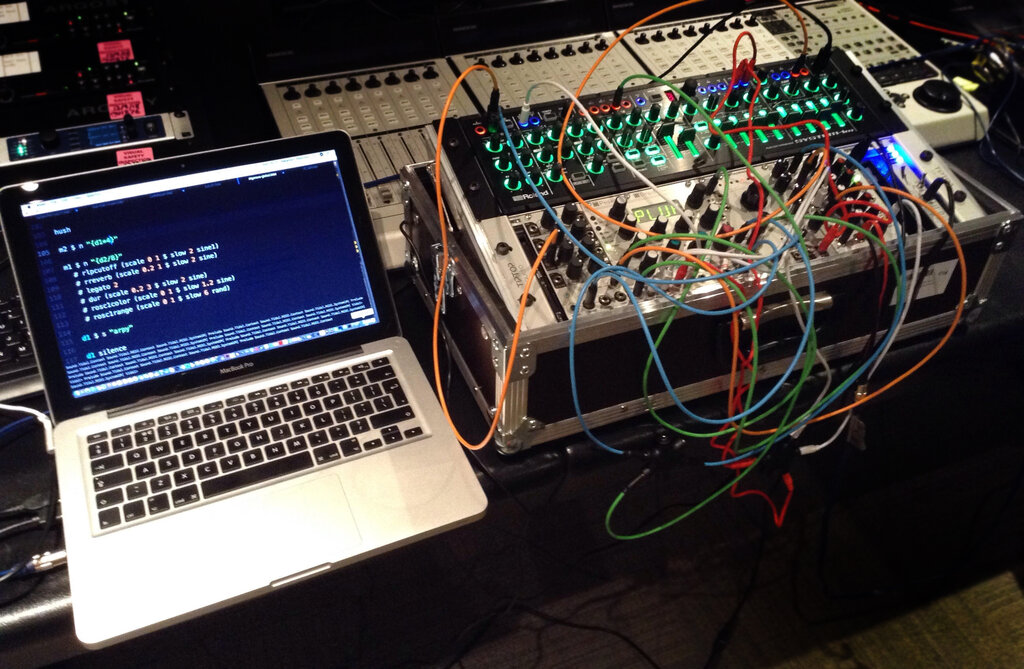
The core idea is to manipulate patterns over time. You might start with a simple drum beat and then write code to gradually speed it up, reverse it, or apply an effect. Because it's live, you can perform with it, changing the code and the music on the fly. It's an improvisational and experimental way to make music.
How It Works
TidalCycles isn't a single program. It's a system of a few different pieces of software working together. Before you start, you'll need to install them. The specific steps can be found on the official TidalCycles website, but the main components are:
- Haskell: The programming language that TidalCycles is built on.
- SuperCollider: A powerful audio engine that generates the sounds. TidalCycles uses a part of it called SuperDirt to manage samples.
- A Text Editor: You'll need an editor like Atom or VS Code with a special TidalCycles plugin to send your code to the sound engine.
This setup might seem complicated, but it's a powerful combination. The text editor is your instrument, TidalCycles is the composer, and SuperCollider is the orchestra.
You write TidalCycles code in your text editor and execute it. The plugin sends that code to the TidalCycles interpreter. TidalCycles then translates your patterns into messages that it sends to SuperDirt, which plays the corresponding audio samples.
Your First Patterns
Let's make some noise. In TidalCycles, you control up to nine patterns, named d1 through d9. To play a sound, you use the sound function. To connect a pattern to a sound, you use the $ operator.
Open your configured text editor, start SuperCollider and TidalCycles, and then type this line. Execute it by pressing Ctrl+Enter (or Cmd+Enter on Mac).
d1 $ sound "bd"
You should hear a bass drum playing on a steady beat. Here's the breakdown:
d1: This targets the first pattern channel.$: This operator connects the pattern on the left (d1) to the function on the right (sound "bd").sound: This is the function that plays samples."bd": This is the name of the sample to play. "bd" is short for bass drum. There are hundreds of built-in samples.
To stop a pattern, you can run this:
hush
Now, let's create a sequence. You can list samples inside the quotes to play them one after another within a single cycle.
d1 $ sound "bd sd hh cp"
This plays a bass drum (bd), snare drum (sd), hi-hat (hh), and a clap (cp), each taking up an equal slice of the cycle. TidalCycles automatically figures out the timing.
You can also use mini-notation to create more complex rhythms. Brackets [] group events together, playing them in a shorter amount of time.
d1 $ sound "bd [sd sd] hh [cp cp cp]"
Here, two snares play in the time of one, and three claps play in the time of one. This is the core of TidalCycles: simple text generating interesting patterns. Experiment by changing the samples and adding your own brackets.
Ready to test your knowledge?
What is the primary purpose of TidalCycles?
In a standard TidalCycles installation, which component is responsible for generating the actual sound?
This is just the beginning. You now understand the basic architecture of TidalCycles and how to create simple rhythmic patterns. From these building blocks, a whole world of algorithmic music opens up.