TIA Portal Automatisms Explained
Introduction to TIA Portal
One Platform to Rule Them All
Imagine trying to build a modern car using tools from different decades. You'd have one set of wrenches for the engine, another for the electronics, and a third for the chassis. It would be inefficient and chaotic. This was the reality for automation engineers for a long time, juggling different software for different components.
Siemens changed the game with the TIA Portal. The "TIA" stands for Totally Integrated Automation. It's a single, unified software environment designed to manage almost every aspect of an automation project. Instead of separate applications for programming a PLC, designing a human-machine interface (HMI), and configuring motor drives, TIA Portal brings them all under one roof.
TIA Portal is a fully integrated environment that combines all necessary tools for designing, programming, simulating, and diagnosing automation systems in one interface.
This integration is its superpower. It saves enormous amounts of time and reduces errors. When you define a variable (what we call a "tag") for the PLC, that same tag is instantly available for the HMI. There's no need to define it twice, which eliminates a common source of bugs. Everything shares a common database, ensuring consistency across the entire project.
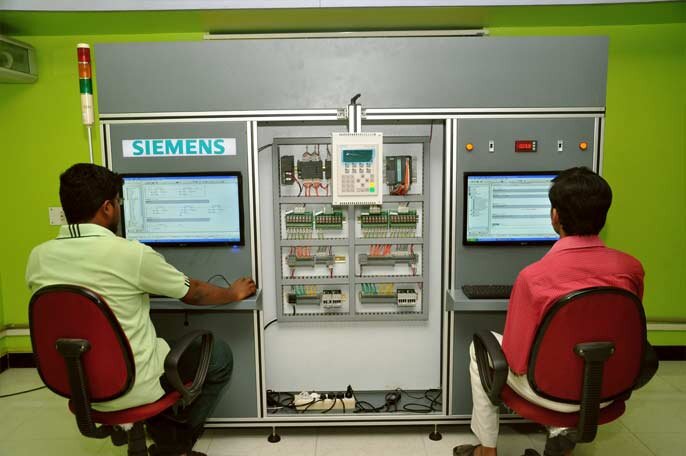
Finding Your Way Around
Opening TIA Portal for the first time reveals a clean, structured interface. Initially, you land in the "Portal View," which offers a task-oriented layout perfect for starting a new project or opening an existing one. It guides you through the main steps: configuring devices, writing code, and designing HMI screens.
Once you dive into a project, you'll spend most of your time in the "Project View." This is the main engineering workspace. While it might look complex, it's logically organized into a few key areas.
Here’s a quick tour:
- Project Tree: On the left, this is the backbone of your project. It shows a hierarchical view of all your devices, from PLCs to HMIs, along with their program blocks, data tags, and other components.
- Working Area: This large central pane is where the magic happens. It's where you'll write PLC code, design operator screens, or configure hardware.
- Properties/Details View: Usually at the bottom, this area shows the specific details and settings for whatever item you've selected in the Project Tree or Working Area.
- Libraries and Tasks: On the right, you have access to libraries of reusable code and graphical elements, as well as task cards that provide instructions and tools.
A Symphony of Components
The true power of TIA Portal lies in how it seamlessly integrates different automation hardware. You can drag a PLC, an HMI, and a variable frequency drive (VFD) into your project from a hardware catalog.
Then, you can graphically connect them in the "Network View" to establish communication. The software understands how these devices talk to each other. This visual approach simplifies what used to be a complex, error-prone task of setting up industrial networks.
This integration means you can program the PLC logic, design the HMI screen that an operator will use to control a motor, and configure the drive that physically runs the motor, all within the same project and with shared data.
This unified framework is the foundation of modern automation. It creates a single source of truth for the entire system, making development, commissioning, and troubleshooting far more efficient.