The OSI Model Explained
Introduction to Networking
What is a Network?
At its core, a network is simply a group of connected devices that can share information and resources. Think of it like a conversation. If you and a friend are in the same room, you can talk directly. If you want to talk to a friend across the country, you need a phone system to connect you. In both cases, you've formed a network to share information.
Computers and other devices do the same thing. When your laptop connects to your printer, that's a small network. When your phone connects to the internet to load a webpage, it's joining a massive, global network. The goal is always the same: to send data from one point to another.

A network's main job is to let devices communicate and share things, whether it's a file, a printer, or a connection to the internet.
Networks Big and Small
Networks come in different sizes, depending on the area they cover. The three main types you'll encounter are LAN, MAN, and WAN.
LAN
noun
A Local Area Network (LAN) covers a small, contained area like a single home, office, or school building. Your home Wi-Fi is a perfect example of a LAN. It connects your personal devices—laptops, phones, smart TVs—to each other and to the internet.
When you need to connect networks over a larger area, like across different cities or even countries, you use a Wide Area Network (WAN). The internet is the ultimate WAN, connecting billions of devices and countless smaller LANs all over the world. A WAN is essentially a network of networks.
In between these two is the Metropolitan Area Network (MAN). As the name suggests, a MAN typically spans an area the size of a city or a large university campus. It might connect the different office buildings of a company scattered across a city, creating one unified network for them.
How Networks Are Arranged
The way devices are physically or logically arranged in a network is called its topology. Think of it as the network's floor plan. Different layouts have different strengths and weaknesses.
Let's look at a few common topologies.
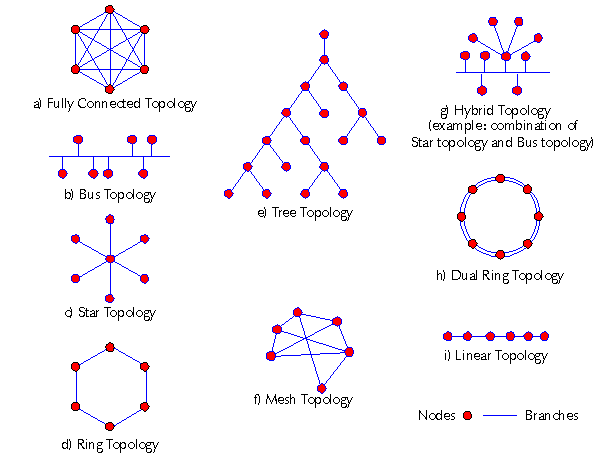
In a Bus topology, all devices share a single common cable. It's simple and cheap to set up, but it has a major weakness: if the main cable breaks, the entire network goes down.
A Ring topology connects devices in a circle, with data traveling from one device to the next. This is more reliable than a bus, but adding or removing a device can disrupt the entire network.
Today, the most common layout is the Star topology. Every device connects to a central hub, like a switch or router. If one device's cable fails, it doesn't affect the others. This makes it easy to manage and troubleshoot. Your home Wi-Fi network is a wireless version of a star topology, with the router at the center.
Finally, a Mesh topology connects every device directly to every other device. This is incredibly resilient—if one connection fails, data can take many other routes. However, it's expensive and complex to set up, so it's usually reserved for critical networks, like the backbone of the internet.
Sending the Message
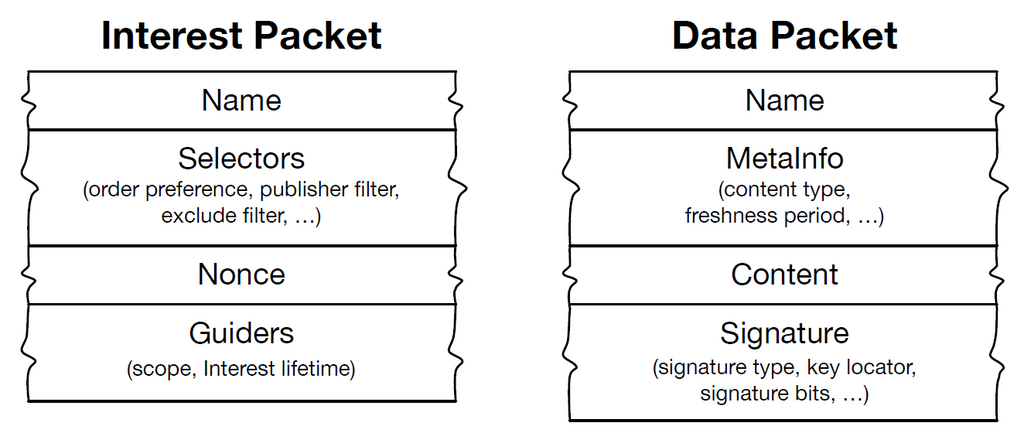
So how does data actually travel across these networks? It's not sent as one giant chunk. Instead, the information is broken down into smaller pieces called packets. Each packet is like a small envelope containing a piece of the message, along with a 'to' and 'from' address.
Breaking data into packets has several advantages. If a packet gets lost or corrupted during transmission, only that small piece needs to be resent, not the entire file. It also allows multiple devices to share the network at the same time. Packets from different conversations can be mixed together on the wire and reassembled in the correct order at their destinations.
This process of packaging, addressing, sending, and receiving is governed by a set of rules, or protocols. These rules are the foundation of how networks operate, ensuring that data gets where it needs to go, reliably and efficiently.
Now that you understand the basic building blocks of what a network is, how it's laid out, and how data moves, you're ready to explore the specific frameworks that make it all happen.