The Humble Computer Cursor
Introduction to Cursors
Your Digital Fingertip
The cursor is the small, movable indicator on your screen that shows where the action is. Whether you're using a mouse, a trackpad, or your finger on a touchscreen, the cursor is your digital extension, letting you interact with the computer.
A cursor is primarily a graphical element on a display screen indicating the current position for user interaction, responding to input from devices like mice or touchpads.
Think of it as your virtual finger, pointing to exactly where you want to type, click, or drag something. Without it, navigating a computer's graphical interface would be like trying to find a specific book in a library with your eyes closed.
The Two Main Cursors
While cursors can take many forms, you'll most often encounter two main types: the text cursor and the pointer cursor.
caret
noun
A movable pointer or mark on a display screen, used to indicate the position at which the next character will be inserted.
The text cursor, also known as a caret, is what you see when you're working with words. Its job is to mark the exact spot where letters, numbers, and symbols will appear when you start typing. It's almost always a blinking vertical line.
The blinking aspect of the cursor serves a functional purpose—it draws the user’s eye to its location, preventing confusion while typing.
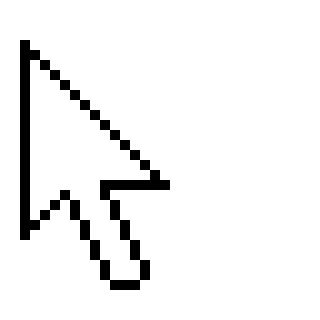
The other common type is the pointer cursor. This is the one you use to navigate the general interface. It's typically an arrow, but it can change shape to give you clues about what you can do. For example, it might turn into a pointing hand when you hover over a link, or a crosshair when you're working with an image.
| Cursor Type | Primary Use | Common Appearance |
|---|---|---|
| Text Cursor (Caret) | Inserting text | Blinking vertical line ` |
| Pointer Cursor | Navigation, clicking, selecting | Arrow →, Hand ✋ |
What Cursors Do
At its core, a cursor performs three basic but essential functions: insertion, navigation, and selection.
Insertion: As we've seen, the text cursor shows you exactly where your next keystroke will land. When you click in a paragraph, you're placing the caret to either add new text or delete existing text.
Navigation: The pointer cursor is your main tool for moving around. You use it to click on buttons, open menus, launch applications, and scroll through documents.
Selection: Cursors also let you select items. You can click and drag your pointer to highlight a block of text, select multiple files in a folder, or choose a specific area of an image to edit. This tells the computer, "Pay attention to this specific thing."
These three simple functions are the foundation of how we interact with modern computers. By showing us where we are and what we can interact with, cursors make technology accessible and intuitive.
What is the primary purpose of a cursor on a computer screen?
When typing in a document, the blinking vertical line that marks your position is also known as a:
From pointing to clicking to typing, the cursor is a fundamental part of using a computer.