The Full Cycle Game Developer
Architecture and Design Patterns
Logic vs. Looks
In game development, it’s tempting to mix everything together. You have a player character, so you write one giant script that handles its movement, its health, its animations, and how it looks on screen. This is often called a 'monolithic' approach. While it works for tiny projects, it quickly becomes a problem.
When your player's logic is tangled up with its animation code, a simple change to how health is calculated might accidentally break how the character jumps. This creates bugs and slows down development.
The modern standard is to separate your code based on its job. This principle is called separation of concerns. The 'brain' of your game (the rules, data, and logic) should be completely separate from the 'body' (the visuals, sounds, and user input). Your game's logic shouldn't care if the player is a 3D model, a 2D sprite, or just text on a screen. It only needs to know about things like health points, position, and inventory.
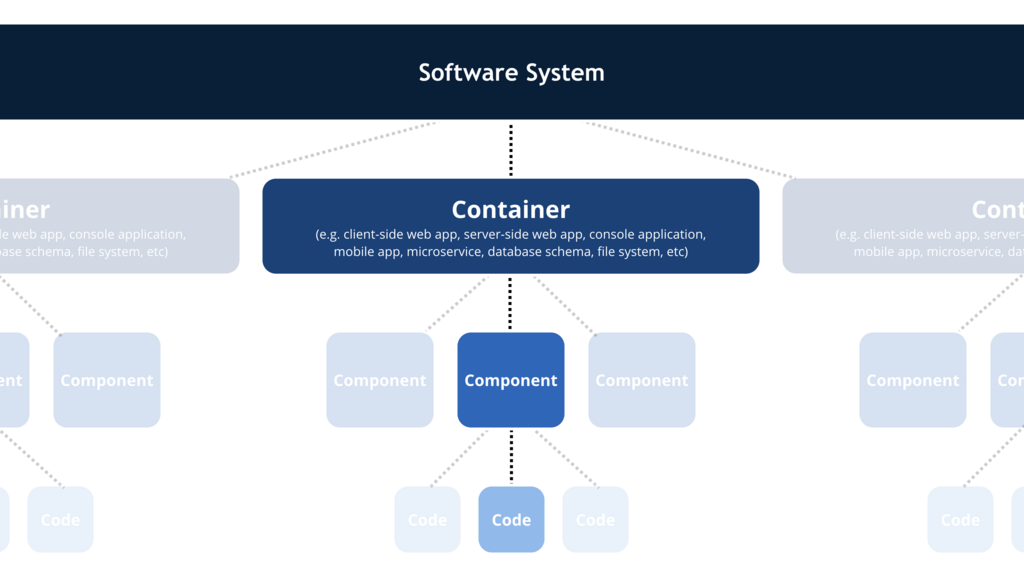
This separation is the core idea behind many architectural patterns. One of the most classic is (MVC). In a game context, it breaks down like this:
- Model: This is the pure data and logic. It holds the player's health, the game's score, the rules for winning. It knows nothing about graphics or input.
- View: This is what the player sees. It takes data from the Model and renders it. When the Model says health is 50, the View draws the health bar halfway full.
- Controller: This handles player input. When the player presses the jump button, the Controller tells the Model to update the player's vertical position. The Model changes the data, and the View automatically updates to show the character moving.
Modern engines like Unity and Godot have their own flavors of this idea. Unity's scriptable object architecture allows you to create data containers (Models) that are independent of any specific scene object. The Chickensoft pattern for Godot/C# formalizes this separation, creating a pure C# logic layer that communicates with the Godot scene tree (the View).
Essential Game Programming Patterns
Architectural patterns like MVC are the big picture. Design patterns are smaller, reusable solutions to common problems within that architecture. Think of them as individual plays in your team's overall strategy. Here are three you'll use constantly.
Command
noun
This pattern turns a request into a stand-alone object. Instead of having an input manager directly call a 'jump' function on the player, the input manager creates a 'JumpCommand' object and sends it out. This decouples the sender (the button press) from the receiver (the player character).
Imagine you want to add controller remapping. With a Command pattern, you don't change the player code. You just change which button creates which Command object. You can also easily create a list of past commands to build a replay system.
Game architecture utilizes abstraction to hide the complexity of underlying systems.
State Pattern
Characters in games often have different states: standing, walking, jumping, crouching. Each state has different rules. For example, you can't jump while you're already jumping. The State pattern encapsulates the logic for each state into its own class. The player object just holds a reference to its current state object and delegates tasks to it. When the player needs to change state (e.g., from standing to jumping), it just swaps out the current state object for a new one. This avoids massive if/else or switch statements.
// Simplified State Pattern Example
public interface IPlayerState {
    void HandleInput(Player player, Input input);
    void Update(Player player);
}

public class StandingState : IPlayerState {
    public void HandleInput(Player player, Input input) {
        if (input.IsJumpPressed()) {
            player.State = new JumpingState();
        }
    }
    // ... Update logic for standing
}

public class JumpingState : IPlayerState {
    public void HandleInput(Player player, Input input) {
        // Can't jump while jumping
    }
    // ... Update logic for jumping
}
Observer Pattern
This pattern is perfect for systems that need to react to events. You have a 'Subject' that maintains a list of 'Observers'. When something important happens to the Subject (like the player taking damage), it notifies all its Observers. The Observers can then react accordingly. This is incredibly useful for decoupling systems.
For example, the player's health system (the Subject) doesn't need to know about the UI, the sound system, or the achievement system. When the player's health changes, it just sends out a notification. The UI (an Observer) hears this and updates the health bar. The sound system (another Observer) hears it and plays a pain sound. The achievement system hears it and checks if the "Barely Survived" achievement should unlock. The systems work together without being directly tied to each other.
Modern Engine Philosophy
Early game development often relied on deep hierarchies. You might have a base Enemy class, with Goblin and Orc classes inheriting from it. This seems logical, but what happens when you want a flying orc or a magical goblin? You end up with a messy, complicated web of classes.
Modern engines favor composition over inheritance. Instead of creating an object that is a specific type of thing, you create a generic object and attach components that give it capabilities. A character isn't an Orc class; it's a GameObject with a HealthComponent, a MeleeAttackComponent, and an OrcVisualsComponent. Want a flying orc? Just add a FlyingComponent.
| Principle | Inheritance (Is-A) | Composition (Has-A) |
|---|---|---|
| Concept | A Goblin is an Enemy. | An Enemy has a HealthComponent. |
| Flexibility | Rigid. Changes to the base class affect all children. | Flexible. Add or remove components at runtime. |
| Reuse | Code is reused through a shared base class. | Code is reused through standalone components. |
| Example | class Orc : Enemy { ... } | enemy.AddComponent<AttackLogic>(); |
This component-based approach makes your codebases incredibly modular and scalable. It also plays nicely with tree-based scene systems like those in Unity and Godot. But it introduces a new problem: how do components talk to each other without becoming a tangled mess?
This is where (DI) comes in. Instead of having a component search the scene tree for another component it needs (e.g., the PlayerWeapon component searching for the PlayerHealth component to deal damage), the needed component (the dependency) is 'injected' or provided from an external source. This makes components self-contained and much easier to test in isolation.
By combining a layered architecture with design patterns and a component-based philosophy, you create a game that is robust, scalable, and far easier to maintain over its lifecycle.
Let's test your understanding of these core architectural concepts.
What is the primary goal of the 'separation of concerns' principle in game development?
In the Model-View-Controller (MVC) architectural pattern, which component is directly responsible for managing the game's core data and rules, such as player health or the score?
Thinking about architecture from the start saves countless hours of debugging and refactoring later on. It's the foundation upon which great games are built.