Tech Trends Vibe Coding and Web3 Explained
Understanding Applications
What's an App, Really?
At its core, an application is a tool designed to do a job. Whether it's connecting you with friends, tracking your workout, or letting you buy a concert ticket, an app solves a problem. But how does it work? It’s not magic. Every app has a deliberate structure, a blueprint that dictates how all its different parts work together. This is its architecture.
Think of building an app like building a house. You don't just start hammering nails. You need a plan. Where do the rooms go? How does the plumbing connect? What about the electrical wiring? A well-planned architecture ensures everything functions smoothly, from the foundation to the roof. In the world of software, this plan outlines how data flows, where information is stored, and how the user interacts with it all.
The Client-Server Model
Most applications you use today follow a client-server model. This is a simple but powerful idea that splits the workload between two main players: the client and the server.
The client is the device you're holding or using, like your phone, tablet, or laptop. It's responsible for the part of the app you see and interact with. The server is a powerful, remote computer that does the heavy lifting. It stores the data, runs the complex logic, and handles requests from many clients at once.
Imagine ordering food at a restaurant. You (the client) look at a menu and tell the waiter what you want. The waiter takes your request to the kitchen (the server). The kitchen prepares the food and gives it back to the waiter, who brings it to your table. You don't need to know how the kitchen works; you just need to make a request and get a result. The app on your phone works the same way. It sends a request over the internet to a server, which processes it and sends the required information back.

Where Does the Data Live?
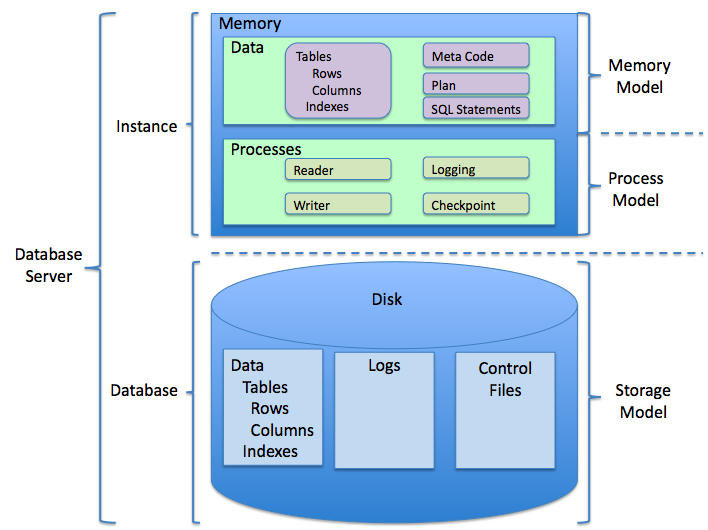
When you post a photo, save a contact, or add an item to your shopping cart, where does that information go? It's stored in a database. A database is essentially an application's long-term memory. It's a highly organized system for storing, managing, and retrieving vast amounts of data efficiently.
Think of a database like a giant, digital filing cabinet. Instead of manila folders, it has tables. These tables have rows for each item (like a user or a product) and columns for specific pieces of information (like a name, email, or price). This structure makes it incredibly fast for the server to find exactly what it's looking for. Good data management ensures this information is accurate, secure, and available whenever the app needs it.
The Part You See and Touch
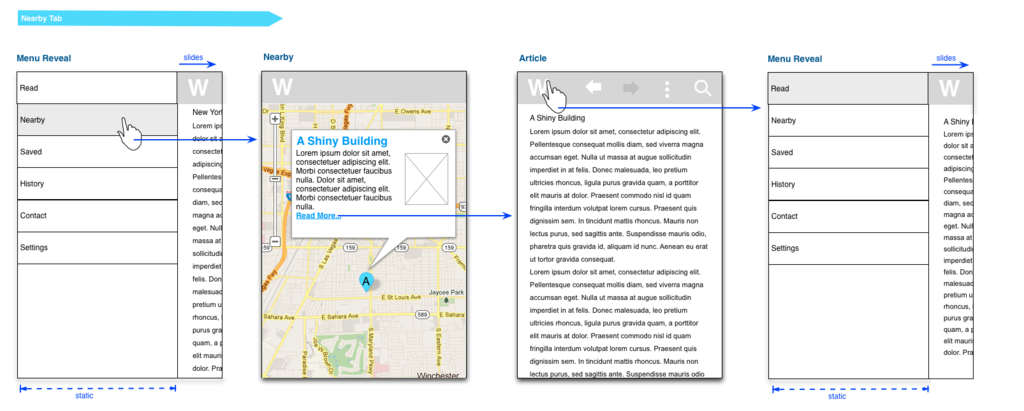
The part of the application you interact with is the User Interface (UI). This includes all the buttons, icons, text fields, and screens. It's the visual layout and design of the app. The goal of UI is to present information and actions clearly.
Closely related is User Experience (UX). UX is about how it feels to use the application. Is it intuitive and easy to navigate? Is it confusing or frustrating? Good UX design focuses on creating a seamless, enjoyable journey for the user, making sure they can accomplish their goals without friction.
If UI is the steering wheel, gearshift, and pedals of a car, UX is the feeling of driving it. Are the controls easy to reach? Is the ride smooth? Does the car do what you expect it to do?
From Idea to App
Applications don't appear overnight. They are built through a structured process called the Software Development Lifecycle (SDLC). While there are many variations, the core stages are generally the same.
- Planning: This is where it all begins. What problem will the app solve? Who is it for? What features will it need? The team defines the project's goals.
- Design: Architects and designers create the blueprint. This includes the system architecture, database schema, and the UI/UX wireframes.
- Development: Coders get to work, writing the actual code that brings the designs to life.
- Testing: The application is put through its paces to find and fix bugs. Quality assurance testers check for flaws in functionality, performance, and security.
- Deployment: The app is released to the public. This might mean publishing it on an app store or launching it on a web server.
- Maintenance: The work isn't over. The team monitors the app, fixes new bugs, and releases updates with improvements and new features. This cycle then repeats.
Now, let's test your understanding of these core concepts.
What is the primary purpose of an application's architecture?
In the client-server model, if the app on your phone is the 'client', what acts as the 'server'?
Understanding these building blocks—from the client-server relationship to the development lifecycle—is the first step toward seeing how modern technology truly functions.