System Calls Explained
Introduction to Operating Systems
The Computer's Manager
Think of an operating system (OS) as a busy restaurant manager. The manager doesn't cook the food or serve the tables, but they make sure everything runs smoothly. They take orders from customers (you and your applications), tell the kitchen (the hardware) what to do, and ensure resources like tables and ingredients are used efficiently.
Without a manager, every customer would have to go directly to the kitchen, leading to chaos. The OS is the essential software that manages all the computer's hardware and software resources. It acts as an intermediary, allowing your programs to communicate with the hardware without needing to know the complex details of how that hardware works.
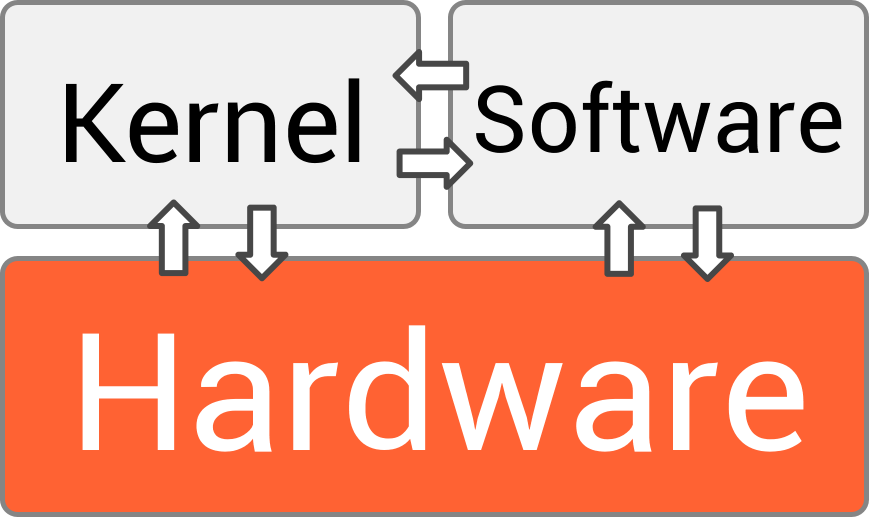
This setup is powerful. A game developer, for instance, doesn't need to write code for every possible graphics card. They just tell the OS, "Draw a spaceship here," and the OS translates that command for whatever hardware is present.
An operating system is a program that controls the execution of application programs and acts as an interface between the user of a computer and the computer hardware.
The Four Core Jobs
An OS juggles several critical responsibilities to keep your computer functional. These can be broken down into four main areas.
Process Management: When you run a program, the OS creates a process. If you're listening to music while browsing the web and writing an email, you have multiple processes running. The OS is responsible for starting, stopping, and scheduling these processes, making sure each one gets a fair share of the processor's (CPU) time. This creates the illusion that everything is happening at once.
Memory Management: Your computer's main memory (RAM) is a finite resource. The OS acts like a traffic cop for memory, allocating space to programs when they need it and freeing it up when they're done. It also ensures that one program can't accidentally access or corrupt the memory being used by another.
File Systems: Without a file system, your computer's storage would be one giant, jumbled mess of data. The OS organizes this data into a hierarchy of files and directories, making it easy to store, find, and manage your information.
Device Management: Your computer connects to many devices: keyboards, mice, monitors, printers, network cards, and more. The OS manages communication with all of them through special software called drivers. This lets your applications use a printer, for example, without needing to know the specific commands for your particular model.
The Two Modes of Operation
To protect the system from buggy or malicious applications, the CPU has two distinct modes of operation: user mode and kernel mode.
| Mode | Privileges | What Runs Here? |
|---|---|---|
| User Mode | Restricted | Your applications: web browser, games, word processor. |
| Kernel Mode | Unrestricted | The core of the OS (the kernel). Has full access to hardware. |
When you're using your web browser, it's running in user mode. It has limited access to the computer's hardware. It can't, for example, just decide to reformat your hard drive. This is a crucial safety feature. If an application crashes, the OS can contain the damage and prevent it from taking down the entire system.
The kernel mode is for the OS itself. In this mode, the code has complete and unrestricted access to the underlying hardware. It can manage memory, talk to devices, and perform other critical tasks. Think of it as having the master keys to the entire building.
This separation between user mode and kernel mode is called protection. It protects the OS and other applications from errors in any single program.
So how does a user-mode application save a file if it can't directly access the hard drive? It has to ask the kernel for help. The application makes a special, highly controlled request to the OS. The CPU then switches from user mode to kernel mode, the OS performs the requested task (like writing to the disk), and then switches back to user mode to let the application continue.
This transition is the fundamental way that applications interact with the system's resources in a safe and orderly fashion. It allows the OS to maintain full control while still providing powerful services to the programs you use every day.
Using the analogy of a restaurant, what is the primary role of an operating system?
When you have a web browser, a music player, and a word processor open at the same time, which OS function is responsible for ensuring each application gets a share of the CPU's time?
Now you have a solid foundation for what an operating system is, what it does, and how it protects the computer while getting work done.