Starting Your Python Journey
Getting Started
What is Python?
Think of a computer as a very obedient chef. It can do amazing things, but it only follows instructions. It doesn't understand English or any other human language directly. It needs a special language to understand what you want it to do.
Python is one of those languages. It's a way for you to write instructions for the computer in a way that's readable for you and understandable for the machine. You write a set of instructions, called a program or a script, and the computer follows them step by step.
Just like a recipe, a computer program is a list of steps. The computer reads your code from top to bottom, executing each instruction in order.
Setting Up Your Workspace
To start writing Python, you need a place to write your code and a way to run it. The program that reads your Python code and tells the computer what to do is called the Python interpreter.
While you can install Python and a code editor on your computer, the easiest way to start is with an online tool. Websites like Replit give you a code editor and an interpreter right in your web browser, so you don't need to install anything. For this course, we'll assume you're using an online editor.
Your First Program
It's a tradition in programming to make your first program display the words "Hello, World!" on the screen. It's a simple way to make sure everything is working correctly.
To do this in Python, we use a built-in command called print(). This command tells the computer to display whatever you put inside the parentheses. Let's write that single line of code.
print("Hello, World!")
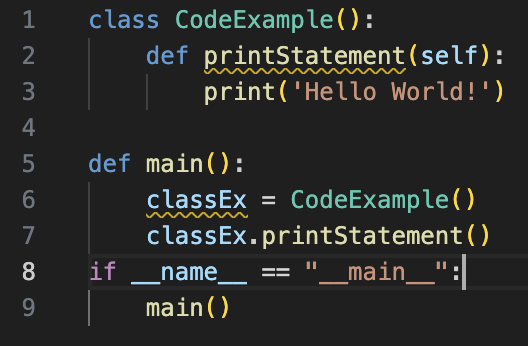
Let's break that down:
printis the function, or command, we're telling the computer to use.()The parentheses hold the information we want the function to work with."Hello, World!"is the text we want to display. Text in Python must be wrapped in quotes. This is called a string.
Type this exact line into your code editor and press the "Run" button. You should see Hello, World! appear in an output window. You've just written and run your first computer program.
Congratulations on taking your first step. You now know how to give a basic command to a computer using Python. In the next section, we'll start giving it more interesting instructions.