SSD Technology Explained
Introduction to SSDs
Meet the Solid State Drive
A Solid State Drive, or SSD, is a type of storage device used in computers. Like a traditional Hard Disk Drive (HDD), it stores your operating system, programs, and files. But how it does this is completely different.
Think of an HDD as a tiny, high-tech record player. It has a spinning platter and a mechanical arm that moves back and forth to read and write data. An SSD, on the other hand, has no moving parts at all. It works more like a high-capacity USB flash drive, using microchips to store data electronically.
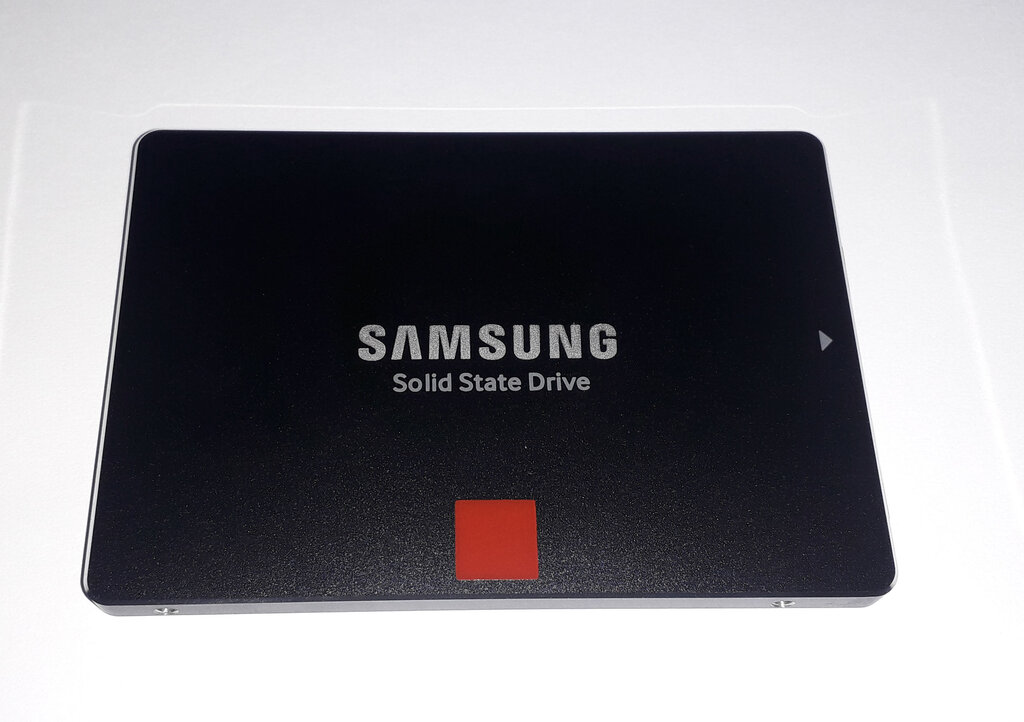
This fundamental difference—the absence of moving parts—is what gives SSDs their modern advantages.
No Moving Parts, Big Advantages
The mechanical nature of an HDD creates limitations. The drive has to spin up to speed, and the arm has to physically move to the correct location on the disk. This takes time. Because an SSD is entirely electronic, it can access data almost instantly.
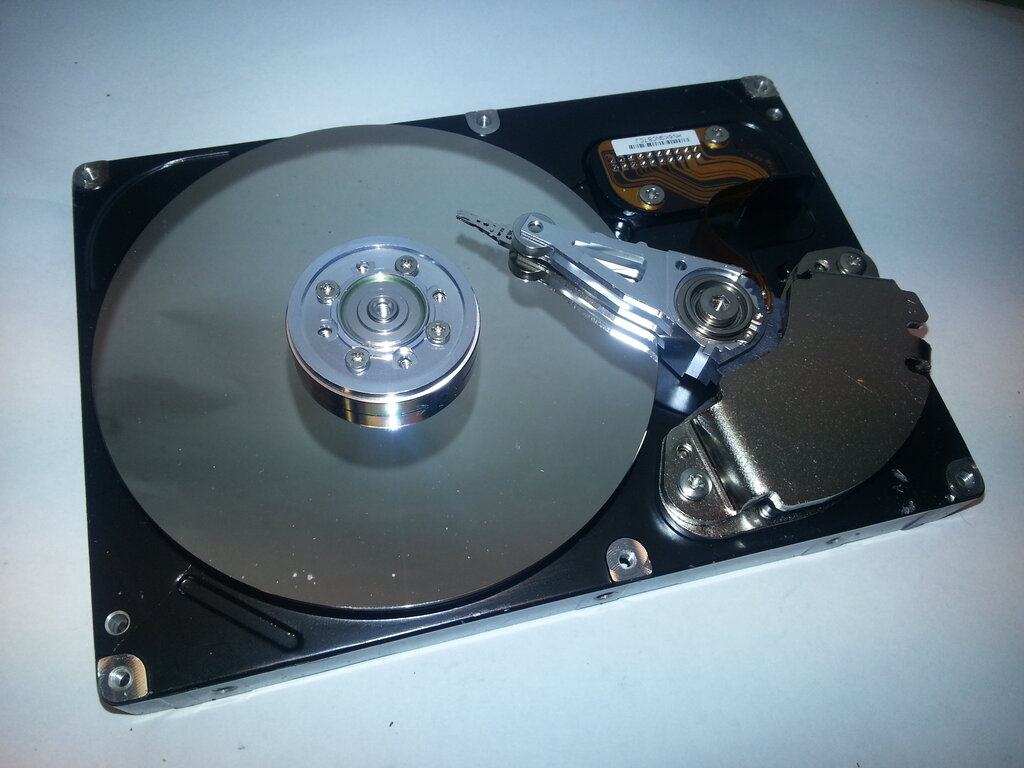
This difference leads to several key benefits.
- Speed: SSDs are significantly faster than HDDs. This means your computer boots up in seconds, applications launch instantly, and files open and save much more quickly.
- Durability: Without moving parts, SSDs are far more resistant to drops and bumps. This makes them ideal for laptops and other portable devices that get moved around a lot.
- Energy Efficiency: Since there are no motors to spin, SSDs consume less power. For a laptop, this translates to longer battery life.
Upgrading from an HDD to an SSD is one of the most noticeable performance boosts you can give to an older computer.
Shapes and Sizes
SSDs come in a few common shapes, known as form factors. The most traditional is the 2.5-inch drive, which looks like a small, thin box and is designed to fit in the same space as a laptop HDD.
More modern computers, especially thin laptops and desktops, use a much smaller form factor called M.2. These drives look like a stick of RAM and plug directly into the motherboard, saving space and eliminating the need for extra cables.
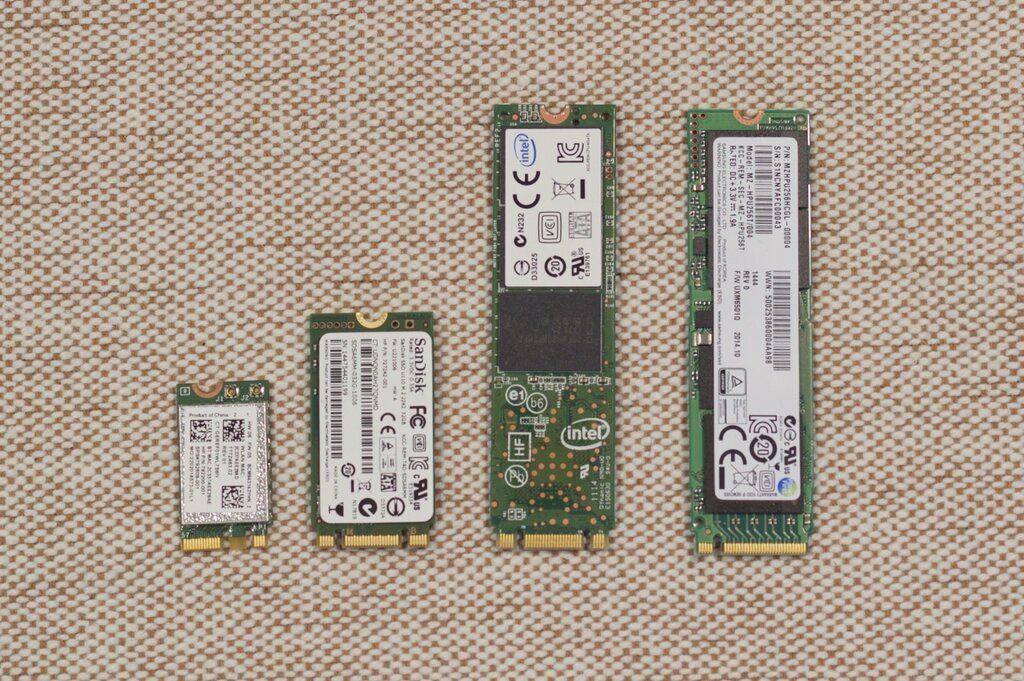
These different form factors use various connection types, or interfaces, like SATA and NVMe. While you don't need to know the deep technical details, the key takeaway is that NVMe M.2 drives are the newest and fastest type of SSD available today. Regardless of the shape or connector, any SSD will provide a major speed improvement over a traditional spinning hard drive.
Time to check your understanding.
What is the fundamental difference between a Solid State Drive (SSD) and a Hard Disk Drive (HDD)?
Why are SSDs generally more durable and resistant to physical shock than HDDs?
SSDs represent a huge leap forward in storage technology. By trading moving parts for silent, efficient microchips, they've made our computers faster, more durable, and more responsive.