SQLAlchemy Engine Architecture and Connectivity
DBAPI and SQLAlchemy Core
A Standard for Talking to Databases
How does a Python application talk to a database? There are dozens of databases out there, from PostgreSQL to SQLite to Oracle. If every database required a completely different way to connect and send commands, writing database-aware applications would be a nightmare. Each time you wanted to support a new database, you'd have to rewrite large parts of your code.
To solve this, the Python community created a standard specification called the Python Database API Specification v2.0, or PEP 249. This specification doesn't provide any code. Instead, it defines a common interface that all Python database drivers should follow. It's a blueprint for how database connections, cursors, and transactions should work.
Thanks to PEP 249, also known as the DBAPI, the code for connecting to a MySQL database looks very similar to the code for connecting to a PostgreSQL database. You'll find common functions like connect(), methods like cursor(), execute(), and fetchone() across different drivers. This consistency is a huge advantage, but it doesn't solve every problem.
The DBAPI standardizes the Python interface, but it doesn't standardize the SQL language itself or the specific behaviors of each database.
Each database has its own unique flavor of SQL, known as a dialect. For example, the way you write a query to limit results to the first 10 rows is LIMIT 10 in PostgreSQL and MySQL, but SELECT TOP 10 ... in SQL Server. Data types also differ. A boolean might be BOOLEAN, BOOL, or even a TINYINT(1). This is where a higher-level tool becomes essential.
The Engine and the Dialect
SQLAlchemy Core provides a layer of abstraction on top of the DBAPI. Its entry point is the Engine. Think of the Engine as a universal adapter. It takes a standard set of instructions from your Python code and translates them into the specific dialect the target database understands. This allows you to write your database logic once and run it against different database systems with minimal changes.
The Engine doesn't replace the DBAPI driver; it wraps it. When you create an Engine, you tell SQLAlchemy which database you're connecting to, and it selects the appropriate dialect to manage the communication. The dialect handles all the database-specific details:
- SQL Generation: Translates SQLAlchemy's abstract expressions into the correct SQL syntax for the target database.
- Type Coercion: Converts Python data types (like
datetimeobjects orDecimal) to the appropriate database column types and back again. - DBAPI Interaction: Manages the underlying DBAPI connection, handling tricky details about transaction control and cursor management.
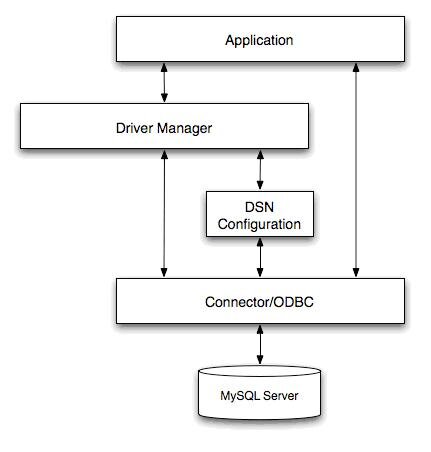
The Engine's primary job is to act as a factory for database connections and to manage a pool of these connections. Instead of opening a new network connection for every query, the Engine maintains a set of ready-to-use connections, which is much more efficient.
Creating an Engine
You create an engine using the create_engine() function. Its most important argument is the database URL, which is a string that tells SQLAlchemy everything it needs to know to connect to the database.
from sqlalchemy import create_engine

# The engine is the starting point for any SQLAlchemy application.
# It's configured using a URL string.
engine = create_engine("postgresql+psycopg2://user:password@hostname:5432/database_name")
Let's break down that URL string.
| Component | Example | Purpose |
|---|---|---|
dialect | postgresql | The name of the database system. |
+driver | +psycopg2 | The DBAPI driver to use. Optional; SQLAlchemy will pick a default. |
username | user | The database username. |
password | password | The user's password. |
host | hostname | The server address where the database is running. |
port | 5432 | The network port the database is listening on. |
database | database_name | The specific database to connect to on the server. |
For an in-memory SQLite database, the URL is much simpler, as it doesn't require a username, password, or host.
# For a SQLite database stored in a file in the current directory
sqlite_engine = create_engine("sqlite:///my_database.db")

# For a temporary, in-memory SQLite database
in_memory_engine = create_engine("sqlite:///:memory:")
Once you have an Engine, you can use it to interact with the database directly. The Engine provides a connect() method that returns a Connection object. This object represents a single, checked-out DBAPI connection from the engine's underlying connection pool. You can then use this connection to execute SQL statements.
from sqlalchemy import text

# Use a 'with' block to ensure the connection is returned to the pool.
with engine.connect() as connection:
    # Use the text() construct to indicate a raw SQL string.
    result = connection.execute(text("SELECT 'hello world'"))

    for row in result:
        print(row)
This shows the Engine in its most fundamental role: it provides a connection that you can use to execute raw SQL, just as you would with a direct DBAPI driver. But by going through the Engine, you gain connection pooling, standardized behavior, and a foundation for building more complex, dialect-agnostic queries.
What is the primary purpose of the Python Database API Specification v2.0 (PEP 249)?
Even when using a DBAPI-compliant driver, what is a major challenge a developer faces when switching from a PostgreSQL database to a SQL Server database?